Care and Maintenance
41Leica HM500/Ref. 10 715 697/Version B
Adjusting the adjustment knobs on the
headset
➩Carefully remove the upper protective cap from the adjust-
ment knob.
T
o prevent damage to the teeth on the adjustment
knob, do not turn the screw in the adjustment knob
anti-clockwise.
➩Turn the screw in the adjustment knob clockwise.
➩Replace the protective cap.
Changing the lamp
Warning 11
Risk of injury!
Even when cold, metal halide lamps are under high
pressure!
➩When handling illuminants, wear the following permit-
ted protective clothing: Face mask (incl. eye guard and
neck protection), artery and carotid artery protection,
safety gloves, chest guard. In the USA, the protective
clothing must be approved by the OSHA (Occupational
Safety and Health Administration).
Warning 12
Injury to skin, lungs, nervous system and other parts of
the body caused by mercury vapor!
Metal halide lamps contain traces of mercury!
➩If a metal halide lamp gets broken, ventilate and exit
the room immediately, not returning until the concen-
tration of mercury vapor has fallen below the permis-
sible threshold value.
➩Remove residual traces of mercury with a special
mercury vacuum cleaner and dispose of in accor-
dance with national legislation.
➩If the lamp was already broken while in transit and if
this is not noticed until the packaging was opened,
close the packaging again immediately and proceed
as described above. The packaging then must be
sealed up airtight.
➩Do not use lamps which show any signs of damage.
Caution 13
Damage to the lamp!
➩Do not touch the lamp except by the holder, never
touch the glass parts.
➩Do not expose the lamp to mechanical stress.
➩Remove contamination of the lamp using clean air.
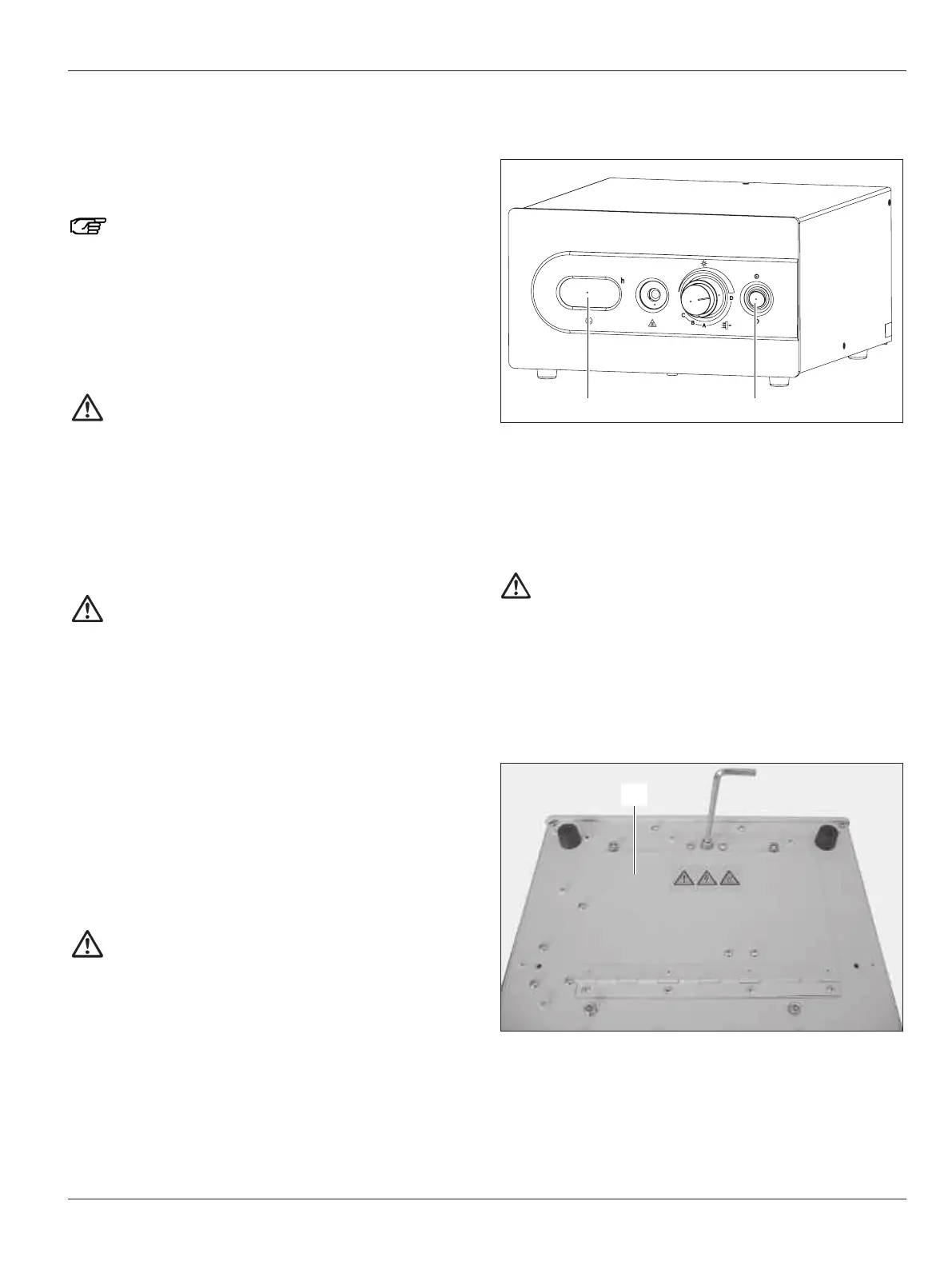
➩Switch off the Leica MLS500 light source at the On/Off
switch (61).
➩Wait until the device is completely switched off.
➩Pull out the power plug.
➩Wait another 15–30 minutes until the metal parts inside the
device have cooled down.
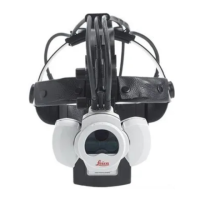
➩Turn the Leica MLS500 light source over and lay it on its top
side.
Warning 14
Risk of death from electrical shock!
Very high starter voltages of several 10,000 V occur
inside the Leica MLS500 light source, the lamp cable
and in the lamp.
➩Always pull out the power cable (66) before opening
the access panel (102)!
➩Use an Allen key to open the access panel (102).


 To Next Page