Care and Maintenance
44
Leica HM500/Ref. 10 715 697/Version B
Changing the fuse of the Leica MLS500
light source
Use original fuses only (see "Technical Data").
➩
Switch off the Leica MLS500 light source and pull out the
power plug.
➩At the rear of the Leica MLS500 light source, remove the fuse
holder (64).
➩Remove the fuse from the holder and fit a new one (T4 AH,
slow-blowing). IEC 127-2/5 & UL, 250V, 5x20mm, time-lag
➩Fit the fuse holder back.
Changing the battery of the Dental
footswitch/databox
Warning 16
Risk to patients from failure of the footswitch!
➩Never change the battery while the unit is in
operation.
➩Always change the battery outside the operating
room.
➩Switch off the footswitch/Dental databox and unplug all
cables.
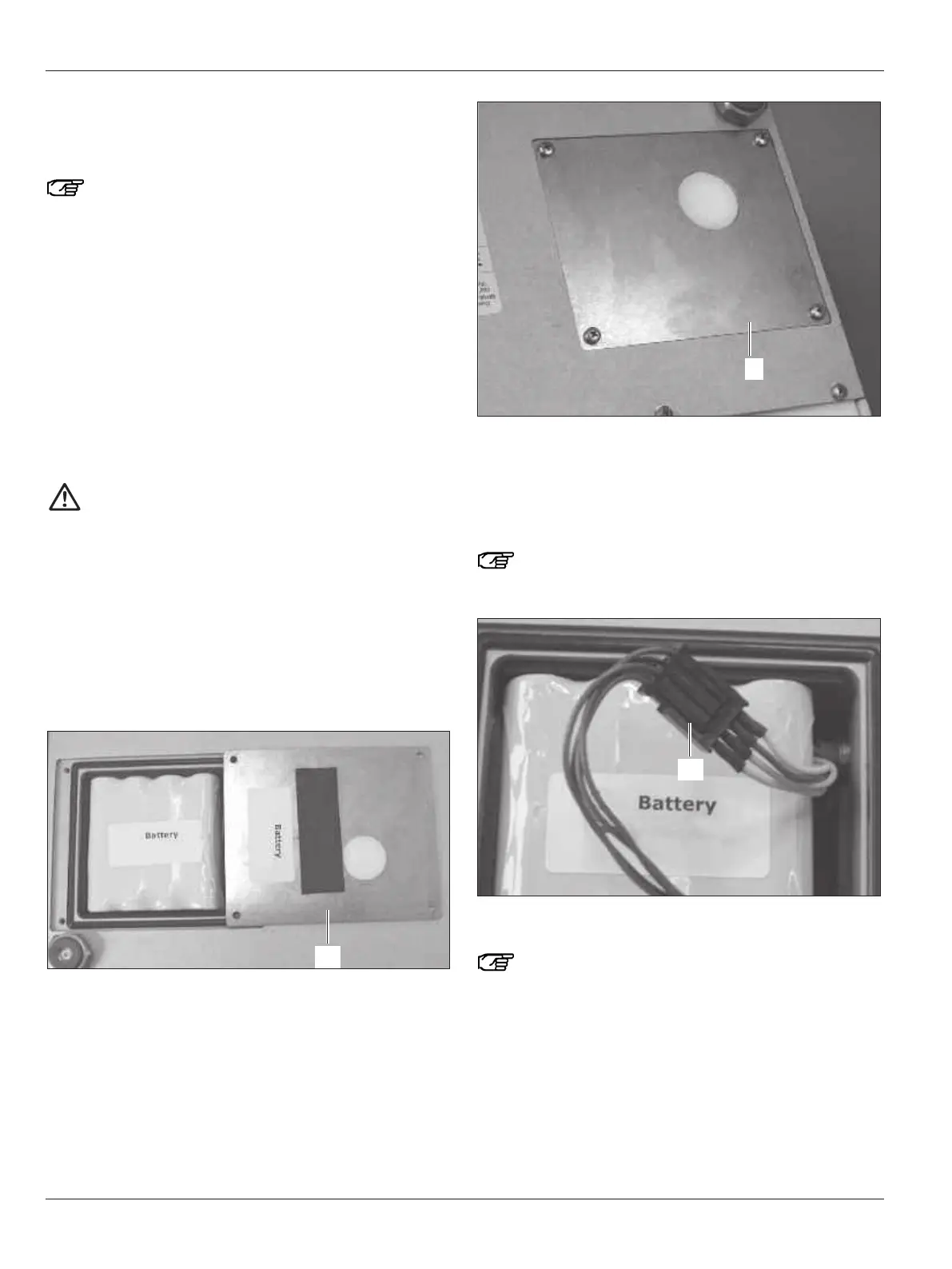
➩Unscrew and remove the lid of the battery compartment (106)
on the underside of the footswitch or back (55) of the Dental
databox.
Leica HM500 footswitch
Leica HM500 Dental databox
➩Connect the power pack to the footswitch or Dental databox
and then plug it into the power supply.
This bridges the power supply to the circuit boards.
➩Unplug the connector (107) and remove the old battery.
When the battery is disconnected, audible signals will
be heard and the LEDs on the footswitch or Dental
databox will flash.
➩Insert the new battery and reconnect the connector (107).
The charge level of the new battery is not important, it
only affects the charging process which follows.
➩Disconnect the power pack from the power supply.
The footswitch or Dental databox now stops beeping.
➩Reconnect the power pack to the power supply.
An undefined number of LEDs lights up.
➩Wait until the battery has charged.
The battery is fully charged when all of the LEDs are flashing.


 To Next Page