Video Camera
36 M320 Ref. 10734261 / Version 03 M320 Ref. 10734261 / Version 03 37
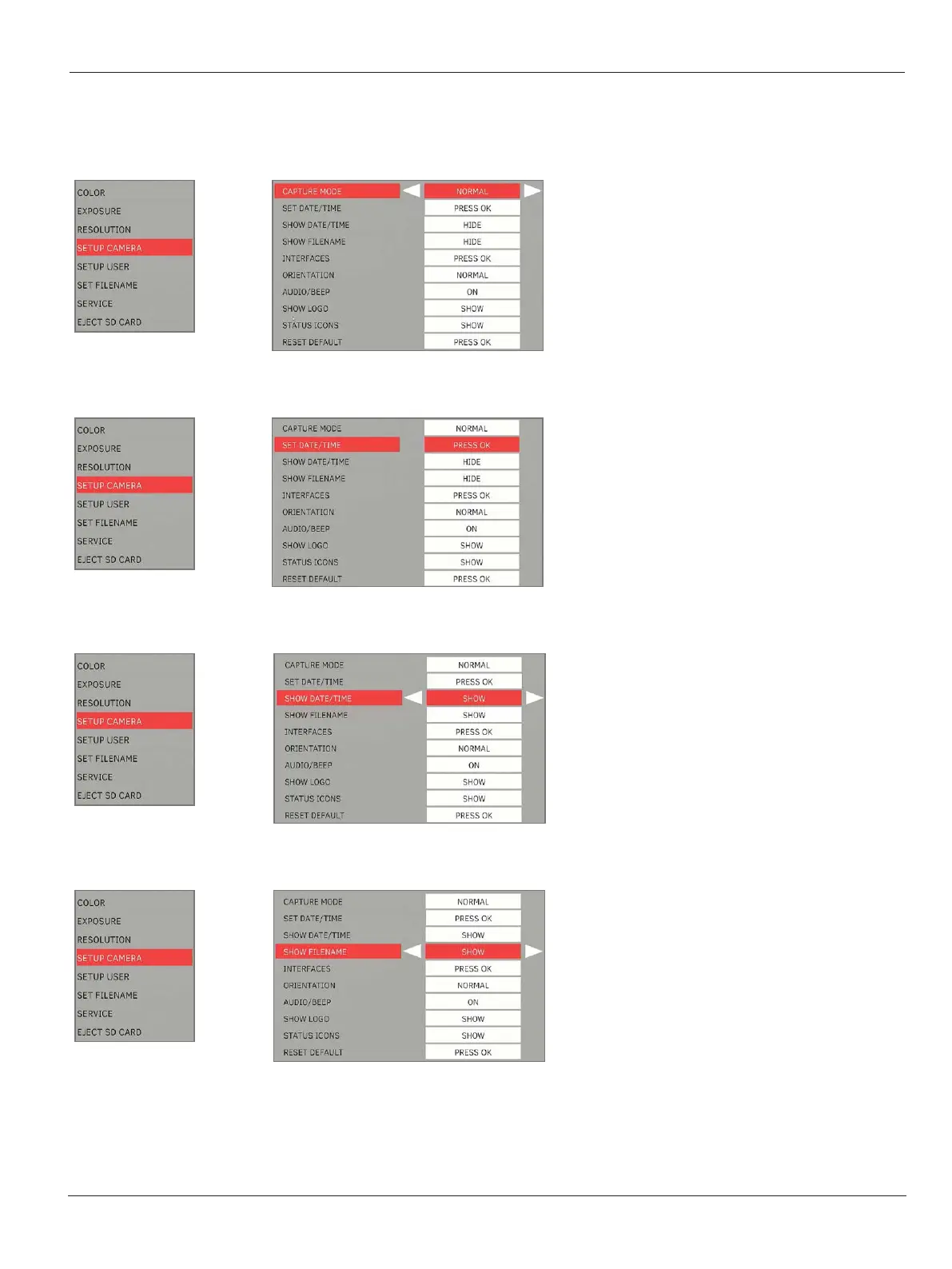
9.4.4 Setup camera
Capture mode
X
Select the still image capture mode:
•
Normal: Normal capture mode (Recommended)
•
Burst: 3 images will be captured consecutively
Set date/time
X
Set the date/time and select the format:
•
“DMY” = Day/Month/Year.24h
•
“MDY” = Month/Day/Year.12h (AM/PM)
•
“YMD” = Year/Month/Day.24h
Show date/time
X
Select the option for Show Date/Time:
•
Show: Date/Time can be shown during playback of
still image or recorded video.
Show filename
X
Select the option for Show Filename:
•
Show: File name can be shown during playback of
still image or recorded video.


 To Next Page