11
Getting Started
Before starting
Attention!
Before starting work, remember that the DX 26 PLUS is a powerful versatile signal processor mainly
designed for use with audio systems, whose input and output routing configurations can be set only by
recalling one of the PRESETS included in the internal memory. These characteristics mean that correct
careful use must be made of the unit and users must be sufficiently familiar with the unit’s main functions.
So before going ahead, it’s advisable to get to know at least the introductory part of this manual.
The Basic Principles of Navigation and Editing
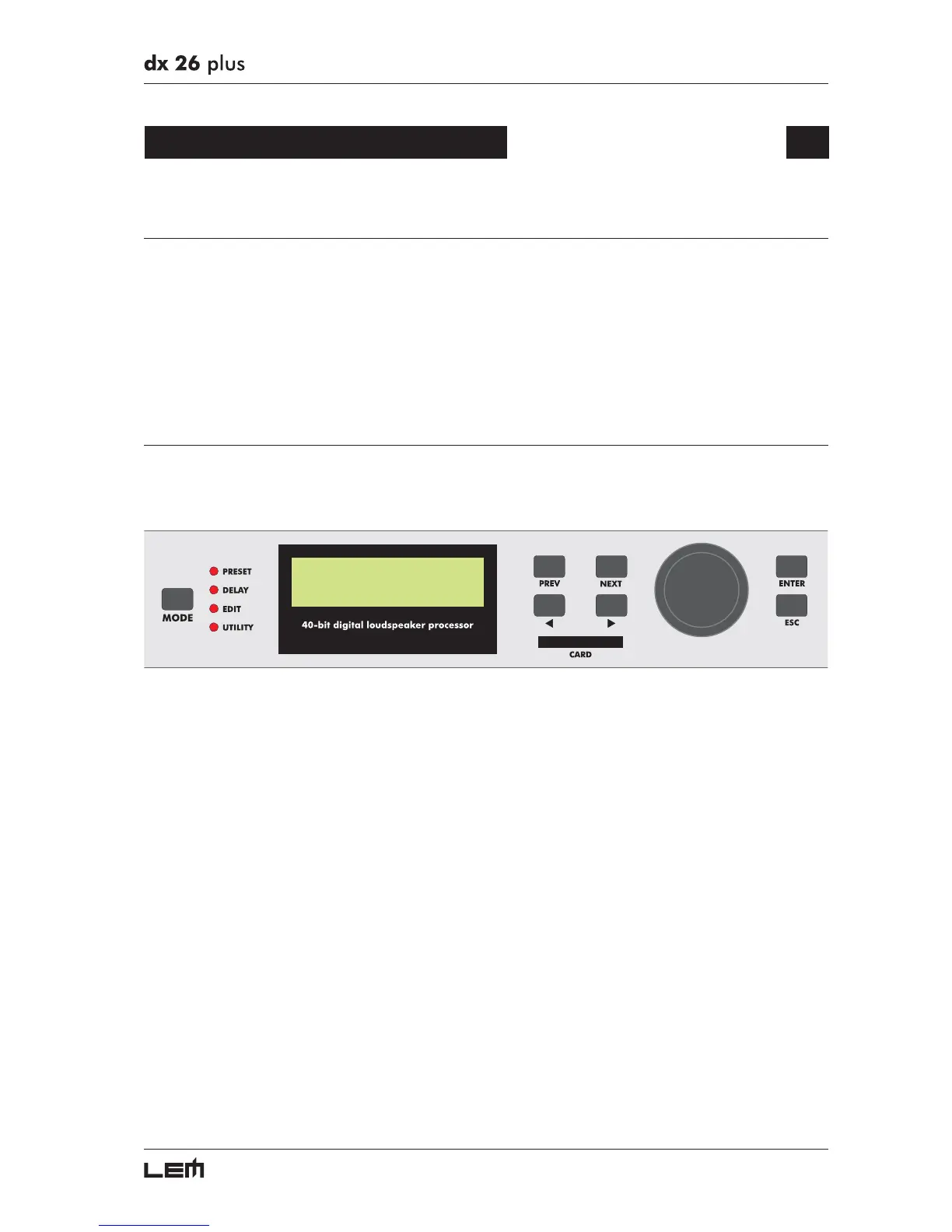
All the DX 26 PLUS parameters and functions can be accessed and edited using the buttons on the
front panel. All available information is shown on each occasion on the display.
The control software is organized in the PRESET, DELAY, EDIT and UTILITY menus, each of which
contains the relative types of parameters and functions. The navigation, i.e. access to the system’s menus,
and changes of the various parameters follow logical criteria, which can be summed up as follows:
☞ The menu is selected using the MODE key.
☞The menu selected is indicated by the relative menu LED and showed on the display.
☞ In default conditions (i.e. when none of the menu LEDs are lit), the display shows the principle infor-
mation on the PRESET currently loaded in the memory.
☞ Each menu is made up of several pages, which can be reached using the PREV and NEXT keys.
☞ Each page is accessed by means of the ENTER key and left using the ESC key or MODE key.
☞ A page can contain other pages. In this case, the name of the page is preceded by an arrow ➔
☞ Each page contains one or more parameters (fields), which can be selected using the
WW
WW
W and
XX
XX
X
keys.
The selected parameter can be identified by its flashing characters.
☞ Changes are made to the selected parameter by means of the DIAL knob.
Changes have immediate effect and, apart from a few exceptions (for example when assigning a
name to a PRESET), don’t need to be confirmed to be entered.
Getting Started



 To Next Page