8
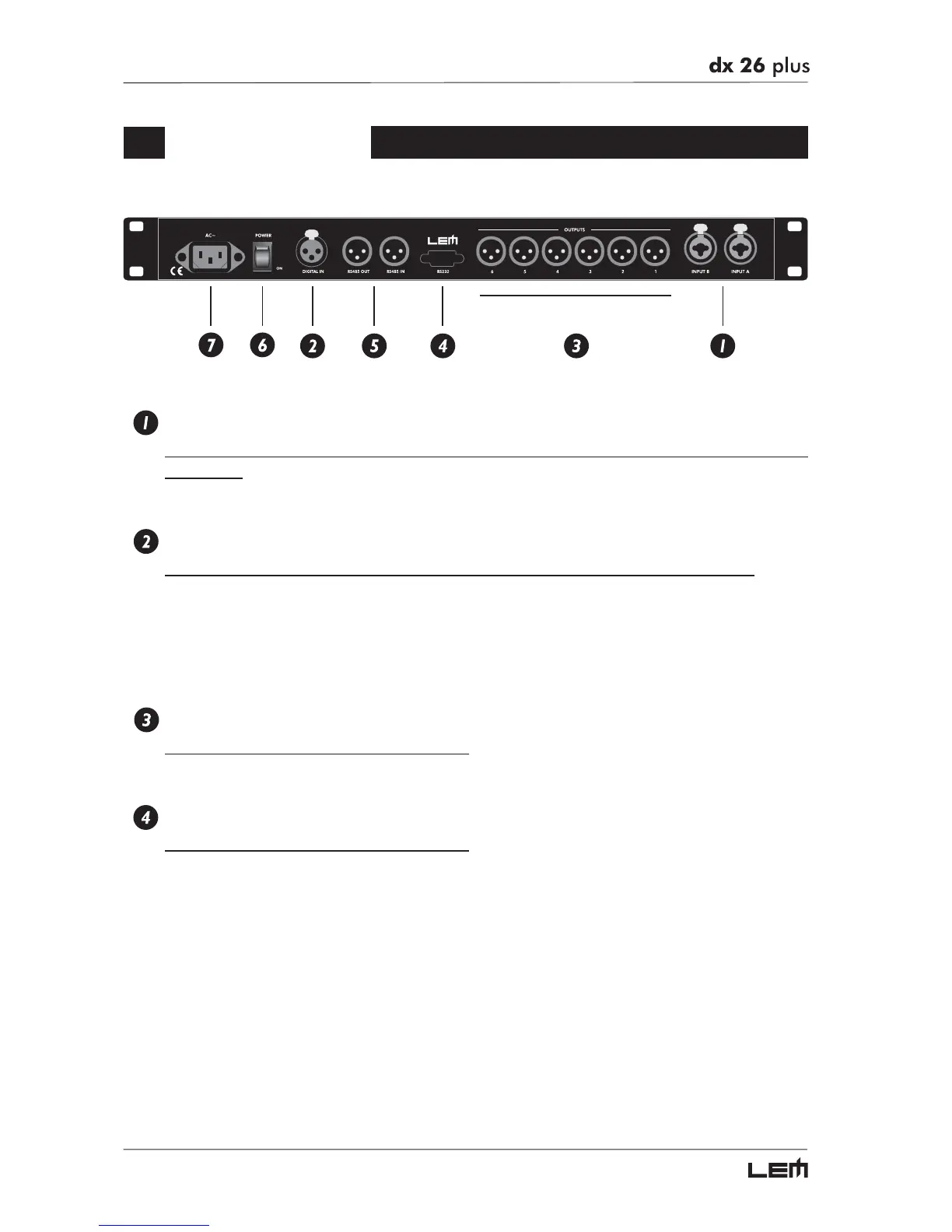
Rear Panel
INPUTS A-B
Audio inputs of the respective sections. Combo Connectors (compatible with balanced XLR
and JACK).
The A/D conversion is made with high quality, low noise 20 bit converters.
DIGITAL IN
Digital audio input A-B. Balanced XLR-F connector (one cable is enough to feed both inputs).
The digital inputs can be used in alternative to the analog ones (A & B inputs) to connect the processor
to units fitted with AES/EBU digital outputs (i.e. digital mixers). In this case, two conversions are by-
passed, improving the signal quality. The Digital/Analog Input selection can be set using the Input Select function
(UTILITY menu - Misc. Setup submenu).
A signal connected to the digital input has the same processing as that connected to analog input.
OUTPUTS 1-2-3-4-5-6
Audio outputs. Balanced XLR-M connectors.
The D/A conversion is made with high quality, low noise 20 bit converters.
RS232
RS232 serial communication interface port.
Allows incoming and outgoing communication between a DX 26 PLUS and a PC or other DX 26
PLUS units.
Communication protocol includes:
- Remote control: connecting the DX 26 PLUS to a PC and using the LEM editing software is
possible to remotely control all the processor functions.
- PRESET DUMP: connecting two DX 26 PLUS it’s possible to DUMP the single PRESETS from
one unit to the other (see DUMP procedure).
- PROGRAM CHANGE commands send/receive: connecting two DX 26 PLUS it’s possible, when
a PRESET is recalled on the first one, to send a PROGRAM CHANGE command to the second
one to recall the same PRESET number (see LOAD PRESET procedure).
Rear Panel



 To Next Page