18
Menu map
Menu map
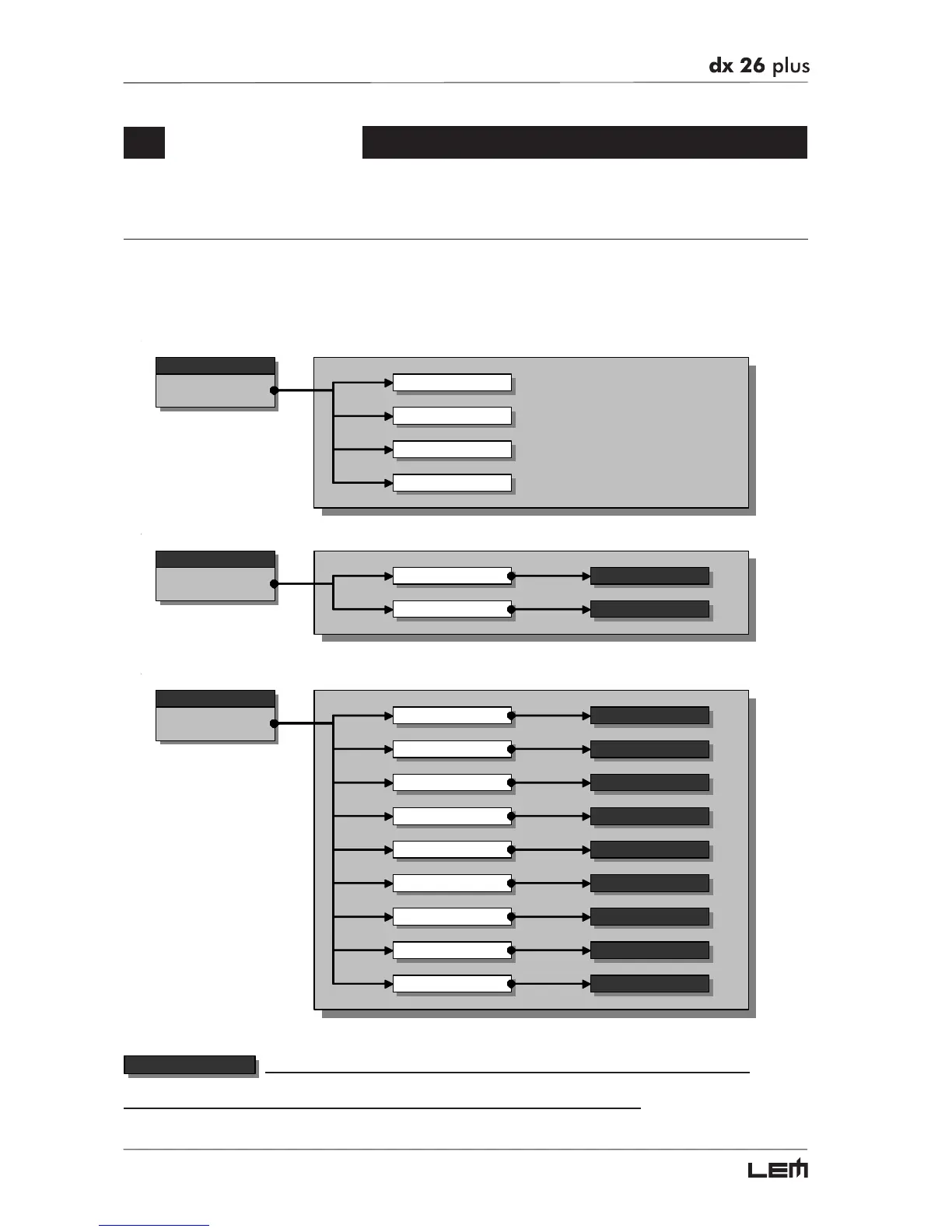
The control software is organized in PRESET, DELAY, EDIT and UTILITY menus, each of which contains
the relative types of parameters and functions.
To facilitate menu navigation, refer to the following map:
menu
PRESET
Load Preset
Store Preset
Dump Out Pre set
Incoming Dump
menu
DELAY
Input Delay
Output Delay
parameters
parameters
menu
EDIT
Input Gain
Input EQ
Noise Gate
Xover
Output EQ
Output Gain
Output Pol.
parameters
parameters
parameters
parameters
parameters
parameters
parameters
Output Cmp/Limit parameters
Input GATE parameters
parameters
In these pages, the number of the parameters and how they are presented varies according
to the configuration of the PRESET and according to Ganging and Units settings (UTILITY menu). In fact, these pages
only show the parameters that can actually be used, in the most suitable form of editing.
Menu map



 To Next Page