15
Display information in default conditions
In default conditions, i.e. when none of the menu LED’s is lit, so no type of editing is enabled, the
display shows the main information on the PRESET currently stored in the memory:
X
System configuration
The bold letters indicate the inputs:
A = Input A
B = Input B
S = SUM (sum of inputs A and B)
Numbers 1, 2, 3, 4, 5 and 6 indicate the respective outputs.
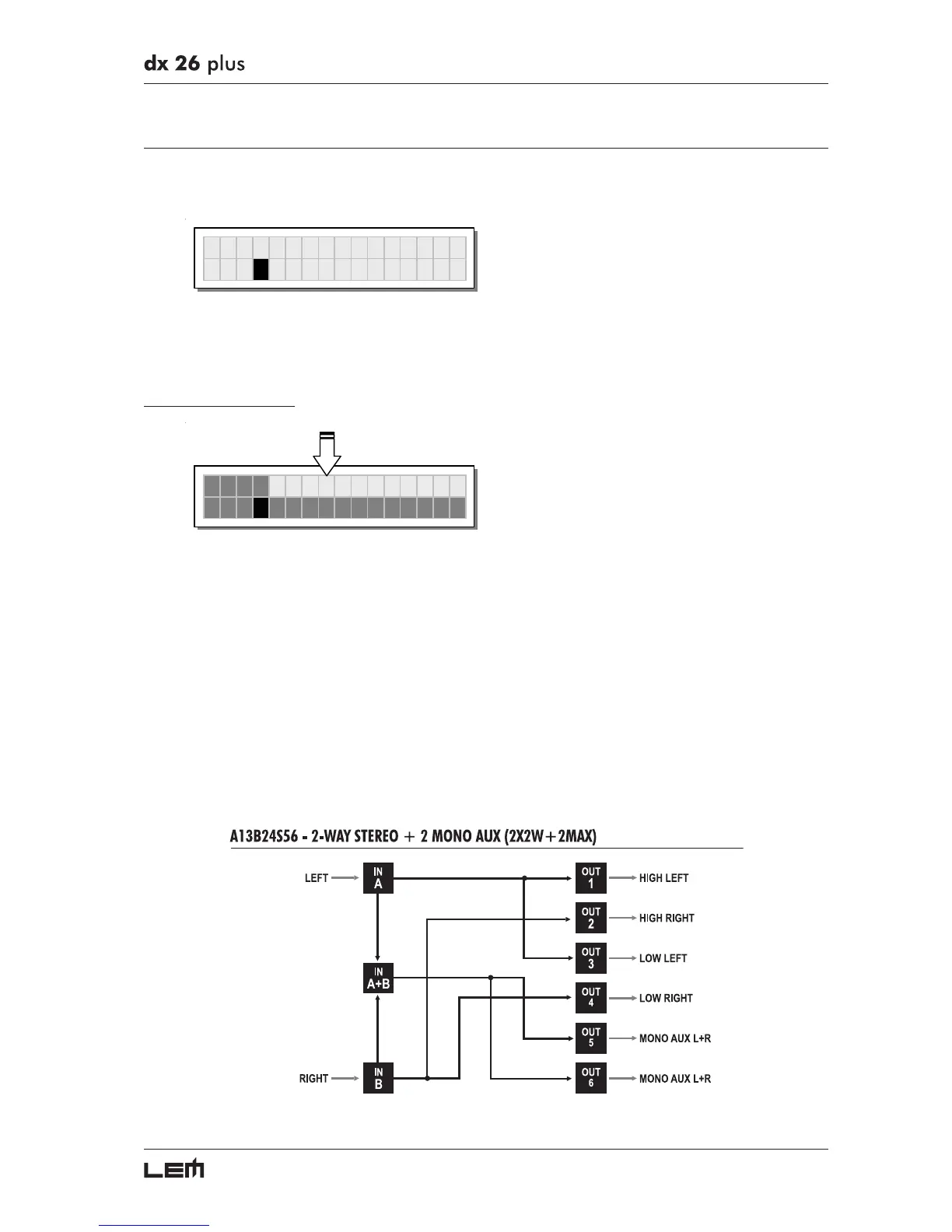
In the example:
The signal connected to Input A is assigned to outputs 1 and 3.
The signal connected to Input B is assigned to outputs 2 and 4.
The Sum of the signal on inputs A and B is assigned to outputs 5 and 6.
The system is therefore configured as shown in the following diagram.
Getting Started



 To Next Page