Dependingonthemodel,yourservermightcomewithoneortwofrontsystemfans.See“Server
components”onpage25tolocatethefrontsystemfan(s)installedinyourservermodel.
Note:Thefrontsystemfan2isonlyavailableinservermodelswithvetoeight3.5-inchhot-swapharddisk
drivesinstalled.Thefrontsystemfan2shouldonlybefactory-installed.Lenovodoesnotsupportusers
andservicerstoinstallasecondaryfrontsystemfanbythemselves.
CAUTION:
Hazardousmovingparts.Keepngersandotherbodypartsaway.
Beforeyoubegin,printalltherelatedinstructionsorensurethatyoucanviewthePDFversiononanother
computerforreference.
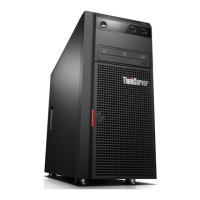
Note:Dependingonthemodel,yourservermightlookslightlydifferentfromtheillustrationsinthistopic.
Toreplacethefrontsystemfan,dothefollowing:
1.Removeallmediafromthedrivesandturnoffallattacheddevicesandtheserver.Then,disconnectall
powercordsfromelectricaloutletsanddisconnectallcablesthatareconnectedtotheserver.
2.Removetheservercover.See“Removingtheservercover”onpage87.
3.Locatethefrontsystemfan1.See“Servercomponents”onpage25.
4.Disconnectthefrontsystemfan1cablefromthe4-pinsystemfan1connectoronthesystemboard.
See“Systemboardcomponents”onpage45.
Chapter6.Installing,removing,orreplacinghardware159







 To Next Page
