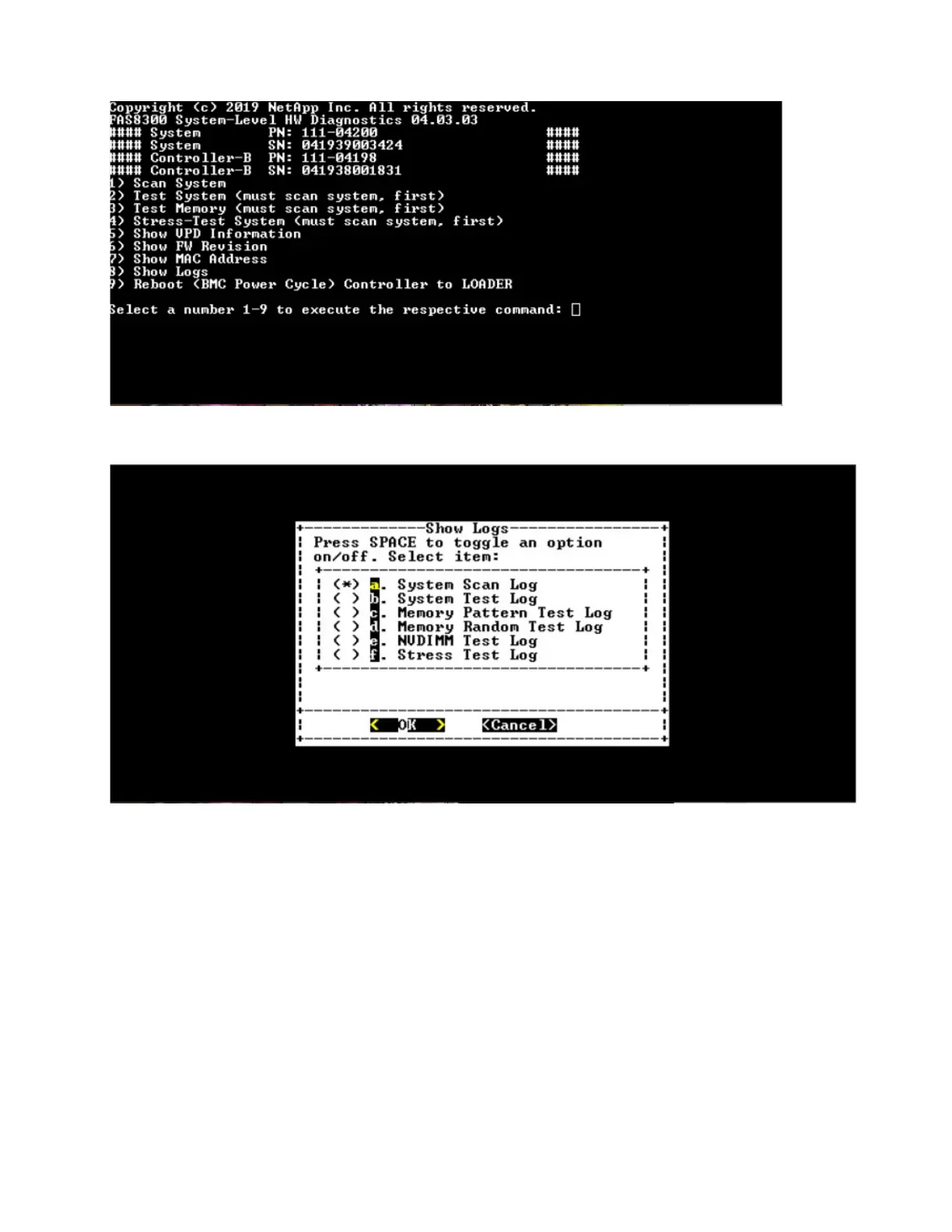
Show Logs Selection
• Use the "up" and "down" arrow keys to select the log types to display.
• Use the "space" bar to toggle an option on or off.
• Use the left and right arrow keys to select "Show" or "Cancel".
• Press "Enter" to execute your choice.
The "Select Logs" page is displayed:
Chapter 5. System level diagnostics 95




 To Next Page