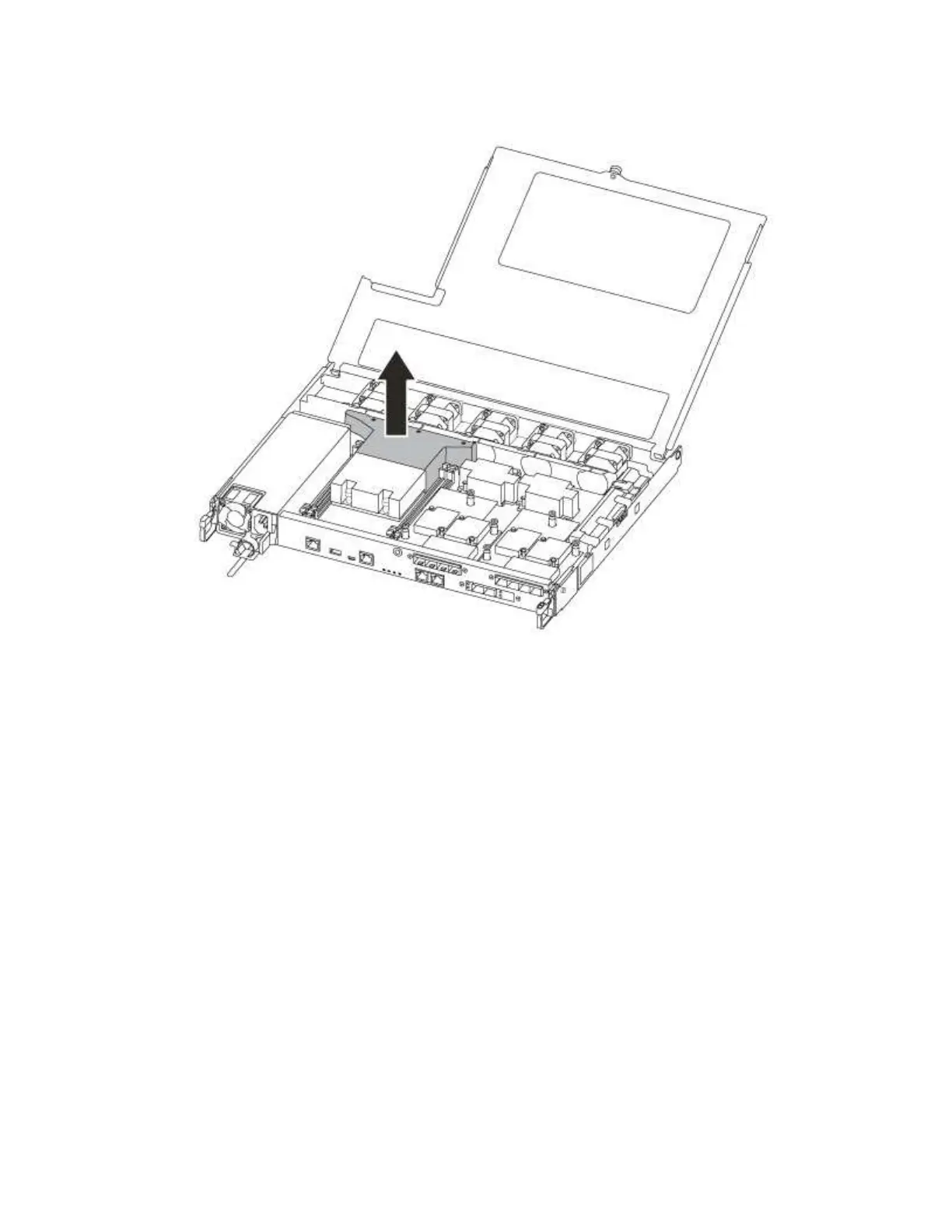
Step 8. Lift out the air duct cover.
Replacing the boot media
You locate the failed boot media in the controller module by removing the air duct on the controller module
before you can replace the boot media.
You need a #1 magnetic Phillips head screw driver to remove the screw that holds the boot media in-place.
Due to the space constraints within the controller module, you should also have a magnet to transfer the
screw on to so that you do not loose it.
A video for this task is available at:
• YouTube:
https://www.youtube.com/playlist?list=PLYV5R7hVcs-C8THdP1nmPF25RWwGRta3v
Step 1. Locate the impaired boot media from the controller module.
Step 2. Use either your thumb or a Phillips head screwdriver to loosen the screw on the right of the boot
media until the device comes free.
Step 3. Gently lift the boot media directly out of the socket.
Step 4. Align the replacement boot media into place in the impaired controller.
Step 5. Use the screwdriver or your thumb to tighten the screw on the boot media.
Transferring the boot image to the boot media
The replacement boot media that you installed is without a boot image so you need to transfer a boot image
using a USB flash drive.
Chapter 4. Hardware replacement procedures 53










 To Next Page