• YouTube: https://www.youtube.com/playlist?list=PLYV5R7hVcs-C8THdP1nmPF25RWwGRta3v
Step 1. Identify the fan module that you must replace by checking the console error messages or by
locating the lit LED for the fan module on the motherboard.
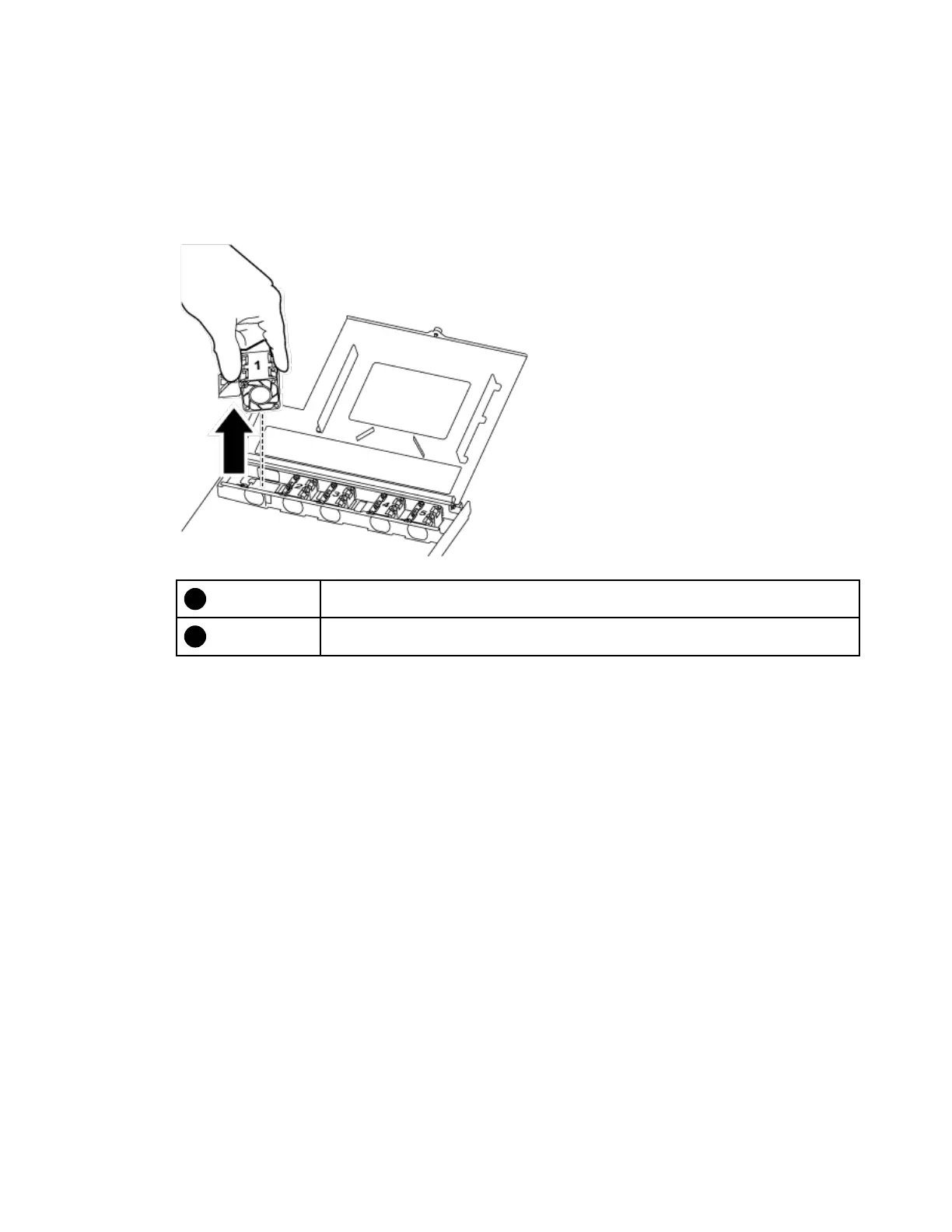
Step 2. Remove the fan module by pinching the locking tabs on the side of the fan module, and then lifting
the fan module straight out of the controller module.
Fan locking tabs
Fan module
Step 3. Align the edges of the replacement fan module with the opening in the controller module, and then
slide the replacement fan module into the controller module until the locking latches click into
place.
Reinstalling the controller module
After you replace a component within the controller module, you must reinstall the controller module in the
system chassis and boot it.
A video for this task is available at:
• YouTube:
https://www.youtube.com/playlist?list=PLYV5R7hVcs-C8THdP1nmPF25RWwGRta3v
Chapter 4. Hardware replacement procedures 27










 To Next Page