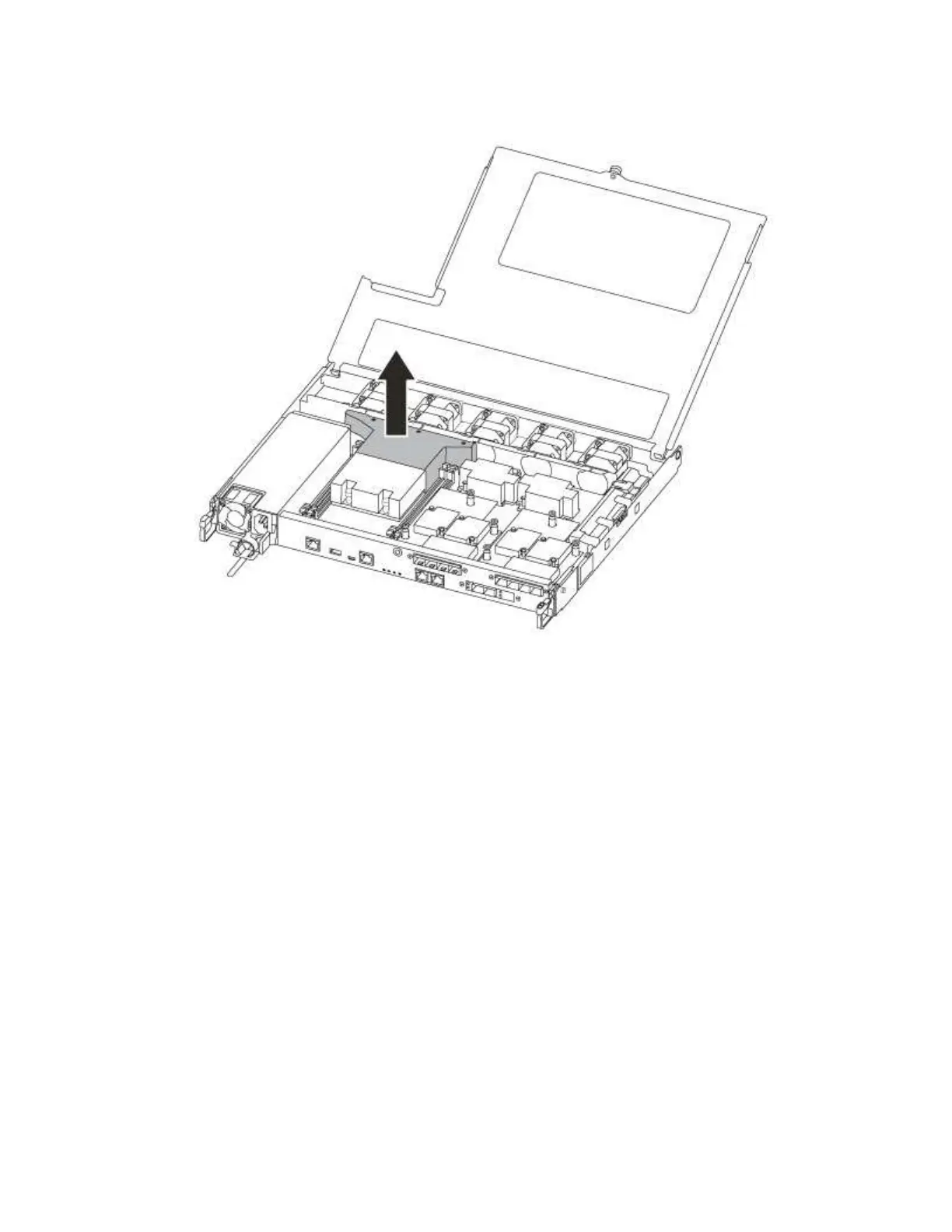
Step 8. Lift out the air duct cover.
Replacing or installing a mezzanine card
To replace a mezzanine card, which is also referred to as a host interface card (HIC), you must remove the
impaired card and install the replacement card; to install a mezzanine card, you must remove the face plate
and install the new card.
A video for this task is available at:
• YouTube:
https://www.youtube.com/playlist?list=PLYV5R7hVcs-C8THdP1nmPF25RWwGRta3v
To replace a mezzanine card:
Step 1. Locate the mezzanine cards from your impaired controller module.
Step 2. Unplug any cabling associated with the mezzanine card.
Step 3. Make sure that you label the cables so that you know where they came from.
Step 4. Use either your thumb or a Phillips head screwdriver to unscrew the thumbscrew on the mezzanine
card that attaches it to the system planar.
Step 5. Gently lift the mezzanine card out of the socket and set it aside.
To install a mezzanine card:
Step 6. Remove the new mezzanine card from the anti-static bag.
Step 7. Gently align the mezzanine card into place in the controller.
Step 8. Use either your thumb or a Phillips head screwdriver to screw down the mezzanine card to the
system planar.
Chapter 4. Hardware replacement procedures 69










 To Next Page