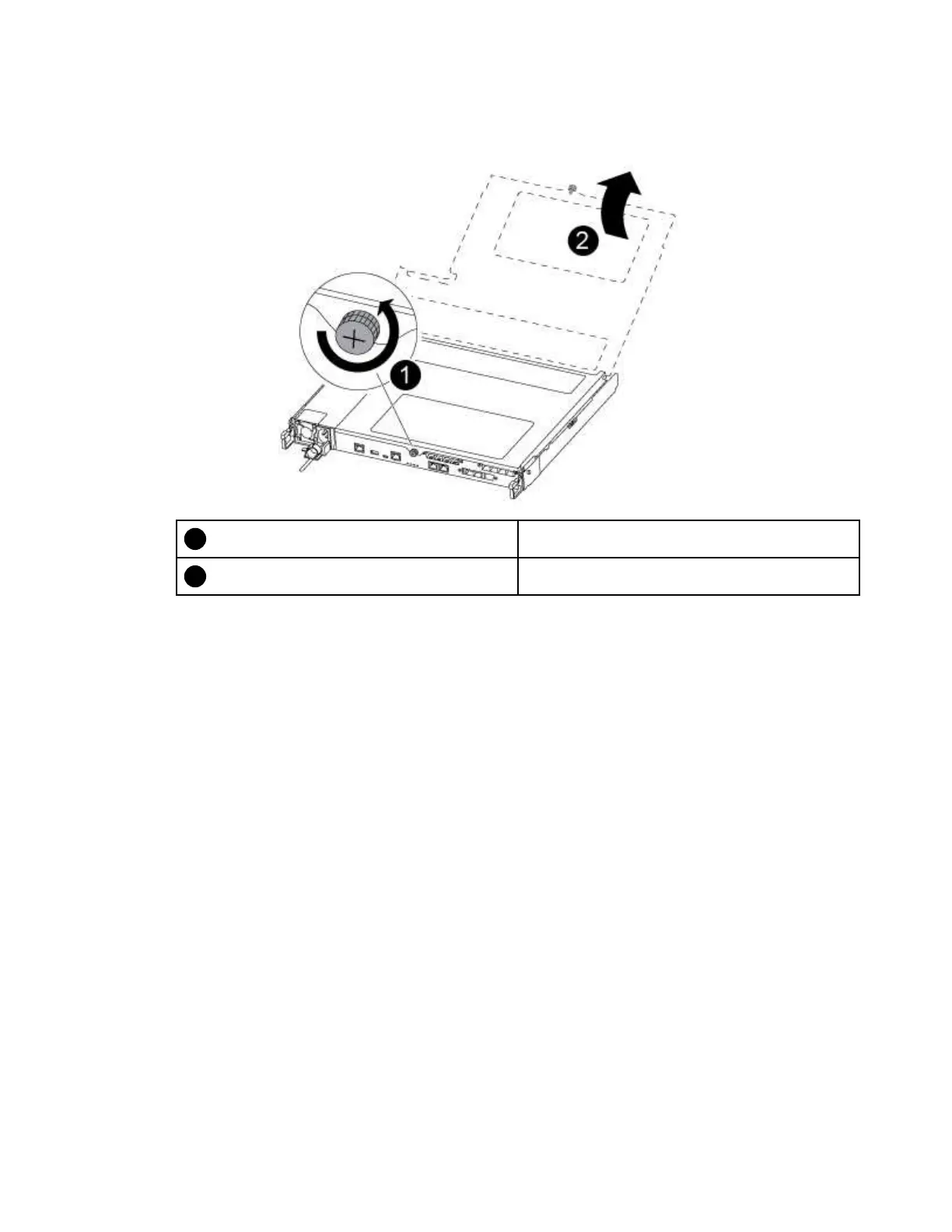
Step 6. Using both hands, grasp the controller module sides and gently pull it out of the chassis and set it
on a flat, stable surface.
Step 7. Turn the thumbscrew on the front of the controller module anti-clockwise and open the controller
module cover.
Thumbscrew
Controller module cover
Replacing the NV battery
To replace the NV battery, you must remove the failed battery from the controller module and install the
replacement battery into the controller module.
A video for this task is available at:
• YouTube:
https://www.youtube.com/playlist?list=PLYV5R7hVcs-C8THdP1nmPF25RWwGRta3v
Step 1. Locate and replace the impaired NVMEM battery on your controller module.
Note: It is recommended that you follow the illustrated instructions in the order listed.
Chapter 4. Hardware replacement procedures 73










 To Next Page