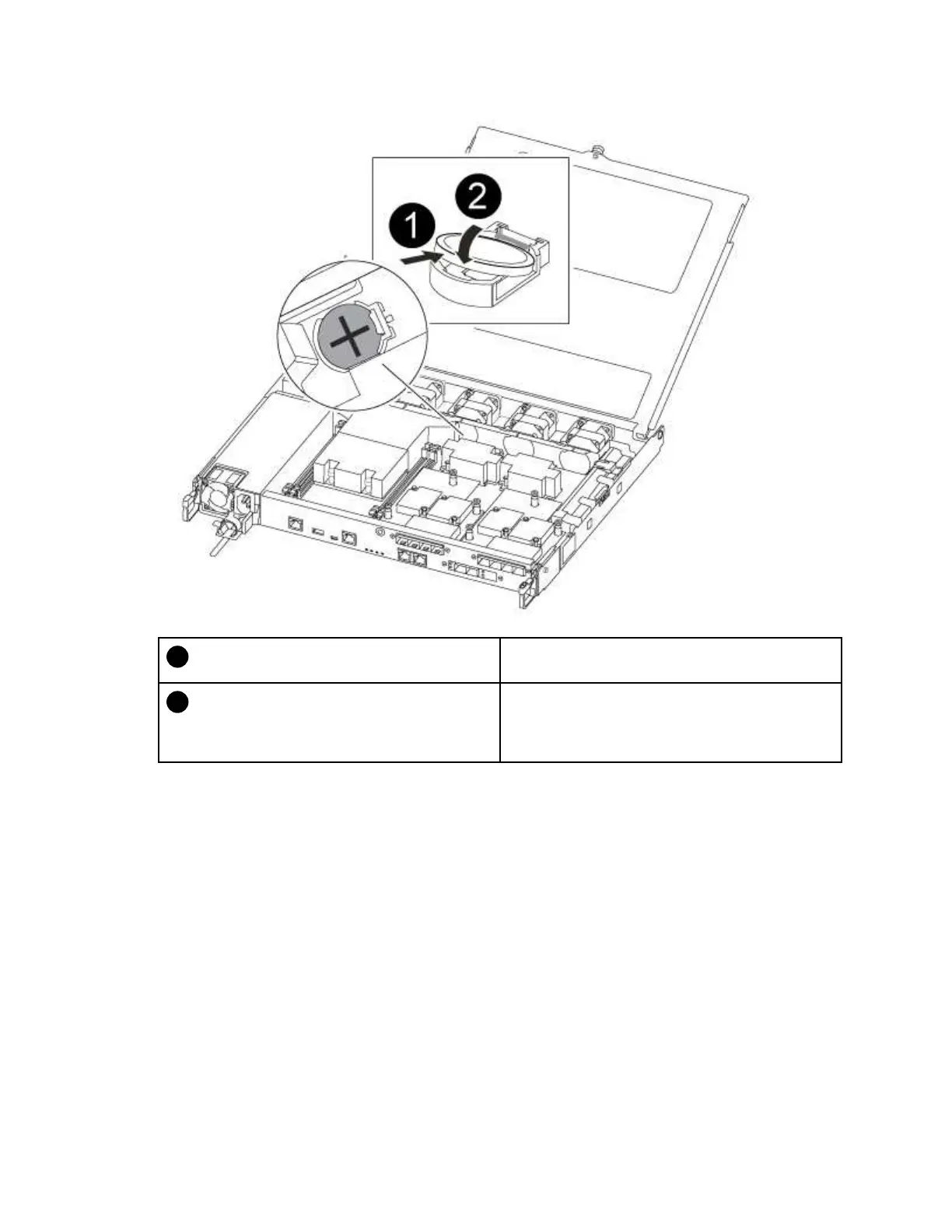
With positive polarity face up, slide the battery under
the tab of the battery housing.
Push the battery gently into place and make sure the
tab secures it to the housing.
Attention: Pushing it in aggressively might cause
the battery to eject out again.
Step 4. Visually inspect the battery to make sure that it is completely installed into the holder and that the
polarity is correct.
Reinstalling the controller module
After you replace a component within the controller module, you must reinstall the controller module in the
system chassis and boot it.
A video for this task is available at:
• YouTube:
https://www.youtube.com/playlist?list=PLYV5R7hVcs-C8THdP1nmPF25RWwGRta3v
64 ThinkSystem DG5000 Hardware Installation and Maintenance Guide










 To Next Page