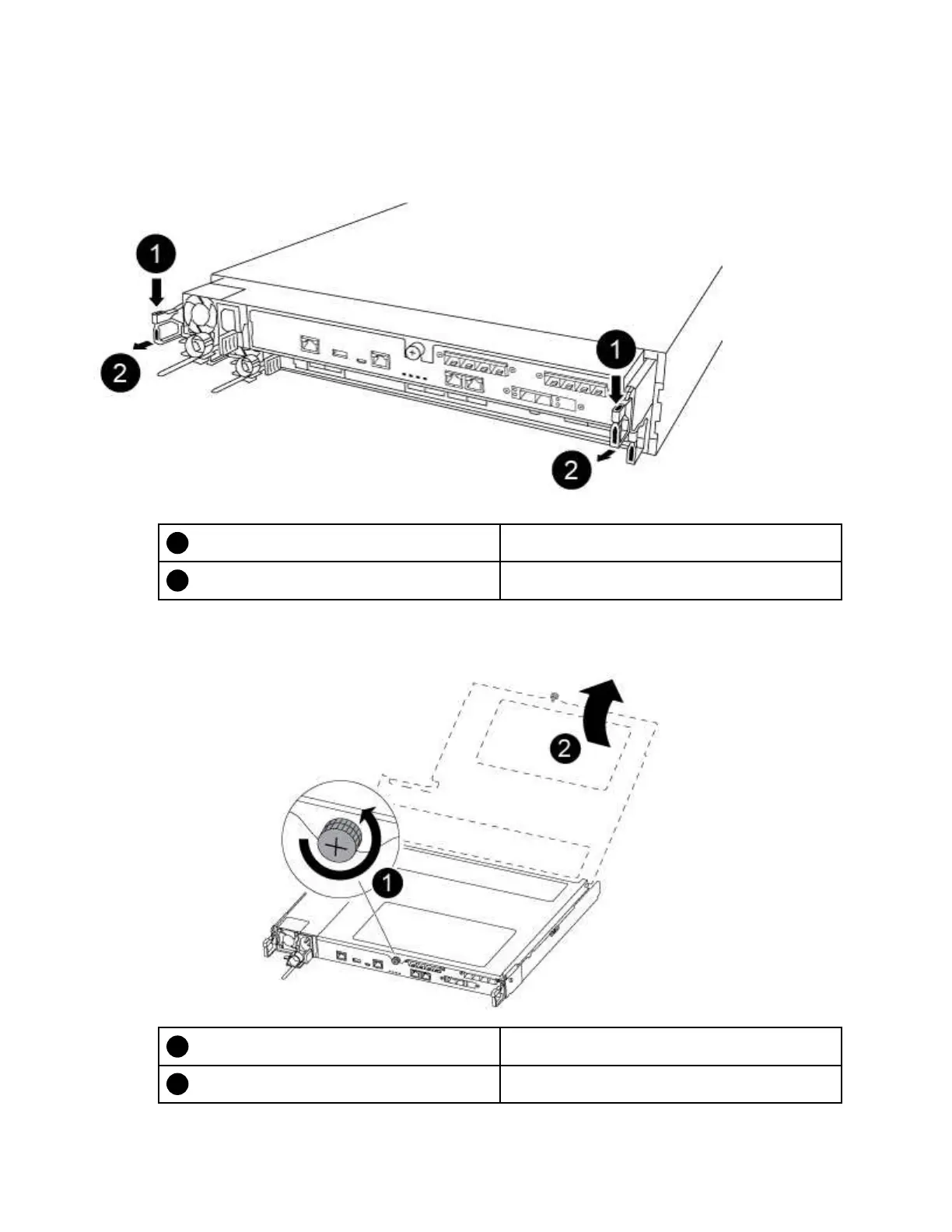
Step 5. Insert your forefinger into the latching mechanism on either side of the controller module, press the
lever with your thumb, and gently pull the controller a few inches out of the chassis.
Note: If you have difficulty removing the controller module, place your index fingers through the
finger holes from the inside (by crossing your arms)
Lever
Latching mechanism
Step 6. Using both hands, grasp the controller module sides and gently pull it out of the chassis and set it
on a flat, stable surface.
Step 7. Turn the thumbscrew on the front of the controller module anti-clockwise and open the controller
module cover.
Thumbscrew
Controller module cover
42 ThinkSystem DG5000 Hardware Installation and Maintenance Guide










 To Next Page