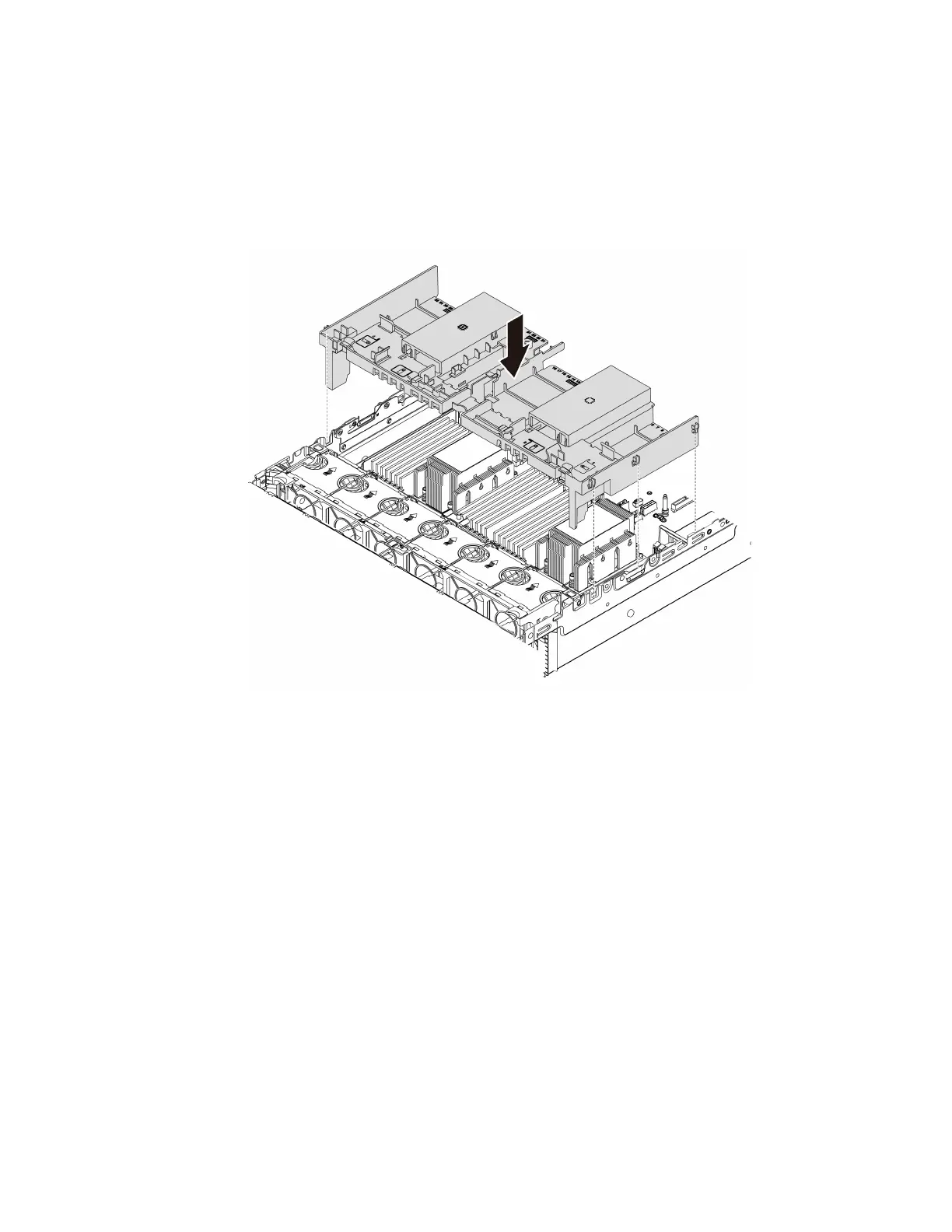
Step 3. Note the orientation of the air baffle.
Step 4. Align the tabs on both sides of the air baffle with the corresponding slots on both sides of the
chassis. Then, lower the air baffle into the chassis and press the air baffle down until it is securely
seated.
Note: The illustrated air baffle is a standard air baffle. The installation procedure is the same for
GPU air baffle.
Figure 51. Installation of the standard air baffle
After you finish
1. If you have removed a RAID super capacitor module, reinstall it and connect it to the RAID adapter with
the extension cable. See “Install a super capacitor module on the air baffle” on page 293.
2. If you have removed a GPU, reinstall it. See “Install a GPU adapter” on page 172.
3. Complete the parts replacement. See “Complete the parts replacement” on page 397.
154
ThinkSystem SR665 Maintenance Manual







 To Next Page