Procedure
Step 1. Touch the static-protective package that contains the CMOS battery to any unpainted surface on
the outside of the server. Then, take the CMOS battery out of the package.
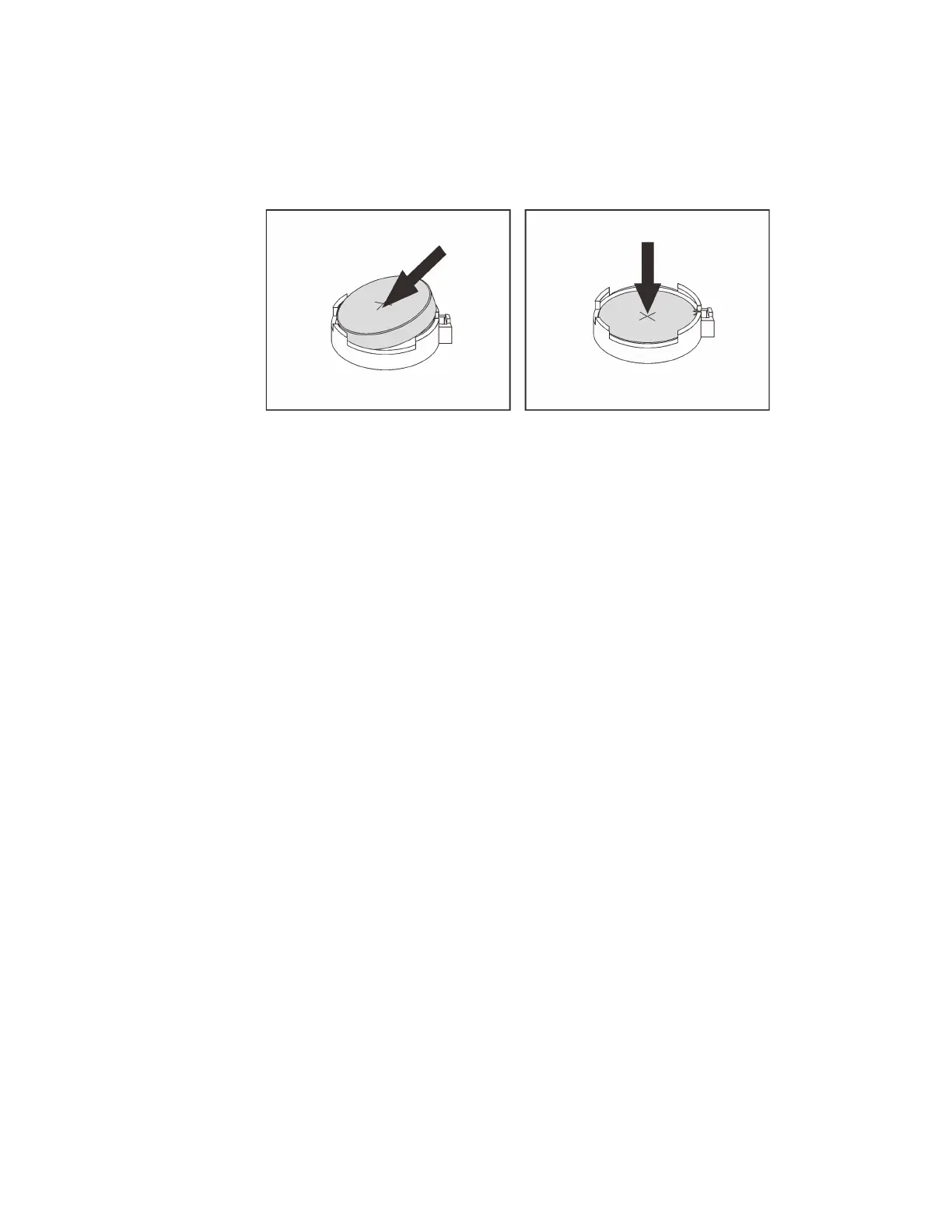
Step 2. Install the CMOS battery. Ensure that the CMOS battery is seated in place.
Figure 55. CMOS battery installation
After you finish
1. Complete the parts replacement. See “Complete the parts replacement” on page 397.
2. Use the Setup utility to set the date, time, and any passwords.
Note: After you install the CMOS battery, you must reconfigure the server and reset the system date
and time.
Chapter 4. Hardware replacement procedures 163







 To Next Page