Component replacement – v800-Cabinet
Replacing the BIOS battery
Lenze • BA v200-C v800-.C • 1.1 97
10 Component replacement – v800-Cabinet
Attention
Risk of short circuit!
Disconnect the power supply from the device.
10.1 Replacing the BIOS battery
Attentione
Risk of explosion!
Hazard due to overheating of the battery
Make sure that the battery is of the correct type and that it is inserted with the correct polarity
Note
Avoid touching both battery poles at the same time.
Use only the recommended battery type.
The battery type to be used is: lithium battery type Varta CR2032 (230 mAh / 3 V)
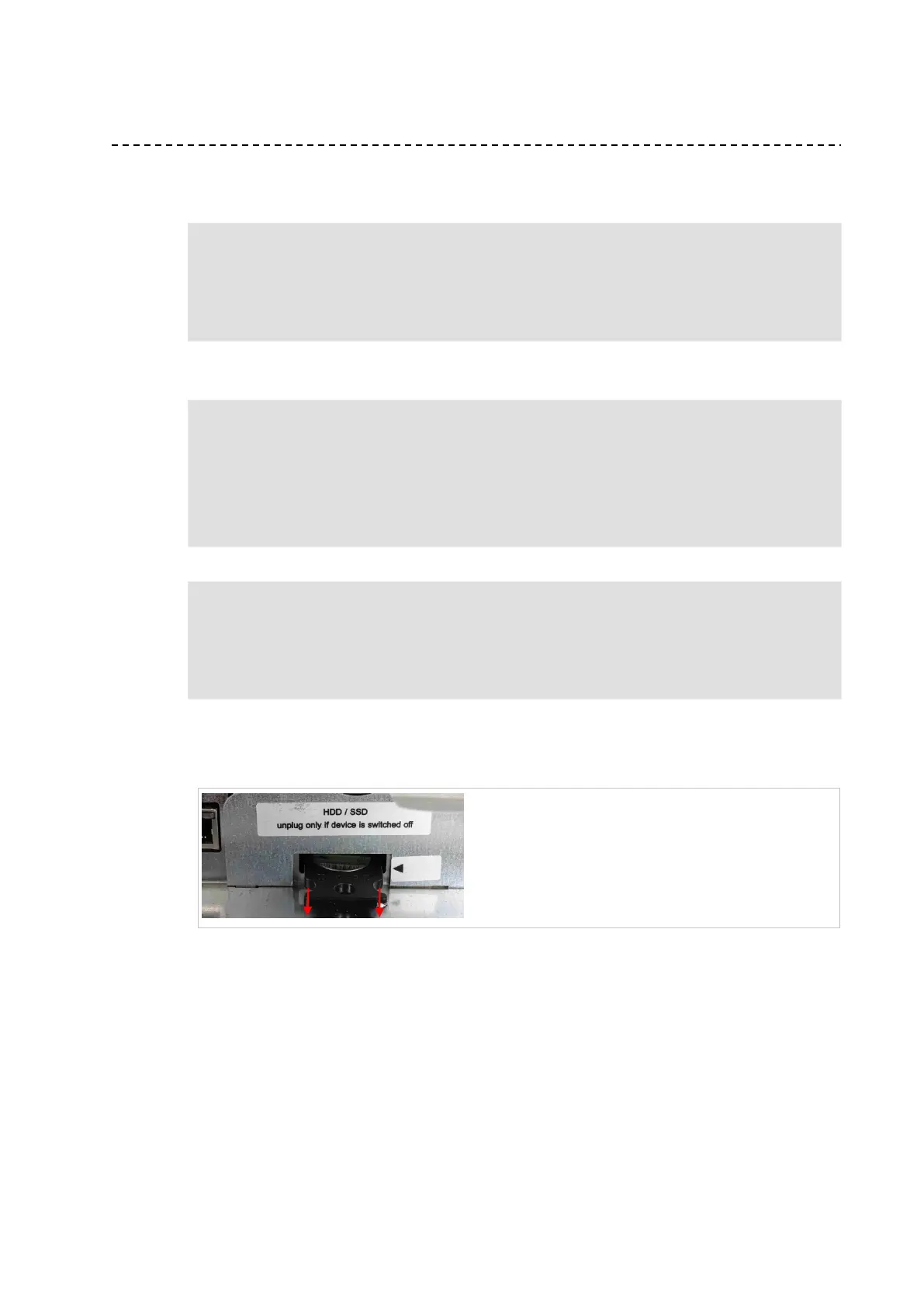
The BIOS battery is in the service slot. It can be changed by pulling out the battery drawer. To do
so, pull both sides of the drawer simultaneously.
When performing the steps described below, pay attention to the arrows at the front of the
drawer.



 To Next Page