Component replacement – v800-Cabinet
Changing the mass storage device
Lenze • BA v200-C v800-.C • 1.1 99
10.2 Changing the mass storage device
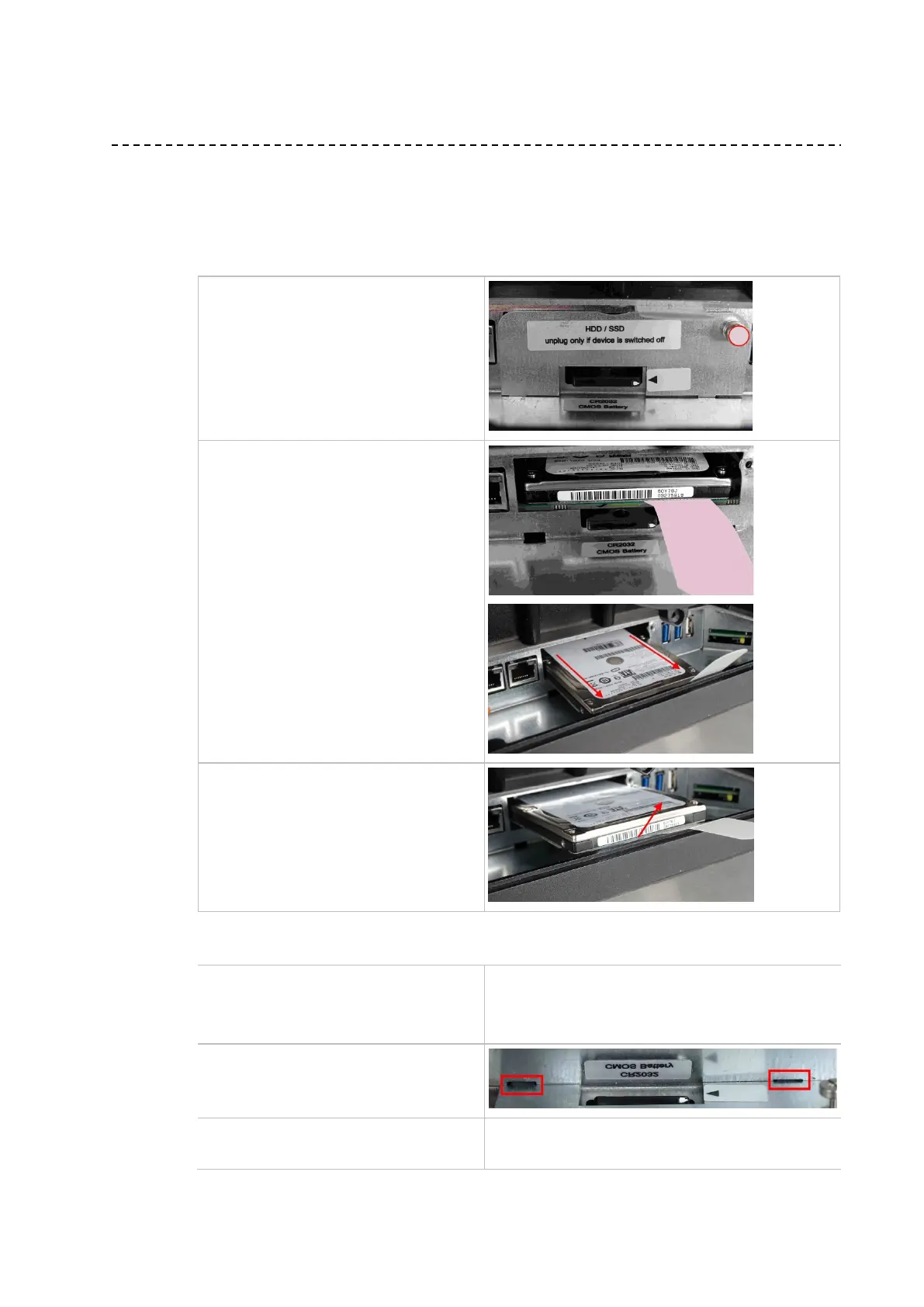
The mass storage device is in the v800 interface area.
Proceed as follows:
Remove the cover panel. To do so, undo the
fixing screw (1) using a PH1 cross-tip
screwdriver.
Grip the mass storage device by its removal
aid (2) and pull it carefully and parallel along
its guides (3) into the slot.
Remove the mass storage device (4).
.
To install, follow the steps described above in the reverse order:
Insert the mass storage device.
Push the mass storage device back in all the
way parallel to its guides.
Insert the retaining tabs of the cover at an
angle into the guide slots and close the cover.
Screw in the fixing screw using a PH1 cross-
tip screwdriver until finger-tight.



 To Next Page