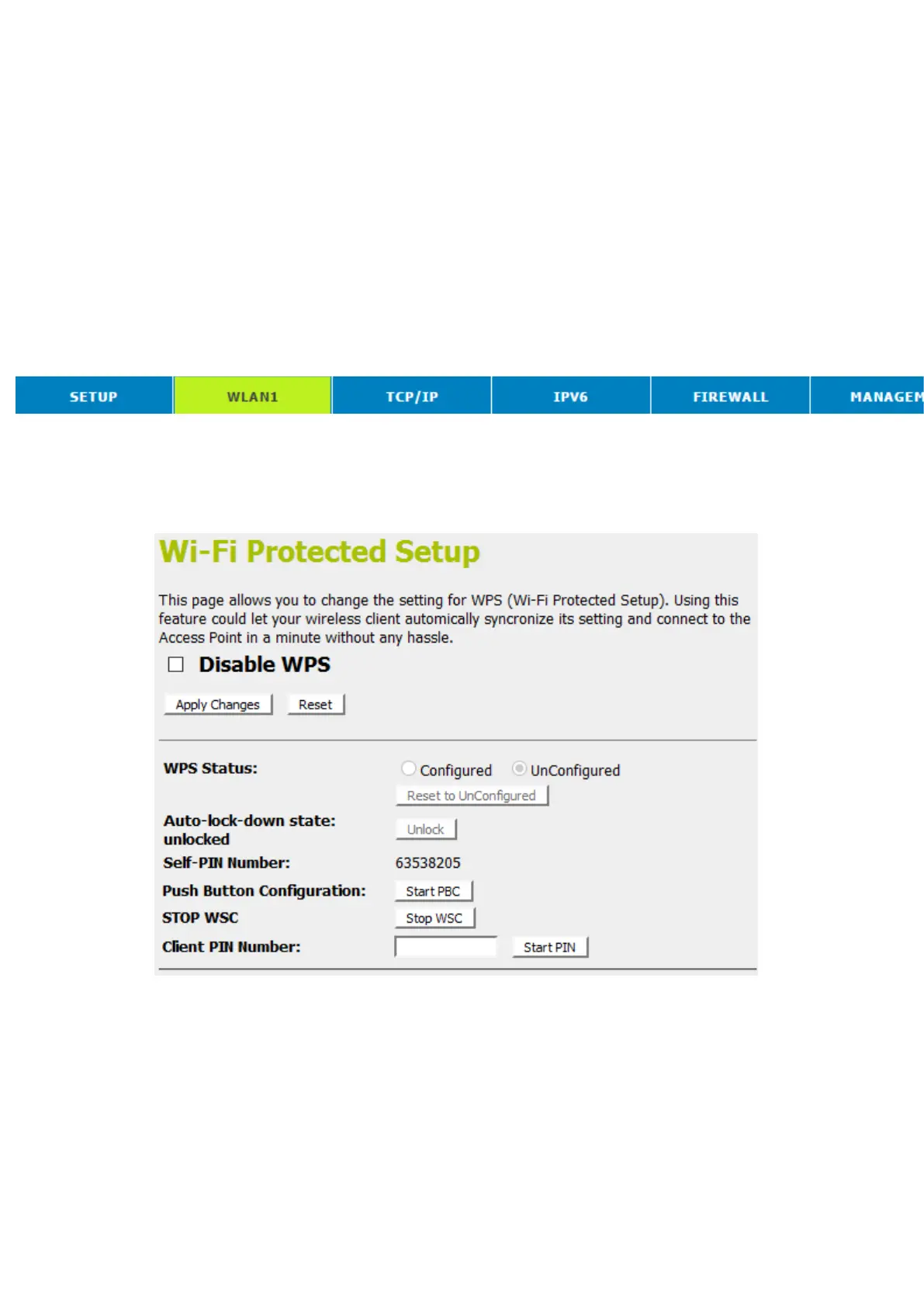
Push Button method
Wireless Gateway supports a virtual button “Start PBC” on the
Wi-Fi Protected Setup page for Push Button method. If
userspush a virtual button “Start PBC”, AP will initiate a WPS
session and wait for any station to join. At this moment, AP will
detect whether there is more than one station that starts the
PBC method. When multiple PBC sessions occur, users should
try PIN method.
After users push AP’s virtual button “Start PBC”, they must go to
station side to push its button within two minutes. If the WPS is
successfully done, AP will give its wireless profile to that station.
The station could use this profile to associate with AP.
1. From the head menu, click on WAN1.
2. From the left-hand menu, click on WPS. The following page
is displayed:
3. Make sure AP is in un-configured state.
4. Click Start PBC.



 To Next Page