A protection mechanism prevents collisions among 802.11g nodes.
Disable or Enable Aggregation
Disable or Enable Short GI
Disable or Enable WLAN Partition
Disable or Enable TX Beamforming
Security
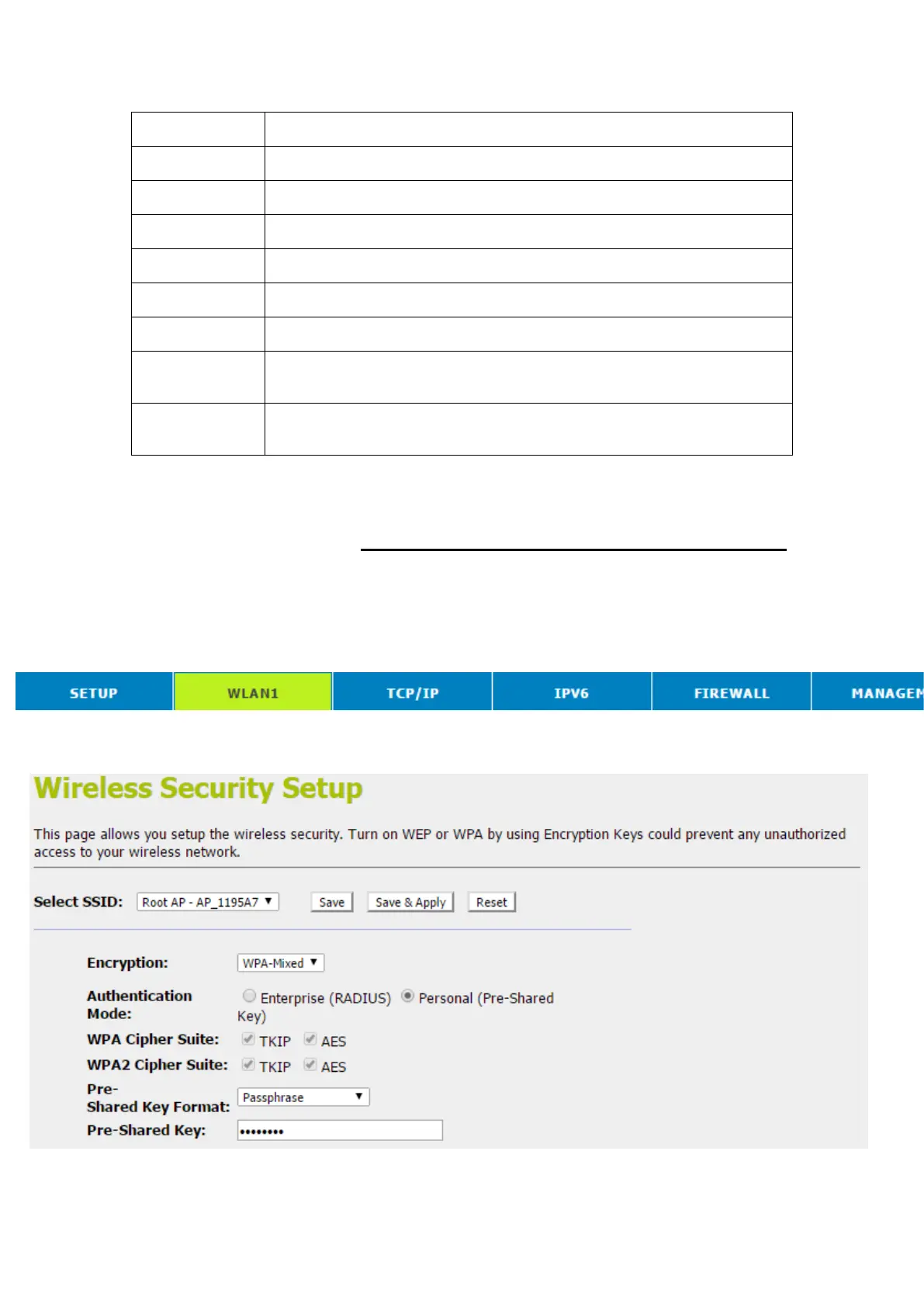
This page allows you setup the wireless security. Turn on WEP
or WPA by using Encryption Keys could prevent any
unauthorized access to your wireless network. To access the
Wireless NetworkSecuritypage:
1. From the head menu, click on WLAN1.
2. From the left-hand menu, click on Security. The following
page is displayed:



 To Next Page