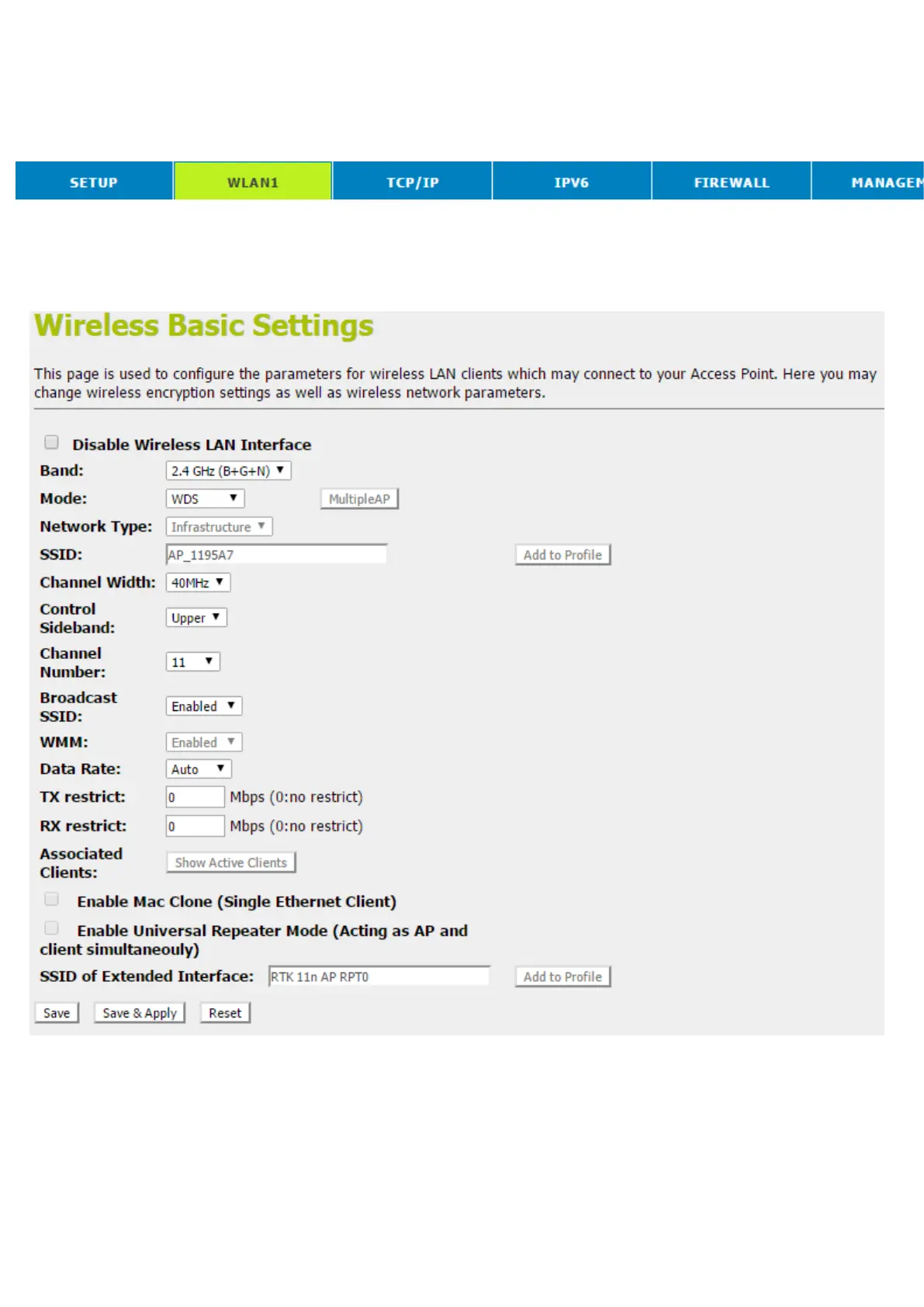
ConfigureWDS (Wireless Distribution System) only
1. From the head menu, click on WLAN1.
2. From the left-hand menu, click on Basic Settings.
3. From the Mode drop-down list, select WDS.
4. From the Channel Number drop-down list, select a Channel.
5. Click Save & Apply button.
6. Change setting successfully! Do not turn off or reboot the
Device during this time. Please wait 20 seconds ...



 To Next Page