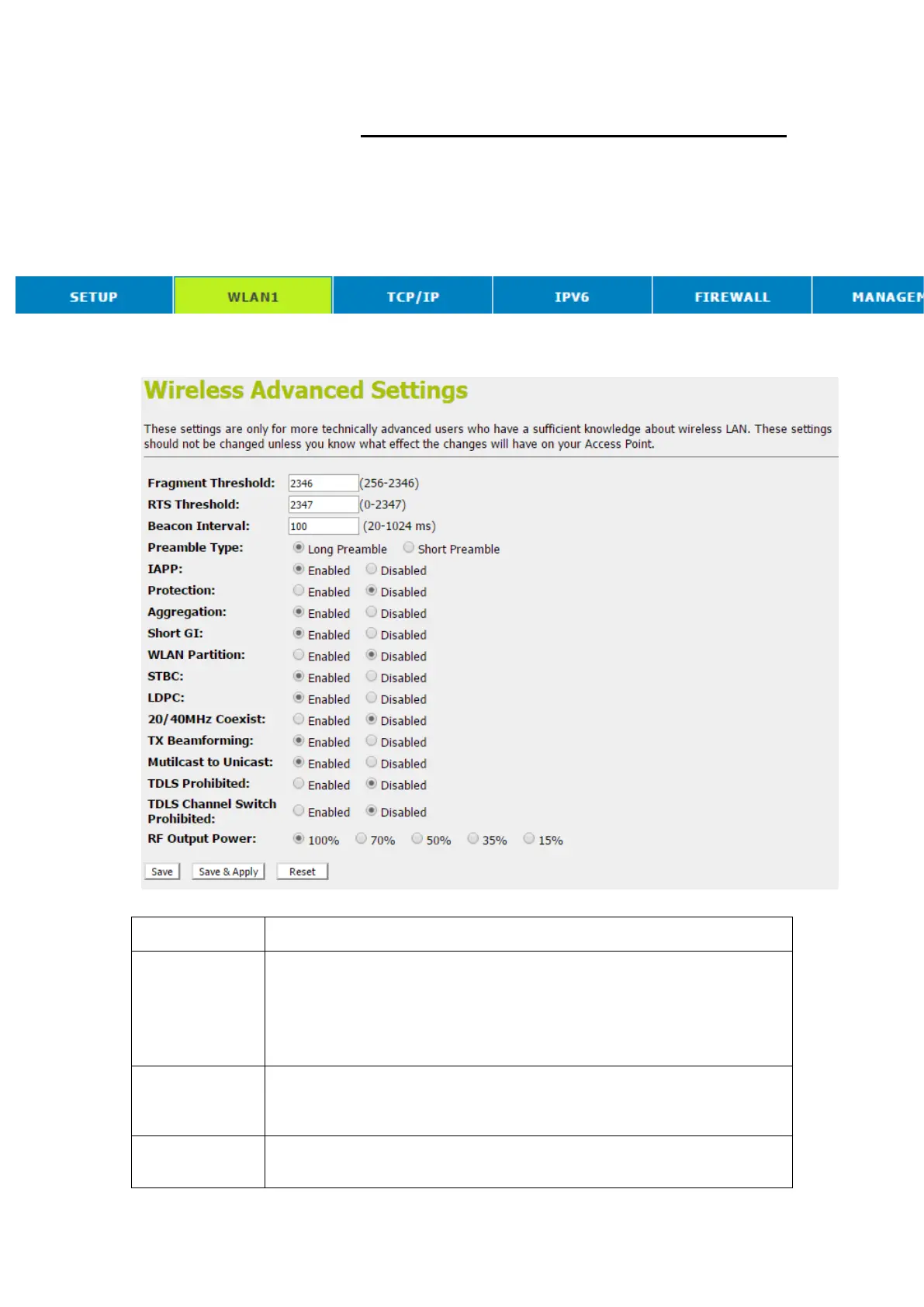
Advanced Settings
These settings are only for more technically advanced users
who have a sufficient knowledge about wireless LAN. These
settings should not be changed unless you know what effect the
changes will have on your Access Point. To access the
Wireless NetworkAdvanced Settings page:
1. From the head menu, click on WLAN1.
2. From the left-hand menu, click on Advanced Settings. The
following page is displayed:
When transmitting a packet over a network medium, sometimes the
packet is broken into several segments, if the size of packet exceeds
that allowed by the network medium.
The Fragmentation Threshold defines the number of bytes used for the
fragmentation boundary for directed messages.
RTS stands for “Request to Send”. This parameter controls what size
data packet the low level RF protocol issues to an RTS packet. The
default is 2347.
Choosing beacon period for improved response time for wireless http
clients.



 To Next Page