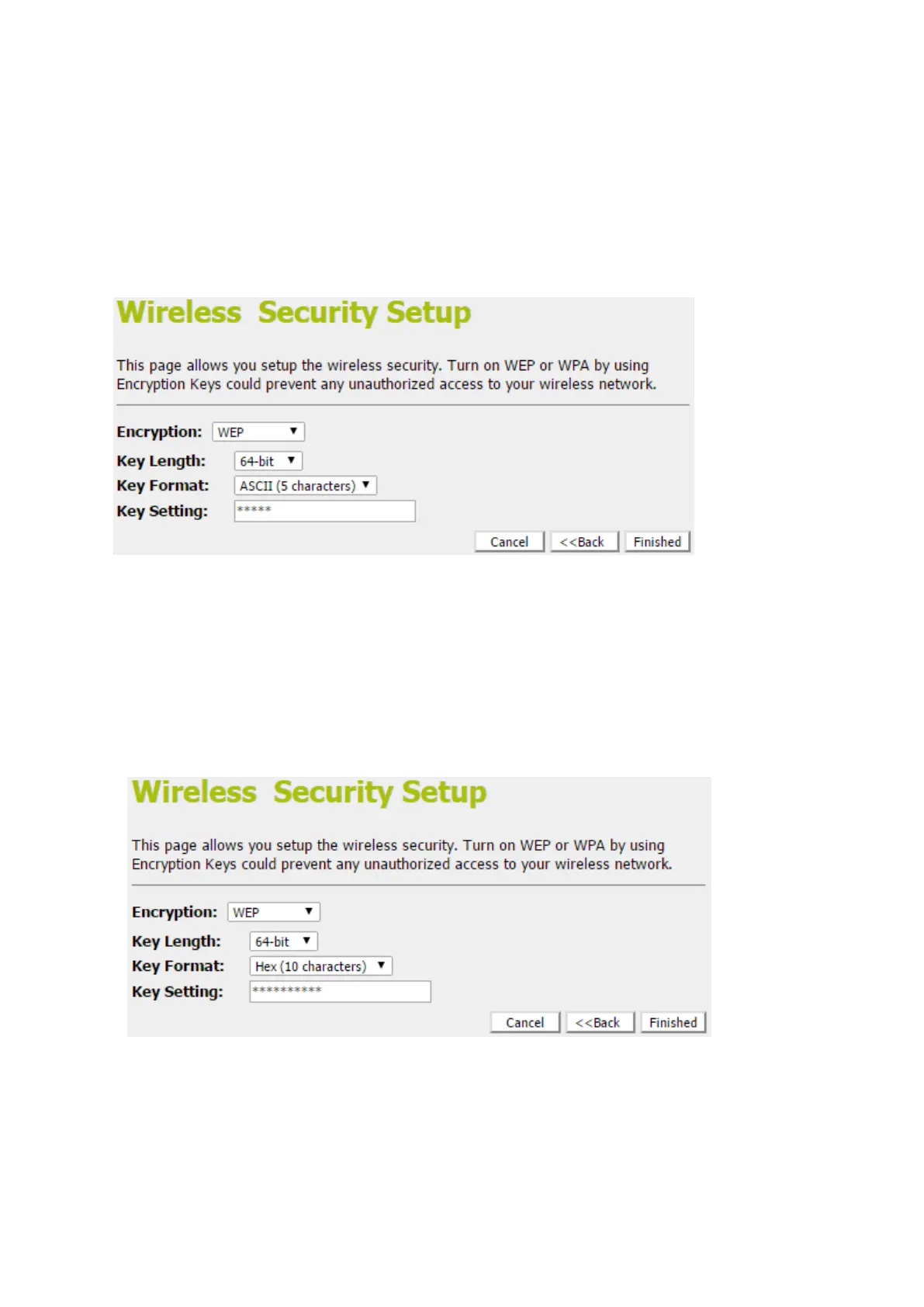
Configuring WEP64bit ASCII (5 characters) security
The example set in this section is for 64bit encryption.
1. From the Encryption drop-down list, select WEP setting.
2. From the Key Length drop-down list, select 64-bit setting.
3. From the Key Format drop-down list, select ASCII (5
characters) setting.
4. Type the Key Setting.
5. Click Next>>.
Configuring WEP64bit Hex (10 characters)security
The example set in this section is for 64bit encryption.
6. From the Encryption drop-down list, select WEP setting.
7. From the Key Length drop-down list, select 64-bit setting.
8. From the Key Format drop-down list, select Hex (10
characters)setting.
9. Type the Key Setting.
10. Click Next>>.



 To Next Page