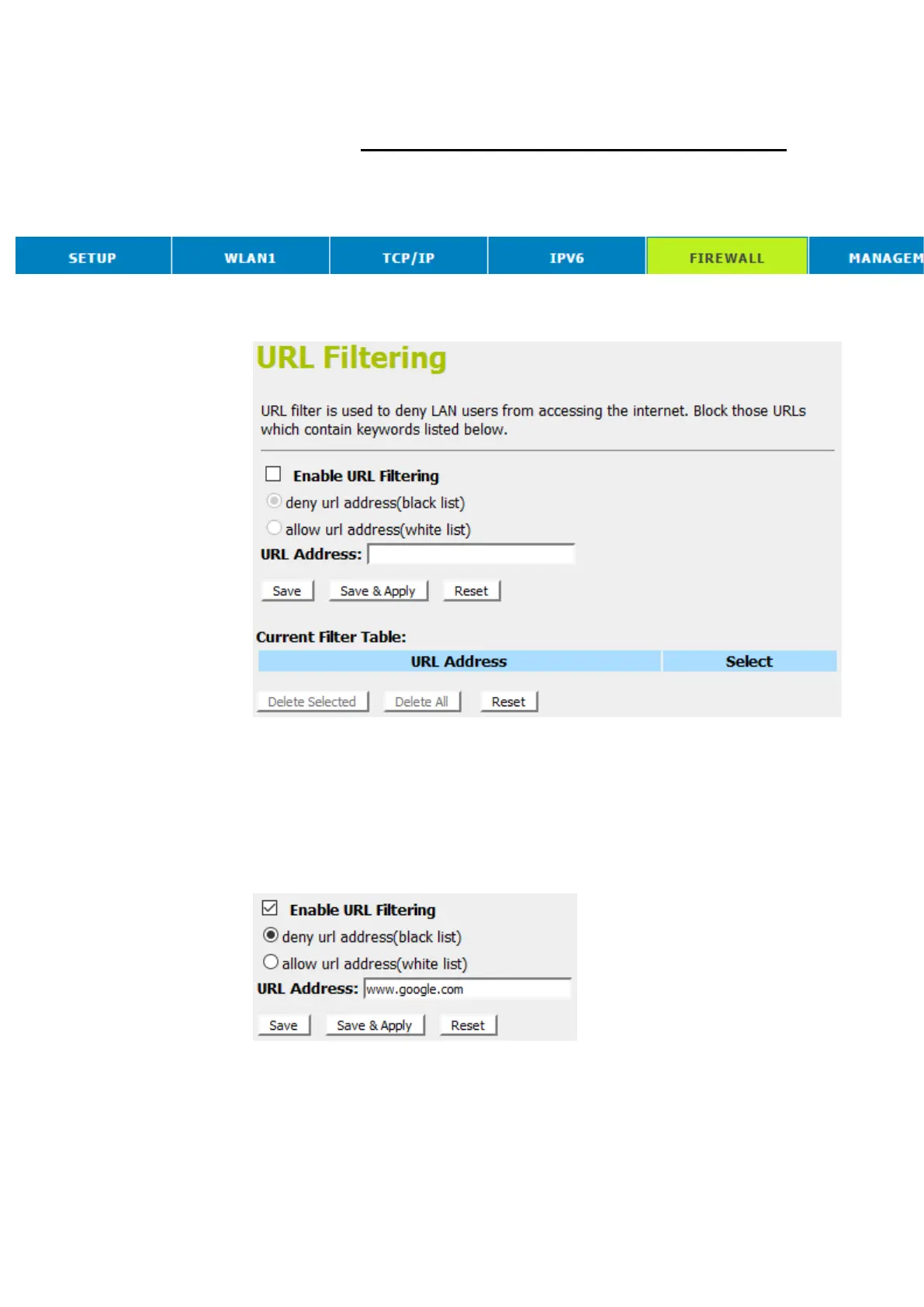
URL filtering for specified URL Address
Please follow example below to deny LAN users from accessing
the Internet.
1. From the head menu, click on Firewall.
2. From the left-hand menu, click on URL Forwarding. The
following page is displayed:
3. Check the option Enable URL Filtering to enable the URL
Filtering.
4. Check the option deny url address(black list) to deny url
address(black list)
5. Enterthe URL Address that you want to be denied for LAN
user.
6. Click Save & Apply.



 To Next Page