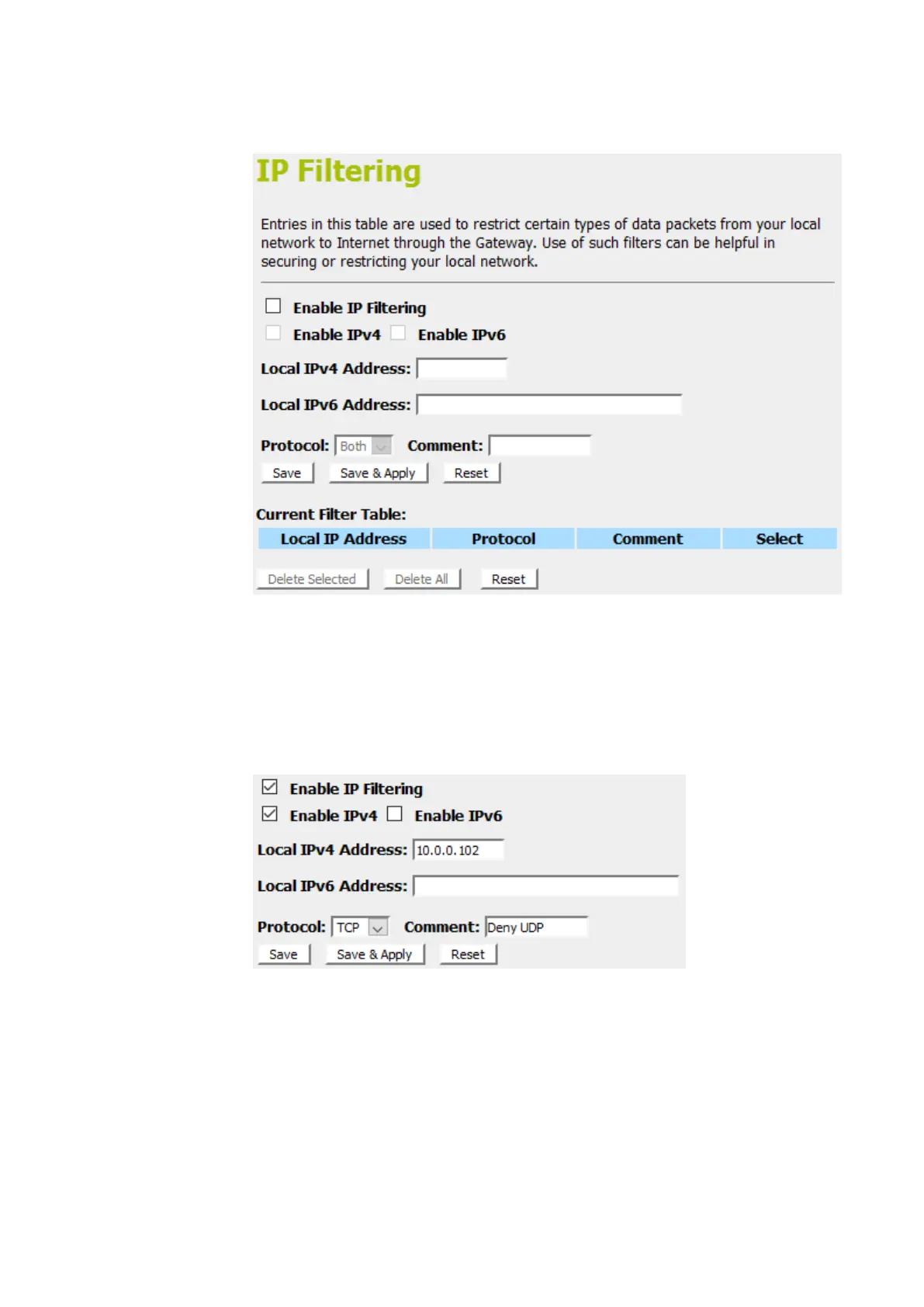
2. From the left-hand menu, click on IP Filtering. The following
page is displayed:
3. Check the option Enable IP Filtering to enable the IP
Filtering.
4. Enterthe IP Address that you want to be deniedin Loal IP
Address field.
5. From the Protocol drop-down list, select TCPsetting.
6. Enterany comment in Comment field.
7. Click Save & Apply.



 To Next Page