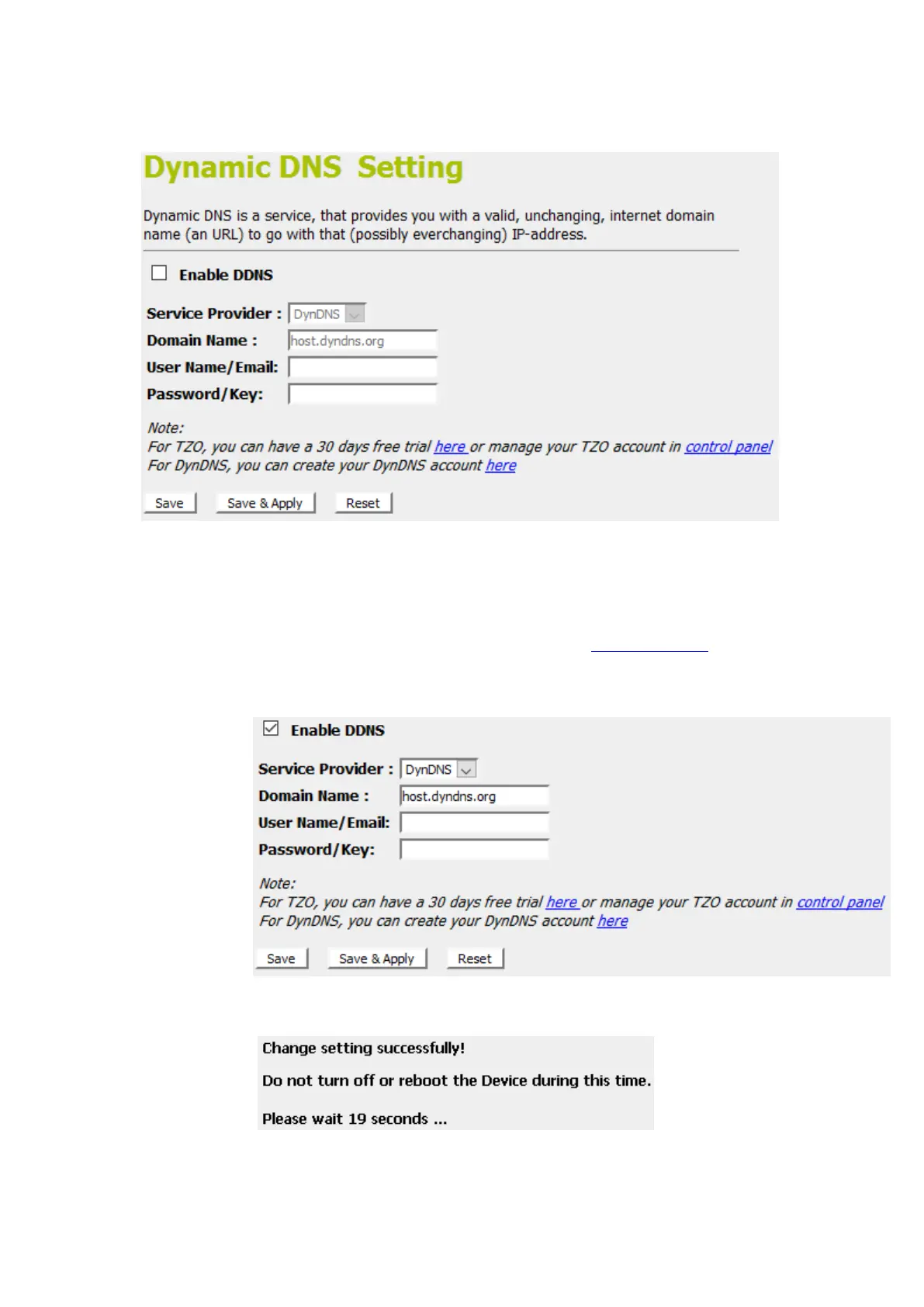
2. From the left-hand menu, click on DDNS. The following
page is displayed:
3. Click on Enable DDNS
4. Select the DynDNS from the Service Provider drop-down
list.
5. Type your own unique User Name, Passwordand Domain
Name which you applied from www.dyndns.comin the
relevant boxes. They can be any combination of letters or
numbers with a maximum of 20 characters.
6. Click Save & Apply.
7. Change setting successfully! Please wait 20 seconds….



 To Next Page