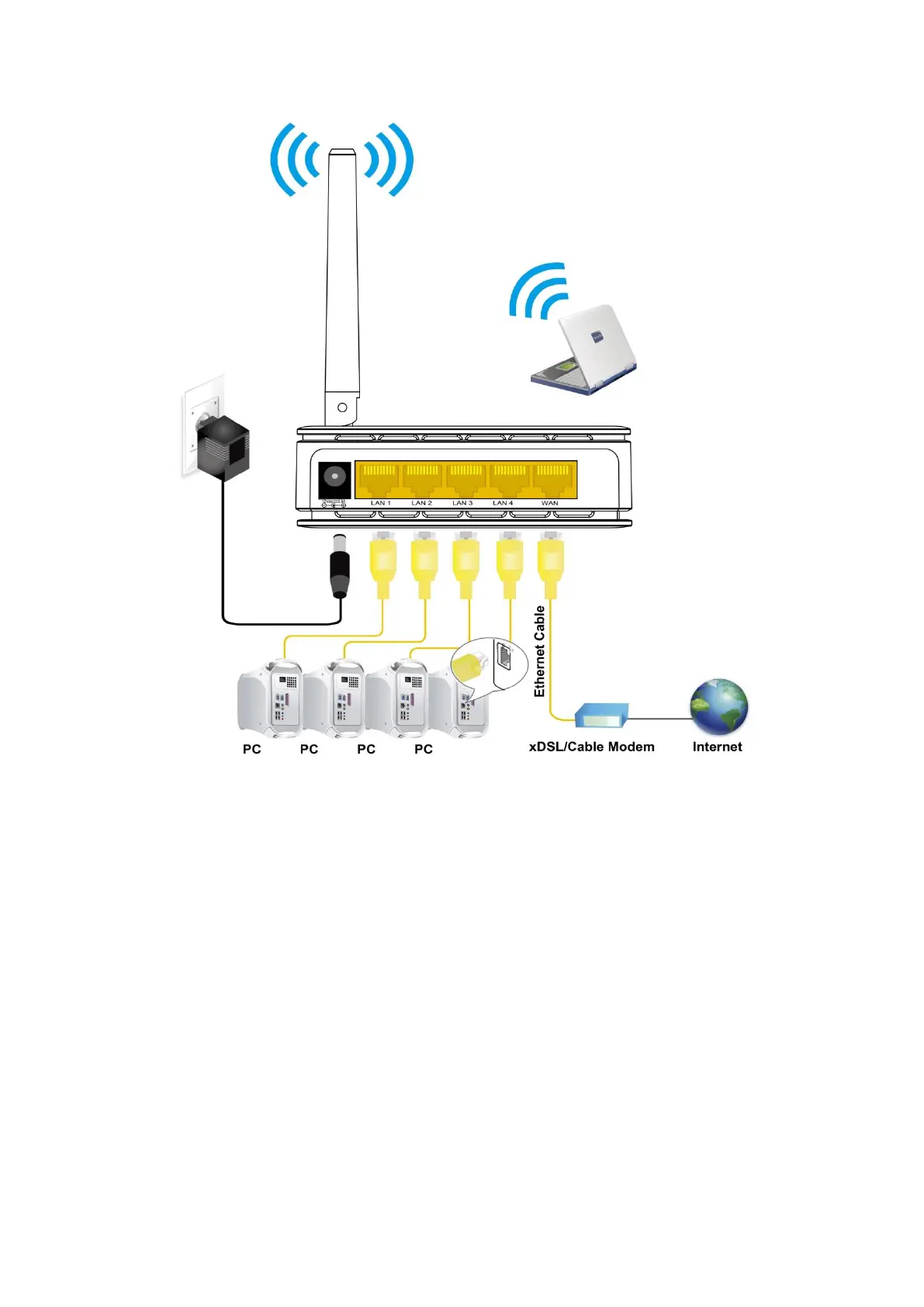
Figure 4: Overview of Hardware Connections
Step 1. Connect the Ethernet cable to WAN Port
Connect the RJ45 Ethernet cable from your xDSL/Cable
Modem's Ethernet port to WBR-6013 WAN Port.
Step 2. Connect the Ethernet cable to LANPort
Connect the supplied RJ45 Ethernet cable from your PC's
Ethernet port to any of the 4 WBR-6013 LAN Ports.
Step 3. Attach the power connector
Connect the power adapter to the power inlet “POWER” of
the 802.11n WLAN Router and turn the power switch
“ON/OFF SWITCH” of your WBR-6013 on.
* Actual ANTENNA may vary depending on model



 To Next Page