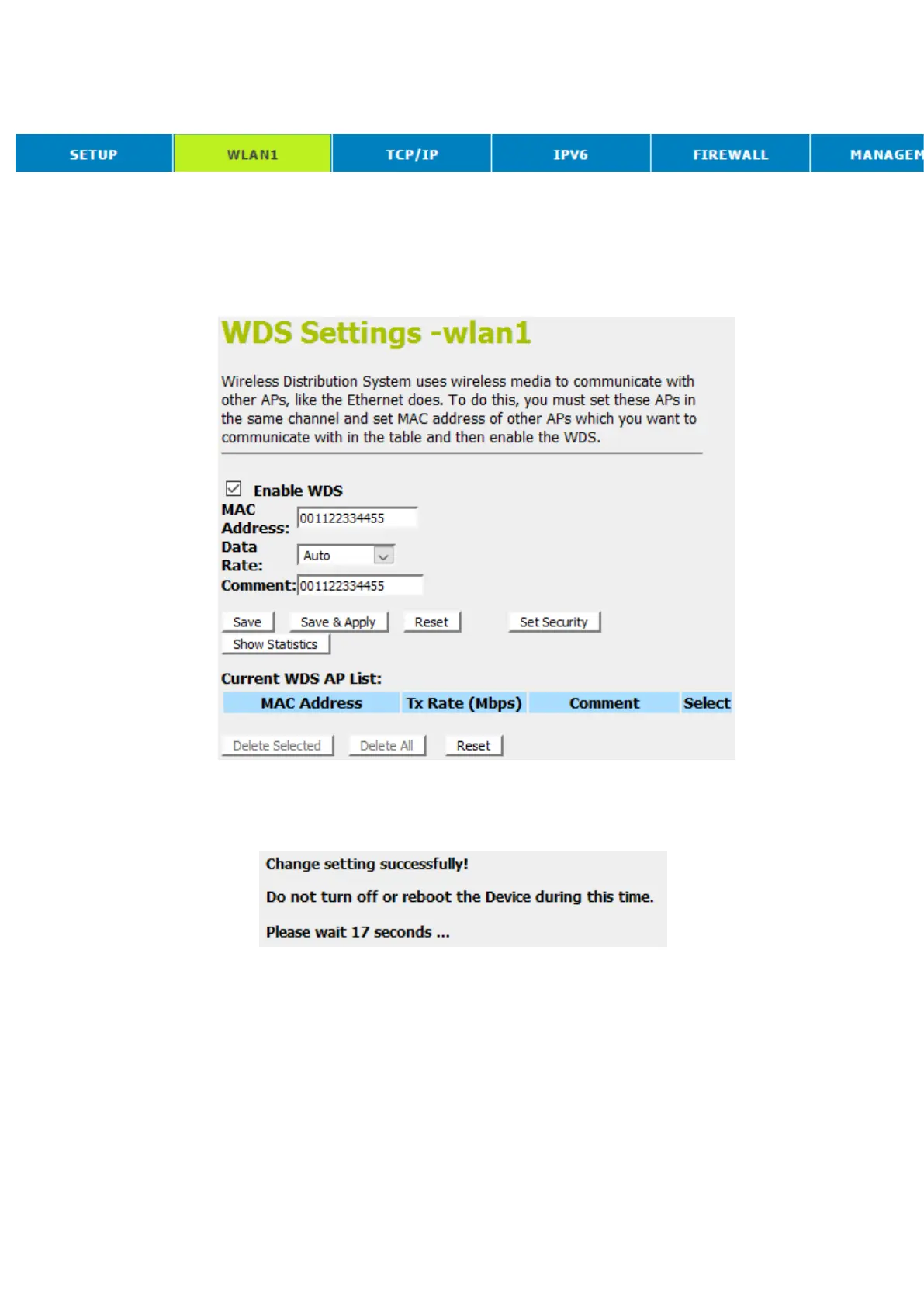
16. From the head menu, click on WLAN1.
17. From the left-hand menu, click on WDS settings.
18. Check on the optionEnable WDS.
19. Enter the MAC Address.
20. Enter the Comment.
21. Click the Save & Apply.
22. Change setting successfully! Do not turn off or reboot the
Device during this time. Please wait 20 seconds ...



 To Next Page