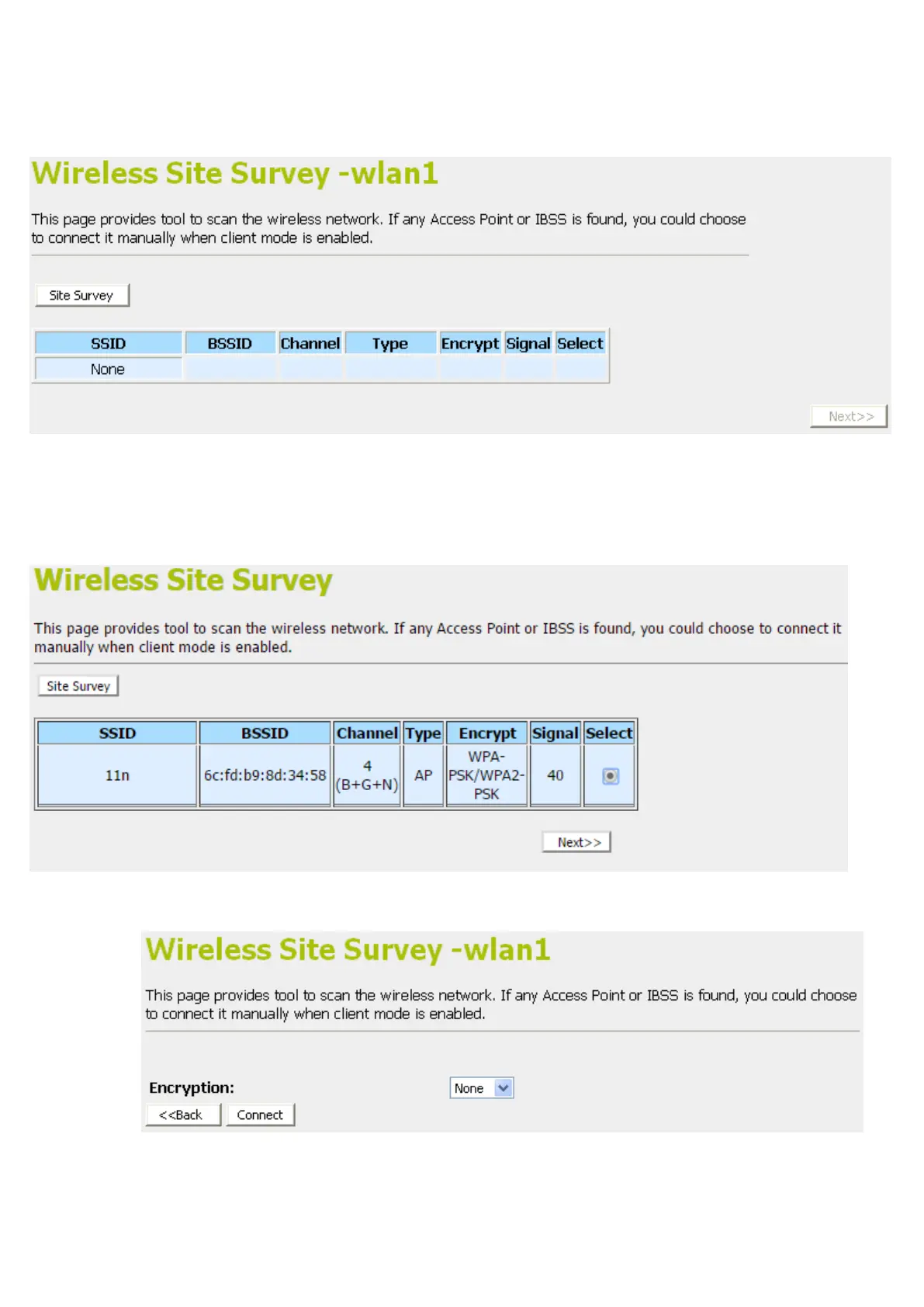
14. From the left-hand menu, click on Site Survey.
15. Click Site Survey button.
16. Now you could see the APs that scanned by the Wireless
Gateway were listed below.
17. Click on the ratio of AP’s SSID under the item Select that
you want the Wireless Gateway to connect to.
18. Click Next button.
19. Click Connect button.



 To Next Page