185
3-5. Opening, closing the windows and moon roof
3
Operation of each component
RX350_U_OM48E90U
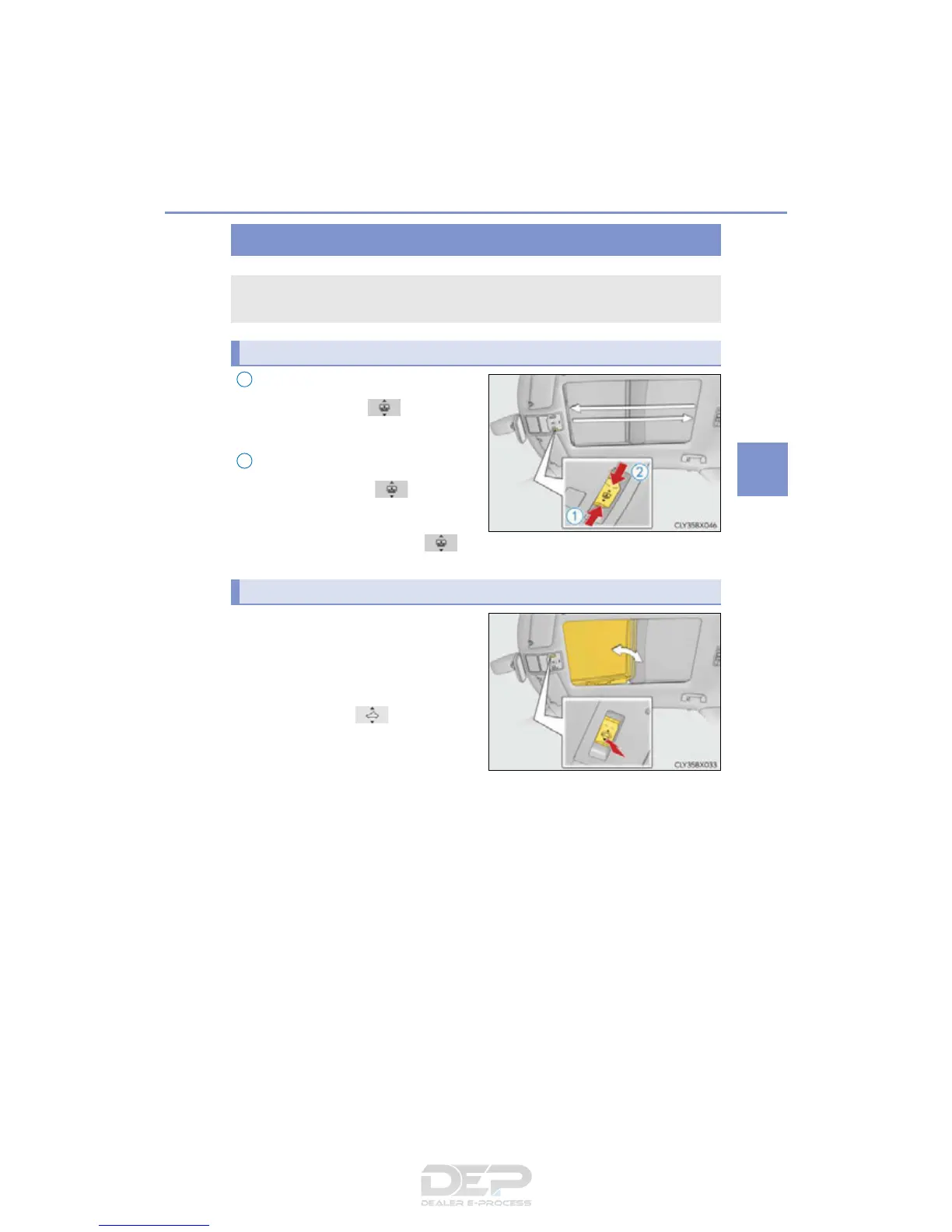
Opens the electronic sunshade
Slide and hold the switch back-
ward. The electronic sunshade will fully
open automatically.
*
Closes the electronic sunshade
Slide and hold the switch for-
ward. The electronic sunshade will fully
close automatically.
*
*
: Quickly slide and release the switch in either direction to stop the electronic
sunshade partway.
Tilts the panoramic moon roof up
(press)
*
When the panoramic moon roof is tilted
up, the electronic sunshade will open to
the half-open position of the roof.
*: Lightly press the switch again to
stop the panoramic moon roof partway.
Tilts the panoramic moon roof down
(press and hold)
The panoramic moon roof can be tilted down only when it is in the tilt-up position.
Panoramic moon roof
: If equipped
Use the overhead switches to operate the panoramic moon roof and elec-
tronic sunshade.
Opening and closing the electronic sunshade



 To Next Page