661
8-2. Steps to take in an emergency
8
When trouble arises
RX350_U_OM48E90U
■ Unlocking the door
Use the mechanical key (P. 121) in order to perform the following opera-
tions:
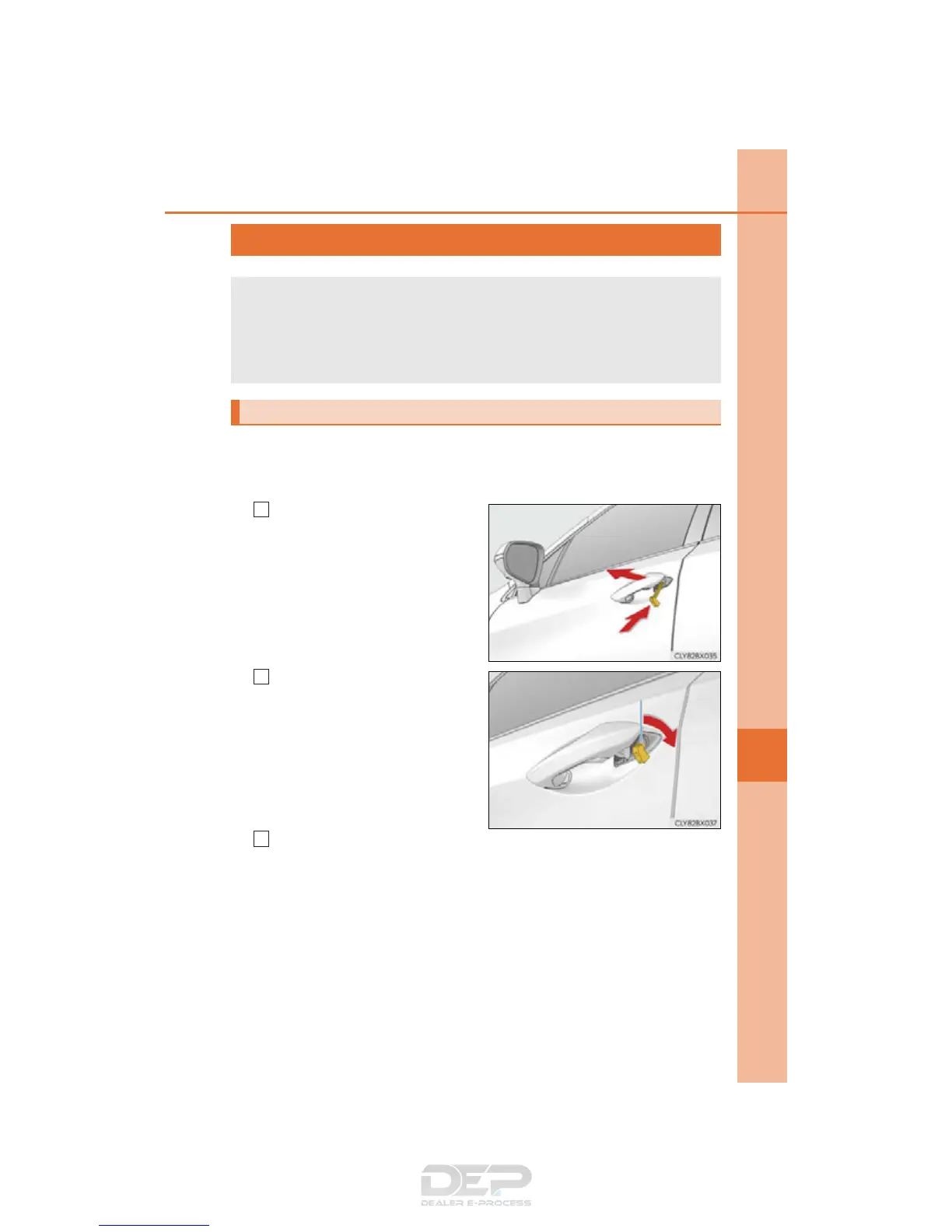
Insert the mechanical key while
pulling on the driver’s door han-
dle.
Unlocking the door.
Turning the key rearward unlocks the
driver’s door. Turning the key again
unlocks the other doors.
Remove the key, return the handle, and then pull the handle again.
If the electronic key does not operate properly
If communication between the electronic key and vehicle is interrupted
(P. 148) or the electronic key cannot be used because the battery is
depleted, the smart access system with push-button start and wireless
remote control cannot be used. In such cases, the doors can be opened and
the engine can be started by following the procedure below.
Locking and unlocking the doors
1
2
3


 To Next Page