239
4-2. Driving procedures
4
Driving
RX350_U_OM48E90U
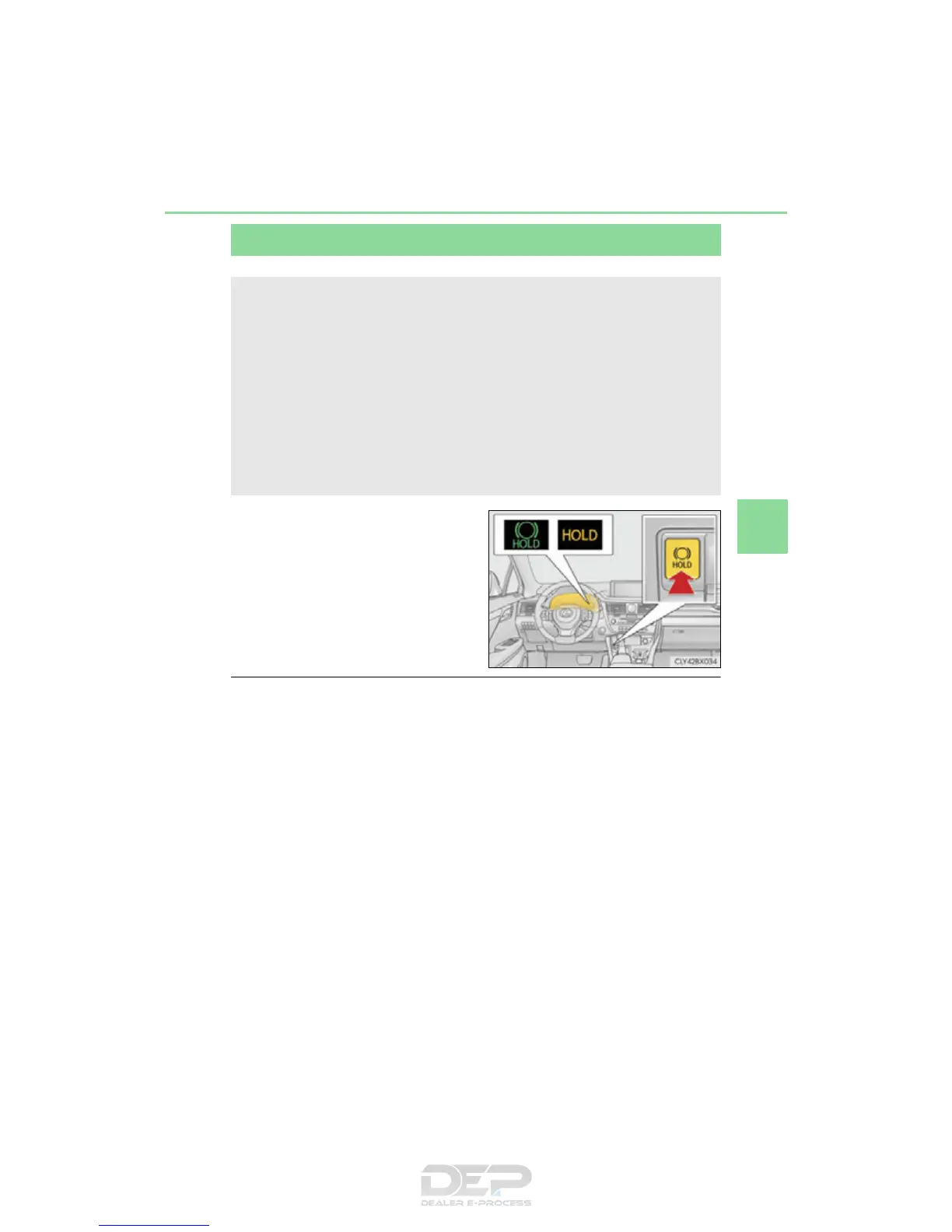
Turns the brake hold system on
The brake hold standby indicator
(green) comes on. While the system is
holding the brake, the brake hold oper-
ated indicator (yellow) comes on.
■ Brake hold system operating conditions
The brake hold system cannot be turned on in the following conditions:
● The driver’s door is not closed.
● The driver is not wearing the seat belt.
If any of the conditions above are detected when the brake hold system is enabled, the
system will turn off and the brake hold standby indicator light will go off. In addition, if any
of the conditions are detected while the system is holding the brake, a warning buzzer
will sound and a message will be shown on the multi-information display. The parking
brake will then be set automatically.
Brake Hold
Vehicles without paddle shift switches
The brake hold system keeps the brake applied when the shift lever is in D, S or
N with the system on and the brake pedal has been depressed to stop the vehi-
cle. The system releases the brake when the accelerator pedal is depressed
with the shift lever in D or S to allow smooth start off.
Vehicles with paddle shift switches
The brake hold system keeps the brake applied when the shift lever is in D, M
or N with the system on and the brake pedal has been depressed to stop the
vehicle. The system releases the brake when the accelerator pedal is
depressed with the shift lever in D or M to allow smooth start off.



 To Next Page