91
2. Instrument cluster
2
Instrument cluster
RX350_U_OM48E90U
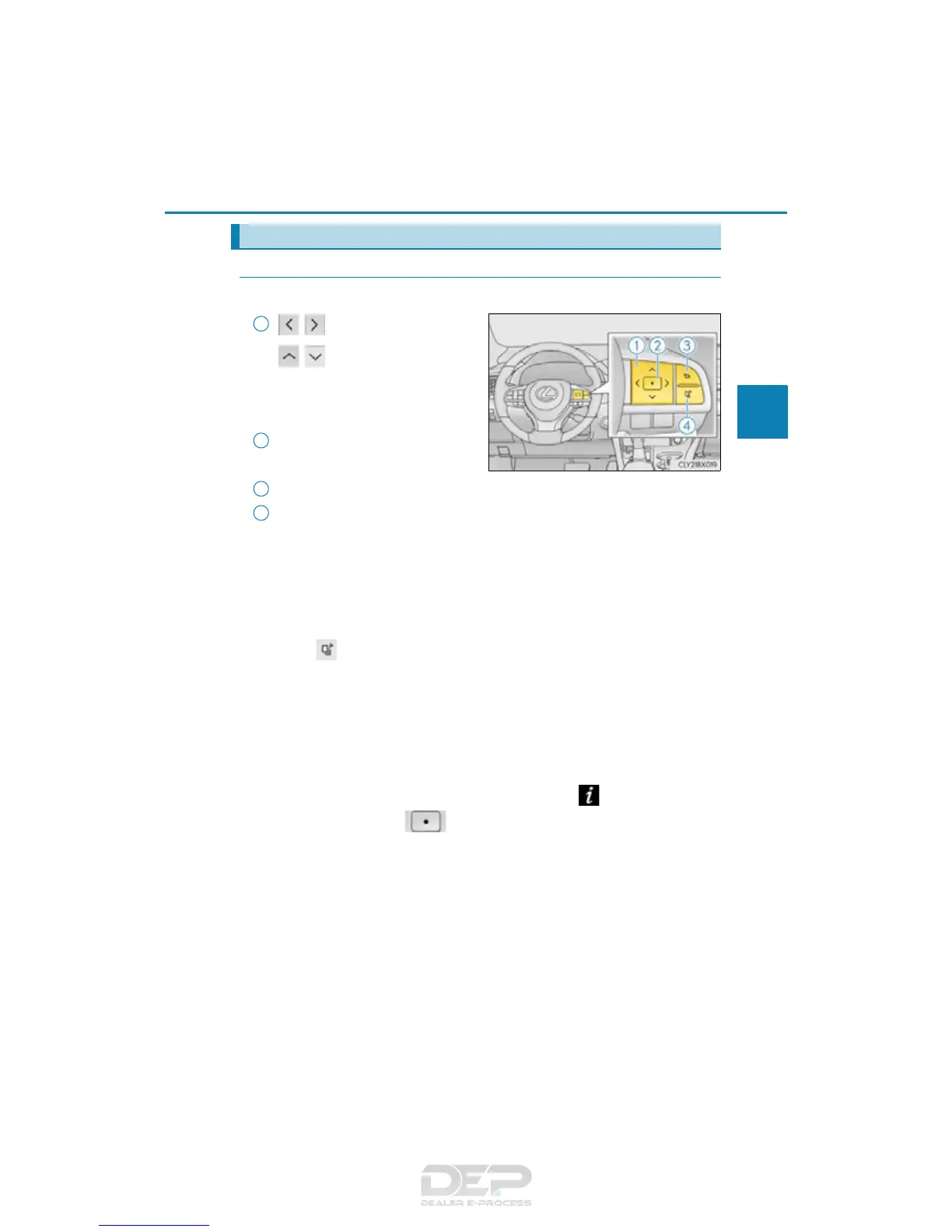
◆ Using the content display area
The content display area is operated using the meter control switches.
:Select menu icons
:Change displayed con-
tent, scroll up/down the
screen and move the
cursor
Press: Enter/Set
Press and hold: Reset
Return to the previous screen
Press: Display the top screen
Press and hold: Register current screen as the top screen
■ Registering a top screen
The displayed top screen can be changed to a registered screen of your
choice.
To register a screen as the top screen, display the desired screen and press
and hold .
• A message asking to confirm if registration is desired will be displayed. If the
selected screen cannot be registered, a registration failure message will be dis-
played.
• When no screen has been registered, the drive information screen will be dis-
played.
■ Resetting drive information
To reset the average fuel economy (after reset)/average vehicle speed (after
reset)/elapsed time (after reset) that are displayed on , display the desired
item and press and hold .
If both of the displayed items are resettable, a message will be displayed asking
which item(s) to reset.
Using the multi-information display
1
2
3
4



 To Next Page