445
5-7. Connecting Bluetooth
®
5
Lexus Display Audio system
RX350_U_OM48E90U
Go to “Bluetooth* Setup”: “MENU” button “Setup” “Bluetooth*”
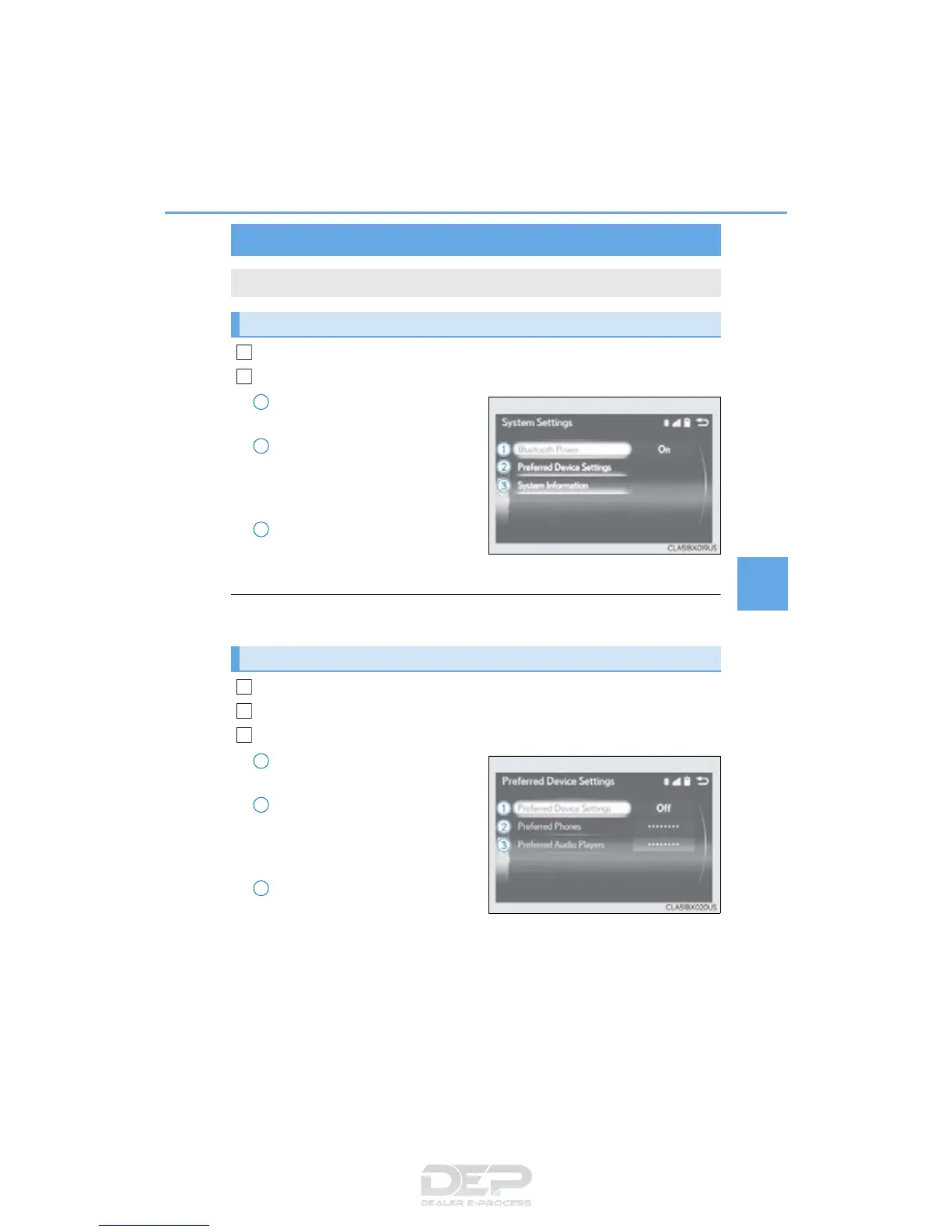
Move the controller to the left and then select “System Settings”.
Select to set automatic connec-
tion of a Bluetooth
®
device on/off
Select to change the automatic
connection priority of the regis-
tered Bluetooth
®
devices
(P. 445)
Select to edit the system informa-
tion (P. 447)
*: Bluetooth is a registered trademark of Bluetooth SIG, Inc.
■ Restoring the default settings
Move the controller to the left and select “Default” on the “System Settings” screen.
Go to “Bluetooth* Setup”: “MENU” button “Setup” “Bluetooth*”
Move the controller to the left and then select “System Settings”.
Select “Preferred Device Settings”.
Select to set automatic connec-
tion priority on/off
Select to change the automatic
connection priority of the regis-
tered Bluetooth
®
phones
(P. 446)
Select to change the automatic
connection priority of the regis-
tered Bluetooth
®
audio players
(P. 446)
*: Bluetooth is a registered trademark of Bluetooth SIG, Inc.
Detailed Bluetooth
®
settings
You can confirm and change the detailed Bluetooth
®
settings.
“System Settings” screen
1
2
1
2
3
Setting automatic connection priority
1
2
3
1
2
3



 To Next Page