495
6-2. Using the air conditioning system and defogger
6
Interior features
RX350_U_OM48E90U
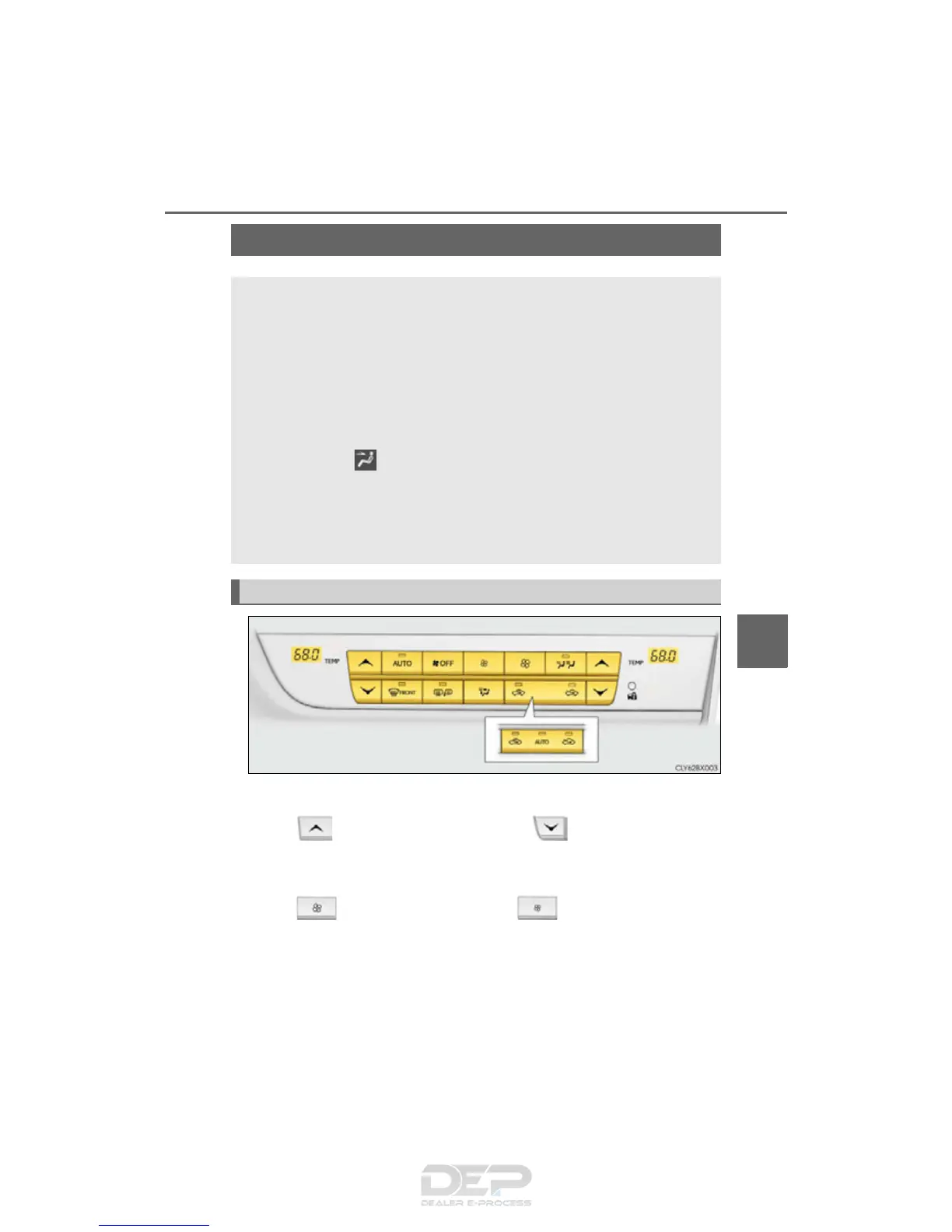
■ Adjusting the temperature setting
Press to increase the temperature and to decrease the temper-
ature.
■ Adjusting the fan speed setting
Press to increase the fan speed and to decrease the fan speed.
Press the “OFF” button to turn the fan off.
Automatic air conditioning system
Air outlets and fan speed are automatically adjusted according to the temper-
ature setting.
Vehicles with a Lexus Display Audio system: Press the “MENU” button on the
Lexus Display Audio controller, then select “Climate” to display the air condi-
tioning control screen.
For details on the Lexus Display Audio controller, refer to “Lexus Display
Audio controller” on P. 392.
Vehicles with a navigation system: Press the “MENU” button on the Remote
Touch, then select to display the air conditioning control screen.
Vehicles with a navigation system (12.3-inch display): The air conditioning sys-
tem can be displayed and operated on the side display. (P. 493)
For details on the Remote Touch, refer to the “NAVIGATION SYSTEM
OWNER’S MANUAL”.
Control panel



 To Next Page