320
4-5. Using the driving support systems
RX350_U_OM48E90U
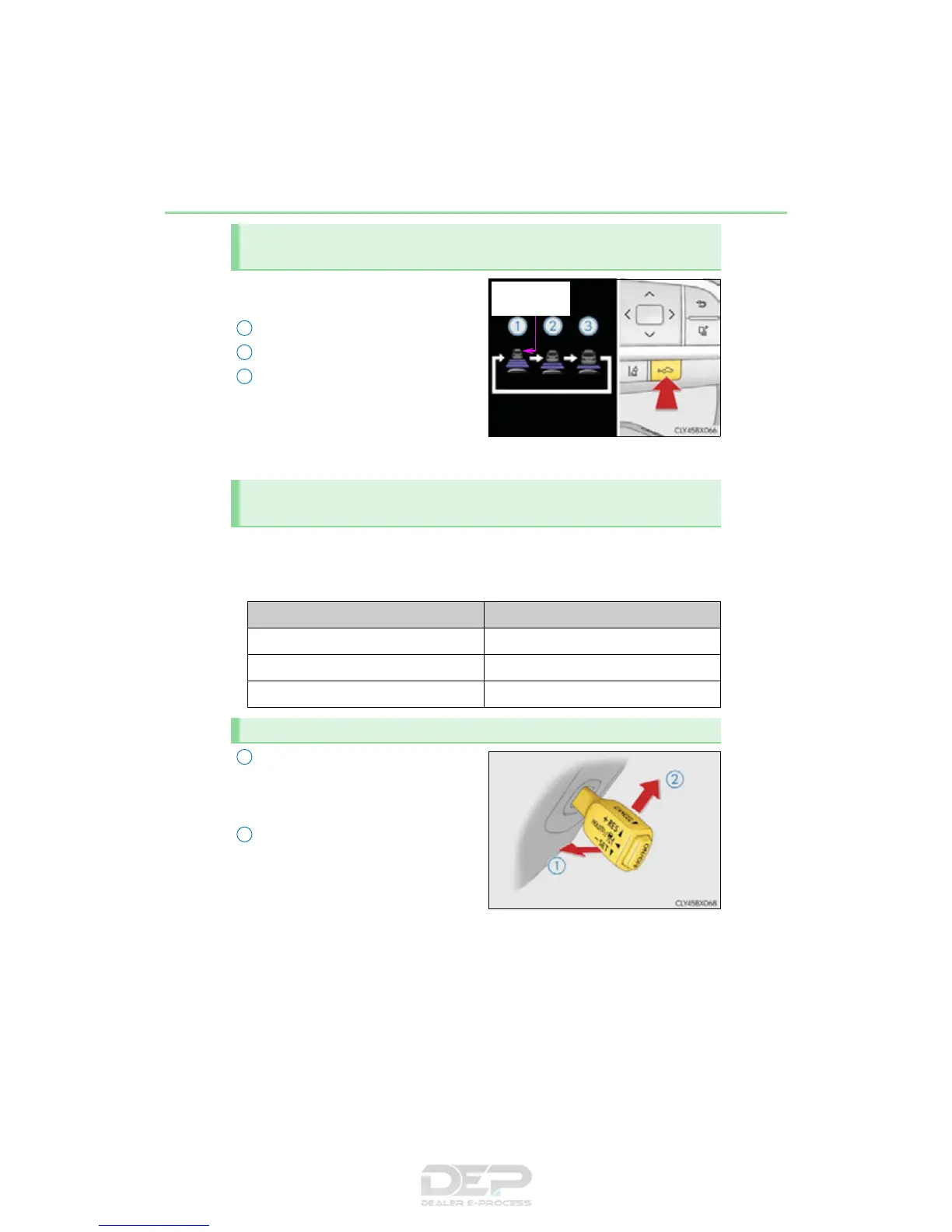
Pressing the button changes the vehi-
cle-to-vehicle distance as follows:
Long
Medium
Short
The vehicle-to-vehicle distance is set
automatically to long mode when the
engine switch is turned to IGNITION
ON mode.
If a vehicle is running ahead of you, the preceding vehicle mark will also be displayed.
Select a distance from the table below. Note that the distances shown corre-
spond to a vehicle speed of 50 mph (80 km/h). Vehicle-to-vehicle distance
increases/decreases in accordance with vehicle speed.
Pulling the lever toward you cancels
the speed control.
The speed setting is also canceled when
the brake pedal is depressed.
Pushing the lever up resumes the
cruise control and returns vehicle
speed to the set speed.
However, cruise control does not
resume when the vehicle speed is
approximately 25 mph (40 km/h) or
less.
Changing the vehicle-to-vehicle distance (vehicle-to-vehicle distance
control mode)
1
2
3
Vehicle-to-vehicle distance settings (vehicle-to-vehicle distance con-
trol mode)
Distance options Vehicle-to-vehicle distance
Long Approximately 160 ft. (50 m)
Medium Approximately 130 ft. (40 m)
Short Approximately 100 ft. (30 m)
Canceling and resuming the speed control
1
2


 To Next Page
 Loading...











