30
EXTERNAL EQUIPMENT SETUP
EXTERNAL EQUIPMENT SETUP
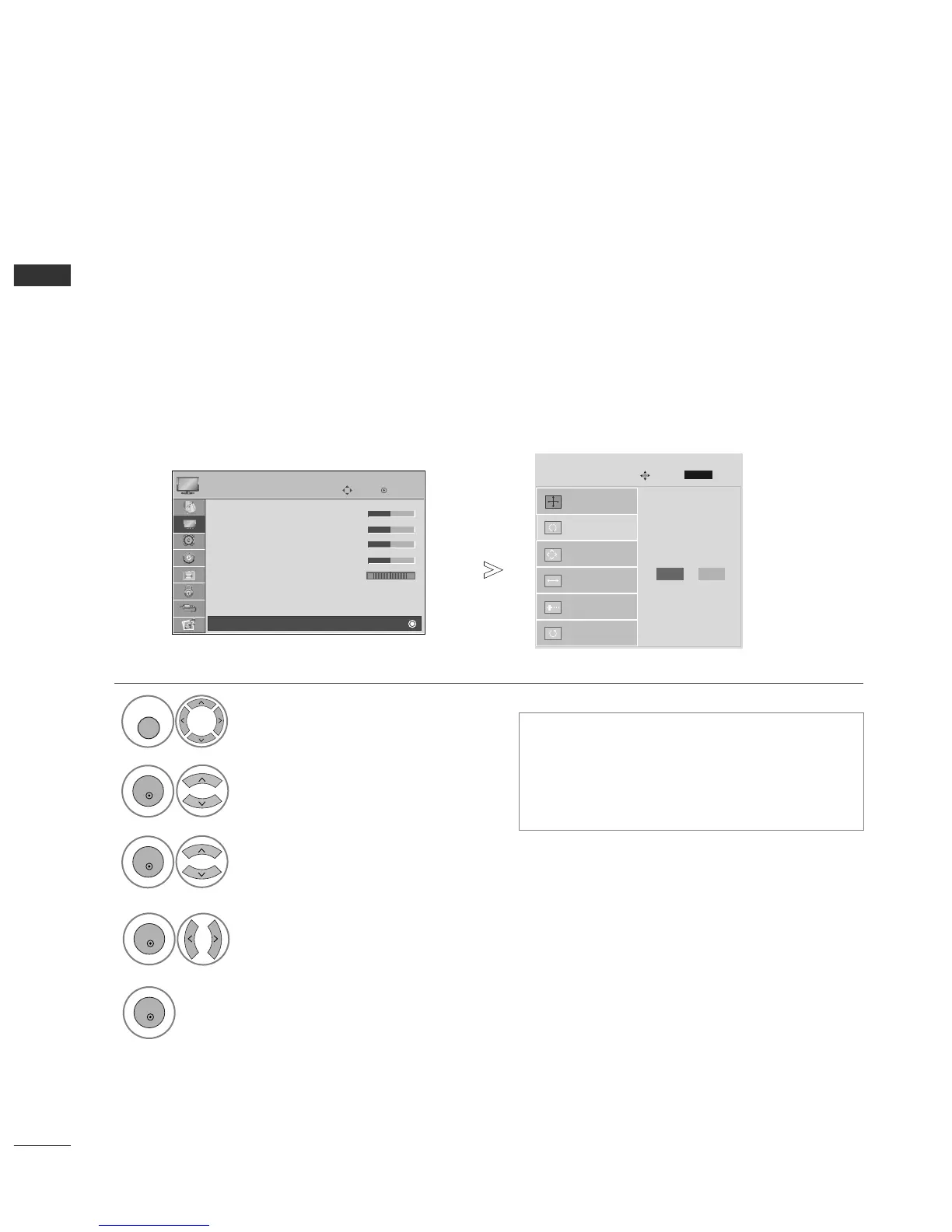
Automatically adjusts picture position and minimizes image instability. After adjustment, if the image is still
not correct, your TV is functioning properly but needs further adjustment.
AAuuttoo ccoonnffiigguurree
This function is for automatic adjustment of the screen position, clock, and phase The displayed image will
be unstable for a few seconds while the auto configuration is in progress.
Auto Configure (RGB [PC] mode only)
•
If the position of the image is still not correct,
try Auto adjustment again.
• If picture needs to be adjusted again after Auto
adjustment in RGB (PC), you can adjust the
PPoossiittiioonn
,
SSiizzee
or
PPhhaassee
.
Select
PPIICCTTUURREE
.
Select
SSCCRREEEENN
.
Select
AAuuttoo CCoonnffiigg..
.
OK
Move
• Contrast 50
• Brightness 50
• Sharpness 50
• Colour 50
• Tint 0
• Advanced Control
• Picture Reset
Screen
PICTURE
E
Screen
Auto Config.
G
Resolution
Position
Size
Phase
Reset
SCREEN
Move
Prev.
To Set
1



 To Next Page