. LG Network Storage Web Menu Use (for LG Network Storage administrators)
10
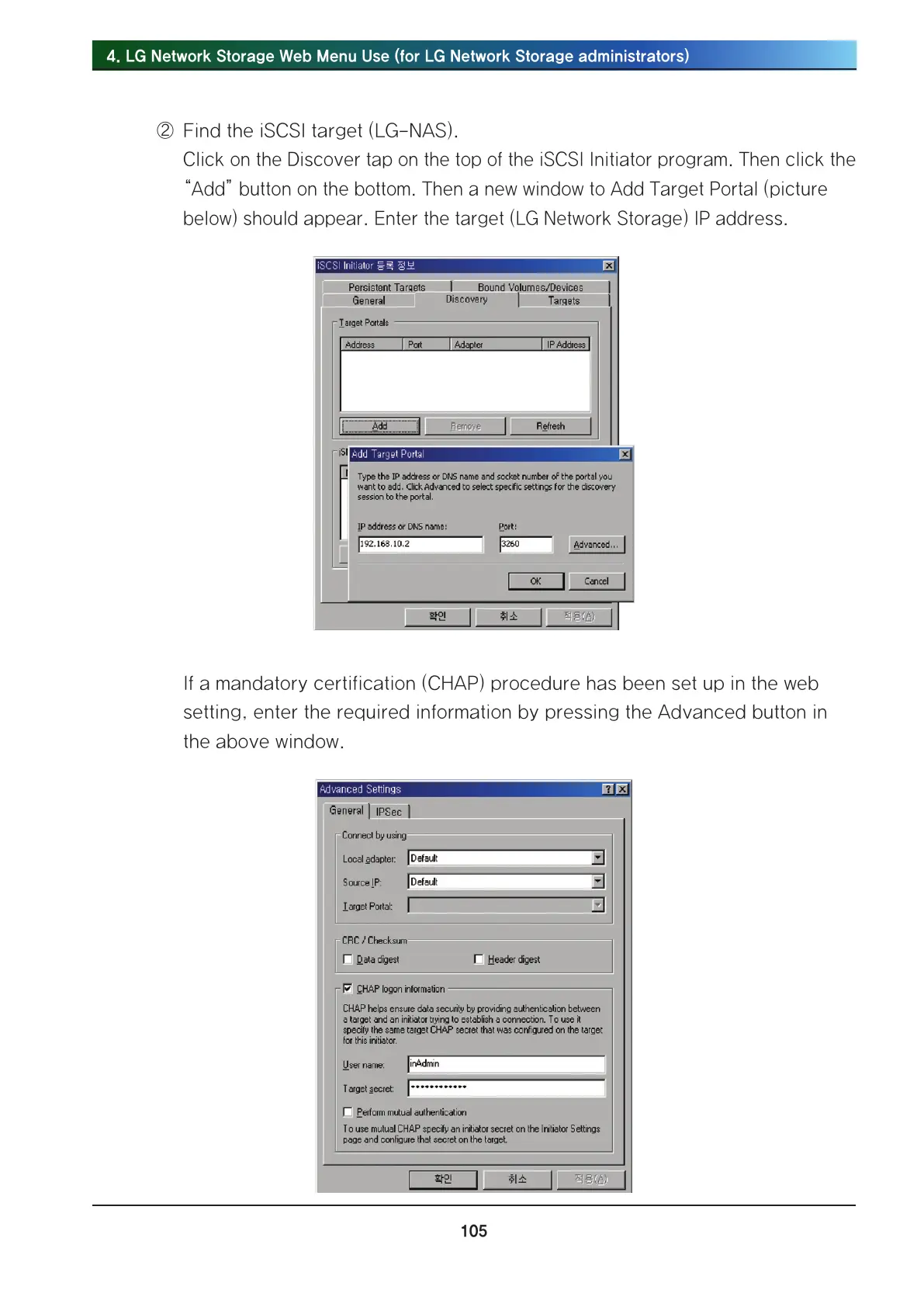
② Find the iSCSI target (LG-NAS).
Click on the Discover tap on the top of the iSCSI Initiator program. Then click the
“Add” button on the bottom. Then a new window to Add Target Portal (picture
below) should appear. Enter the target (LG Network Storage) IP address.
If a mandatory certification (CHAP) procedure has been set up in the web
setting, enter the required information by pressing the Advanced button in
the above window.



 To Next Page