20
OWNER’S INSTRUCTION
ENGLISH
OWNER’S INSTRUCTION
21
ENGLISH
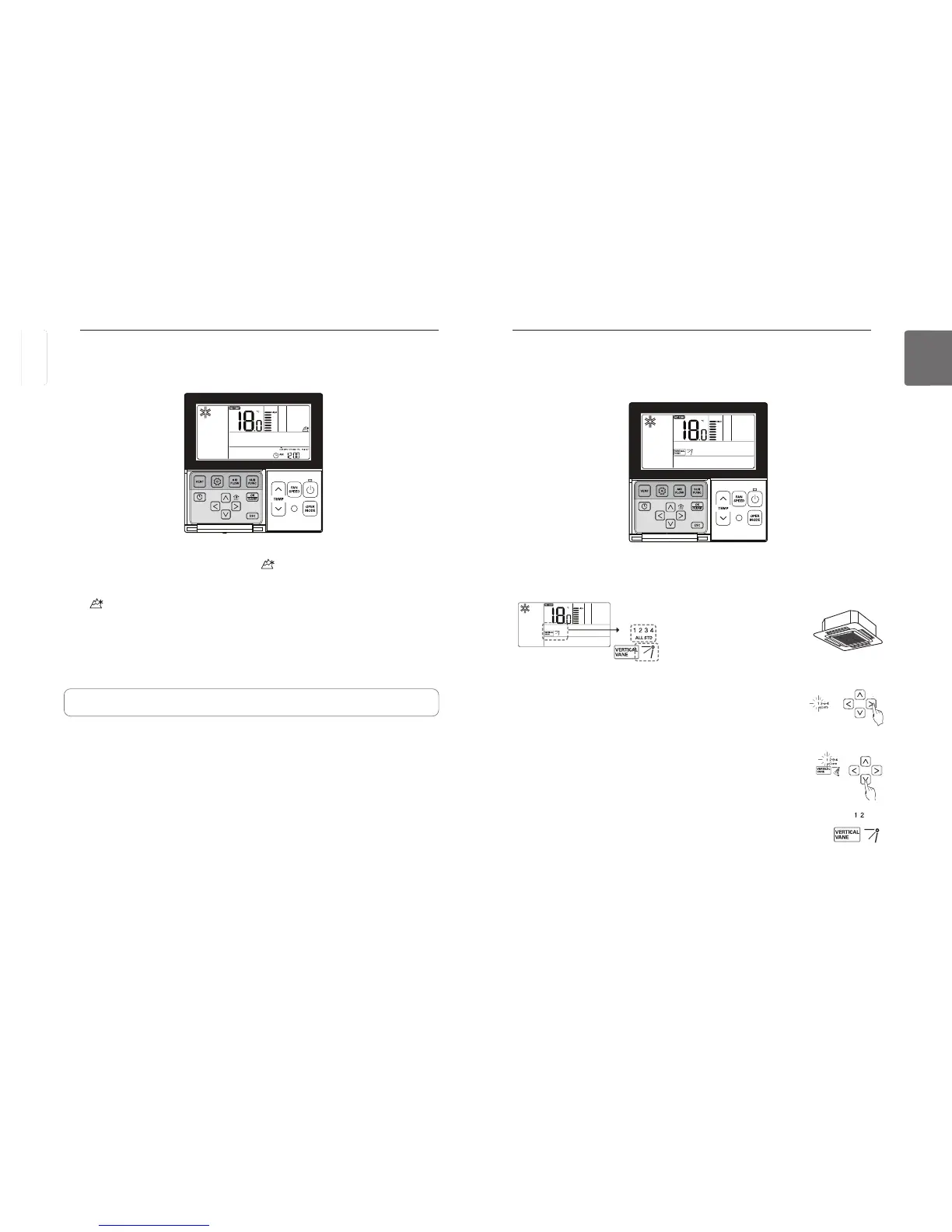
You can adjust the angles of air flow.
(Vane Number)
(Vane angle set point)
button repeatedly to select the Vane Angles Setting in the menu.
Select the Vane number using
Vane Number: No.1, No.2, No.3, No.4, ALL, Standard.
- The selected vane activates. Verify the active vane.
- Select ‘All’ to program the angle of all the vanes.
- Select ‘Standard’ to program as the factory default settings.
Select the vane angle using
- The range of vane angles setting can be changed to 5 levels or 6 levels
according to the product.
- When selecting ‘Standard’ for Vane number, the vane angle does not move.
Program the vane angles for the remaining vanes as the same as above.
Some products include only No.1 and No.2 vanes.
button to exit after setup.
If no button is selected for about 60 seconds after setup, it exits the setup
mode automatically.
If Set button is not selected before you exit, the changes will not apply.
Function setting - Vane Angle Control
P
button repeatedly until Himalaya cooling icon displays.
Turn on/off Himalaya cooling function by pressing
The icon will be displayed in case of setting option and disappear in reverse case.
If no button is selected for about 25 seconds after setup, it exits the setup mode automatically.
If Set button is not selected before you exit, the changes will not apply.
• Some products may not include Himalaya cooling function.
Sub Function – Himalaya Cooling
Only products with Himalaya Cooling function can use this.
ENGLISH



 To Next Page