70
INSTALLATION INSTRUCTION
ENGLISH
INSTALLATION INSTRUCTION
71
ENGLISH
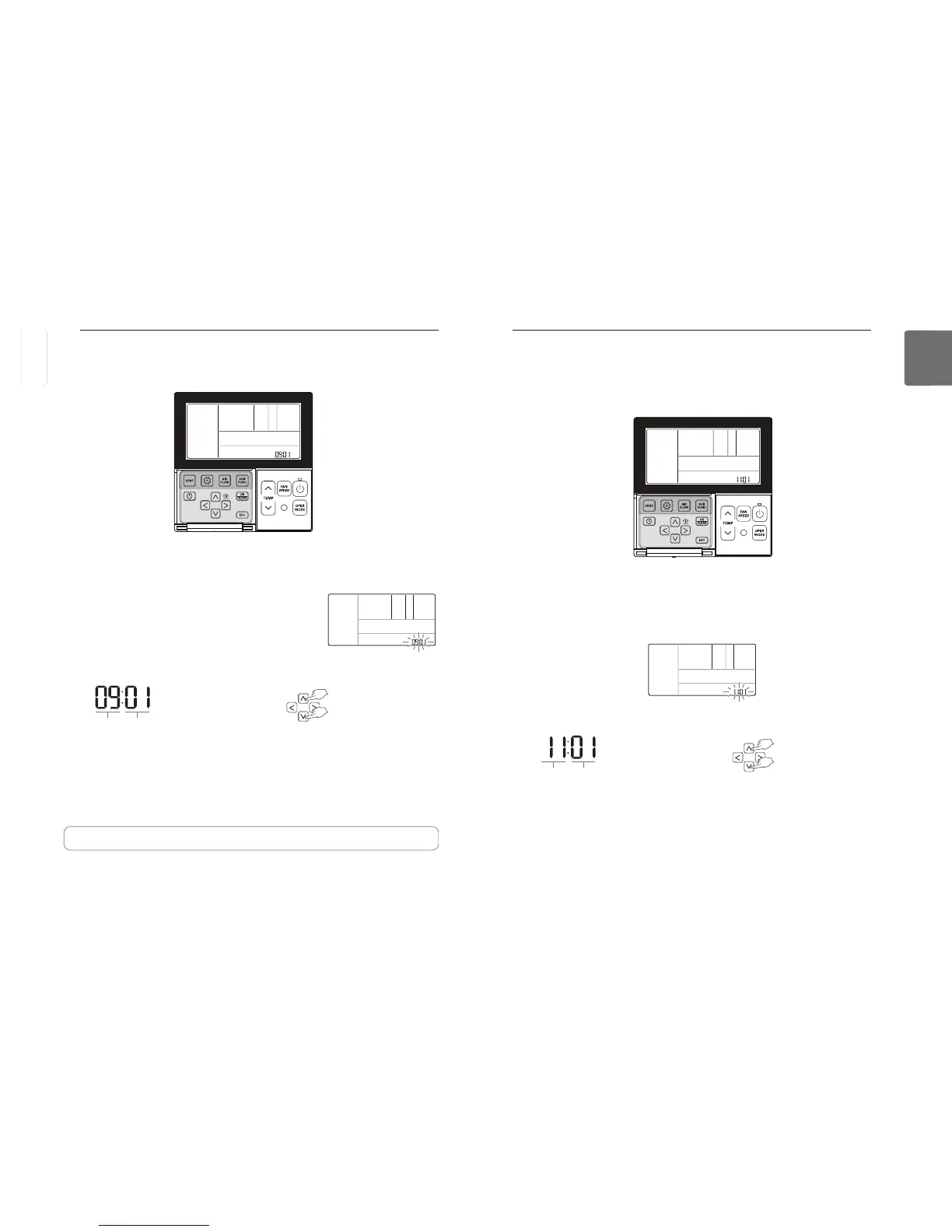
Installer Setting – Zone State
This function is to set the fan speed mode of indoor unit as fixed or variable.
- Variable : Comp ON, setup fan speed. Comp OFF, weak wind
- Fixed : Comp ON, setup fan speed. Comp OFF, setup fan speed.
button for more than 3 seconds to enter the installer settings mode.
- If pressing only once briefly, it will enter the user settings mode.
Make sure to press and hold for more than 3 seconds.
button repeatedly to move to the zone state selection in the menu as below.
Select the zone state using
button to save the setting.
Press
If no button is selected for about 25 seconds after setup, it exits the setup mode automatically.
If Set button is not selected before you exit, the changes will not apply.
Code value for
Zone State
Set value
❈ Set value for Zone State
01 : Variable
02 : Fixed
Installer Setting – Dry Contact mode Setting
This function is available only for the products with dry contact device.
button for more than 3 seconds to enter the installer settings mode.
- If pressing only once briefly, it will enter the user settings mode.
Make sure to press and hold for more than 3 seconds.
Move to the Dry Contact Mode Settings in the menu using
button
and then it displays as below.
Select the Dry Contact Mode using
button to save the setting.
Press
If no button is selected for about 25 seconds after setup, it exits the setup mode automatically.
If Set button is not selected before you exit, the changes will not apply.
Code value for
dry contact
Set value
❈ Set value for dry contact
00 : Manual
01 : Auto
• See the Dry Contact manual for more detailed functions about dry contact mode.
It means a contact signal received when an air conditioner runs interlocking with hotel key
card or sensor.
ENGLISH



 To Next Page