62
INSTALLATION INSTRUCTION
ENGLISH
INSTALLATION INSTRUCTION
63
ENGLISH
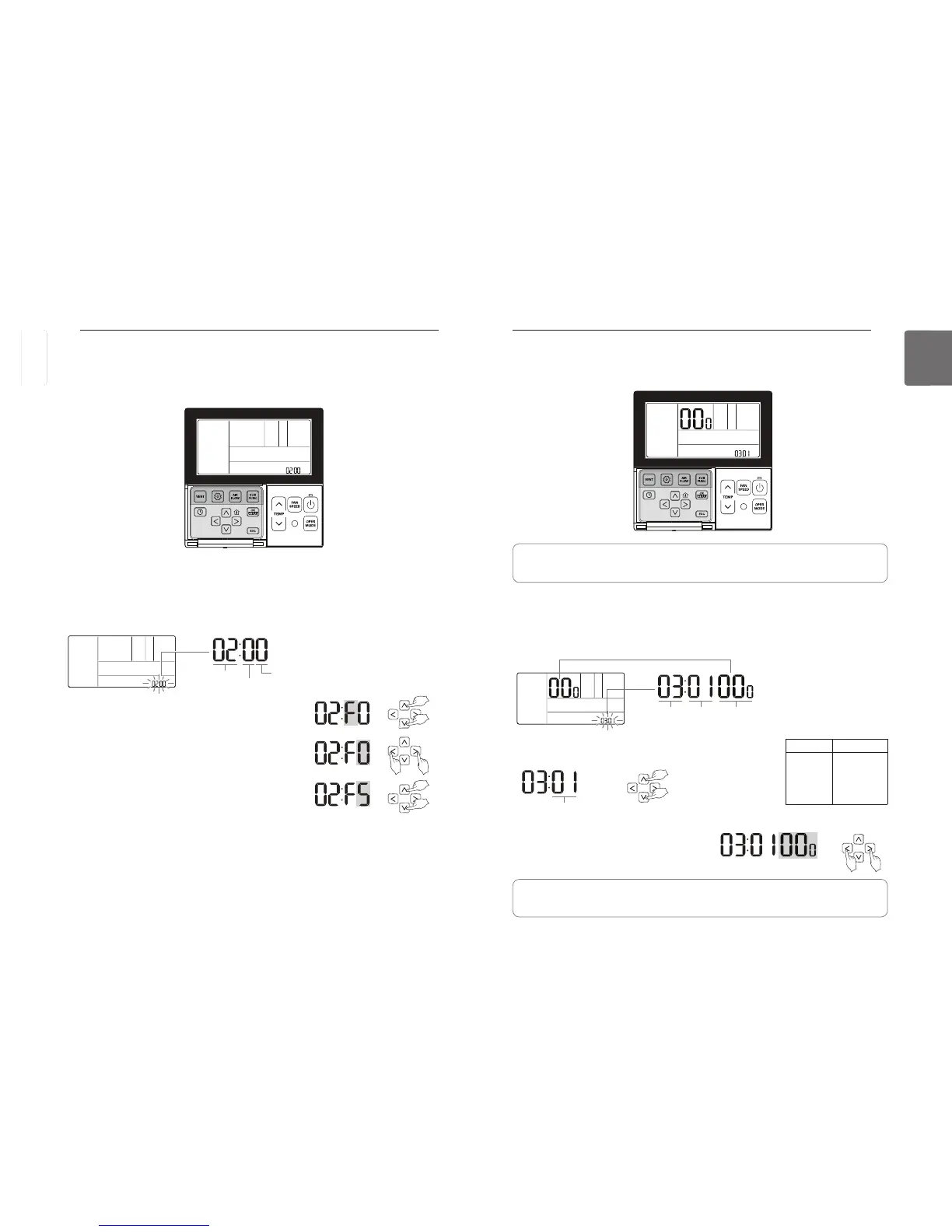
Installer Setting – ESP Setting
This function is to facilitate the installation by assigning a fan speed value to each speed.
ESP
Code value
ESP value ESP
Fan Speed level
button for more than 3 seconds to enter the installer settings mode.
- If pressing only once briefly, it will enter the user settings mode.
Make sure to press and hold for more than 3 seconds.
Once entered the ESP setting mode using
button, it displays as below.
Select the level of ESP Fan Speed using
button. There are 5
levels in the fan speed, SLOW LOW MED HIGH POW.
Move to the ESP value settings using
The ESP value numbers will blink.
(It is set 000 by default.)
• If the ESP is set improperly, it can cause an air conditioner malfunction.
• This function must be set by a certified/qualified installer.
• If a fan speed ESP value is set for the product without very weak wind or power wind, the
system may not operate.
ESP level Fan Speed
01
02
03
04
05
SLOW
LOW
MED
HIGH
POW.
The ESP set value can be programmed 0~225.
Installer Setting – Setting Address of Central Control
This function is to be used when connecting to a central controller.
See the central controller manual for more detailed functions.
button for more than 3 seconds to enter the installer settings mode.
- If pressing only once briefly, it will enter the user settings mode.
Make sure to press and hold for more than 3 seconds.
Once entered the address setting mode using
button, it displays as below.
Code value
Group number
Indoor unit number
button. (0~F)
Move to the indoor unit No. set value using
button.
Set the indoor unit No. value using
button to complete the address setting.
Press
If no button is selected for about 25 seconds after setup, it exits the setup mode automatically.
If Set button is not selected before you exit, the changes will not apply.
ENGLISH



 To Next Page