68
INSTALLATION INSTRUCTION
ENGLISH
INSTALLATION INSTRUCTION
69
ENGLISH
Installer Setting – Override Master/Slave Setting
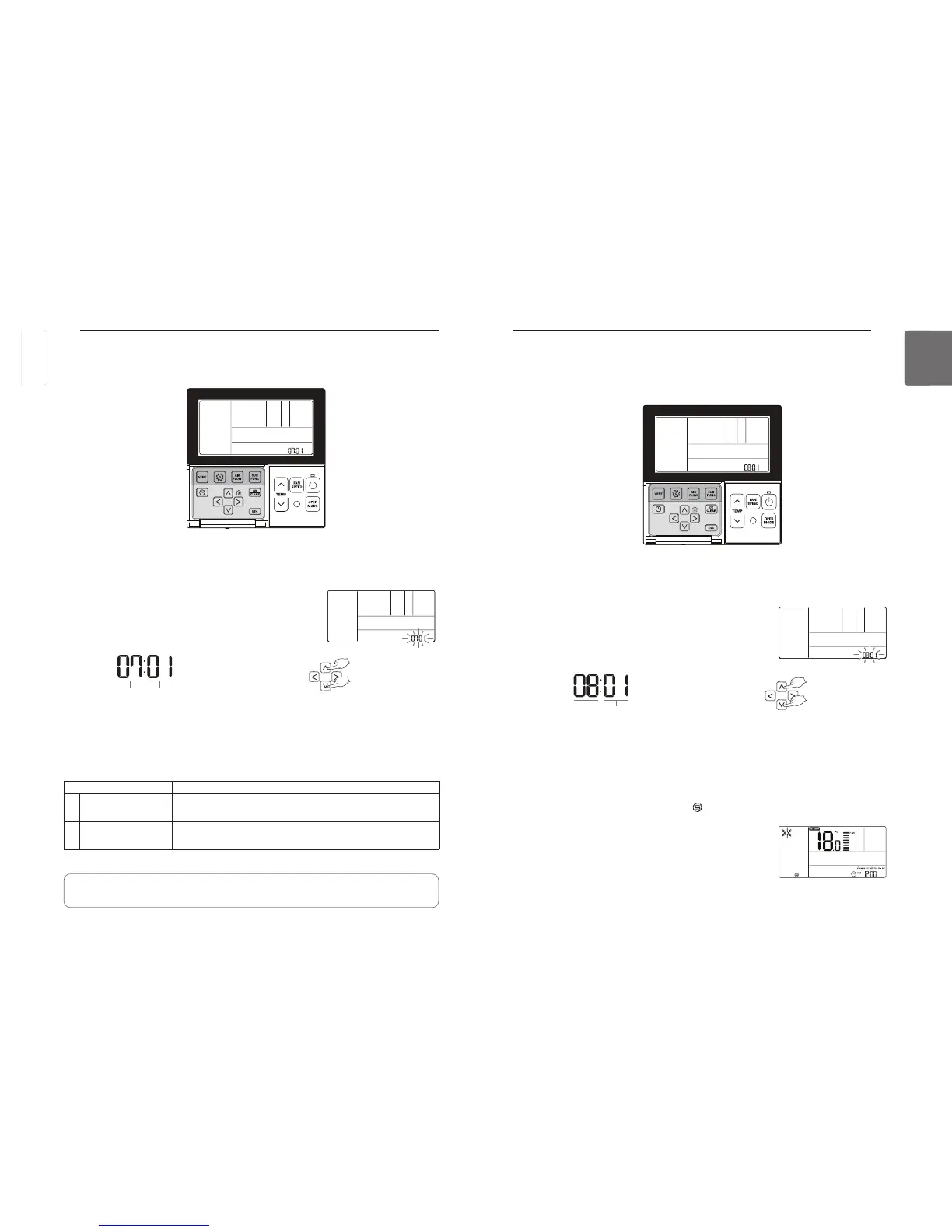
Override master/slave selection function is, since Multi-V 7 series model, the function to prevent
product's different mode operation. If it setup as the slave, It blocks to change opposite run
mode to outdoor unit cycle (cooling/heating)
button for more than 3 seconds to enter the installer settings mode.
- If pressing only once briefly, it will enter the user settings mode.
Make sure to press and hold for more than 3 seconds.
Move to the Master/slave selection in the menu using
button and
then it displays as below.
Select the operation master/slave using
button to save the setting.
Press
If no button is selected for about 25 seconds after setup, it exits the setup mode automatically.
If Set button is not selected before you exit, the changes will not apply.
If selected as the operation ‘slave’, it displays in the remote controller
screen as shown in figure 1.
Code value for
Operation master/slave
Set value
❈ Set value for operation
00 : Slave
01 : Master
Some product may not include the operation master/slave selection function.
figure 1.
Installer Setting – Remote Controller Master/Slave Setup
This function is the settings when controlling 2-remote controls or group control.
P
button for more than 3 seconds to enter the installer settings mode.
- If pressing only once briefly, it will enter the user settings mode.
Make sure to press and hold for more than 3 seconds.
Move to the Master/slave selection in the menu using
button and
then it displays as below.
Select the remote control master/slave using
button to save the setting.
Press
If no button is selected for about 25 seconds after setup, it exits the setup mode automatically.
If Set button is not selected before you exit, the changes will not apply.
Code value for remote
control master/slave
Set value
❈ Set value for remote control
00 : Slave
01 : Master
Remote control Function
01 Master
The Indoor Unit run by master remote controller in case of group
control. (Set as a master by default)
02 Slave
Set all the remote controllers as slaves except one master remote
control for group control.
• Some functions may not be available during a group control except basic operation settings,
fan speed low/med/high, remote control lock setting, time setting.
See the ‘Group control’ section for more information about master/slave.
ENGLISH



 To Next Page