36
OWNER’S INSTRUCTION
ENGLISH
OWNER’S INSTRUCTION
37
ENGLISH
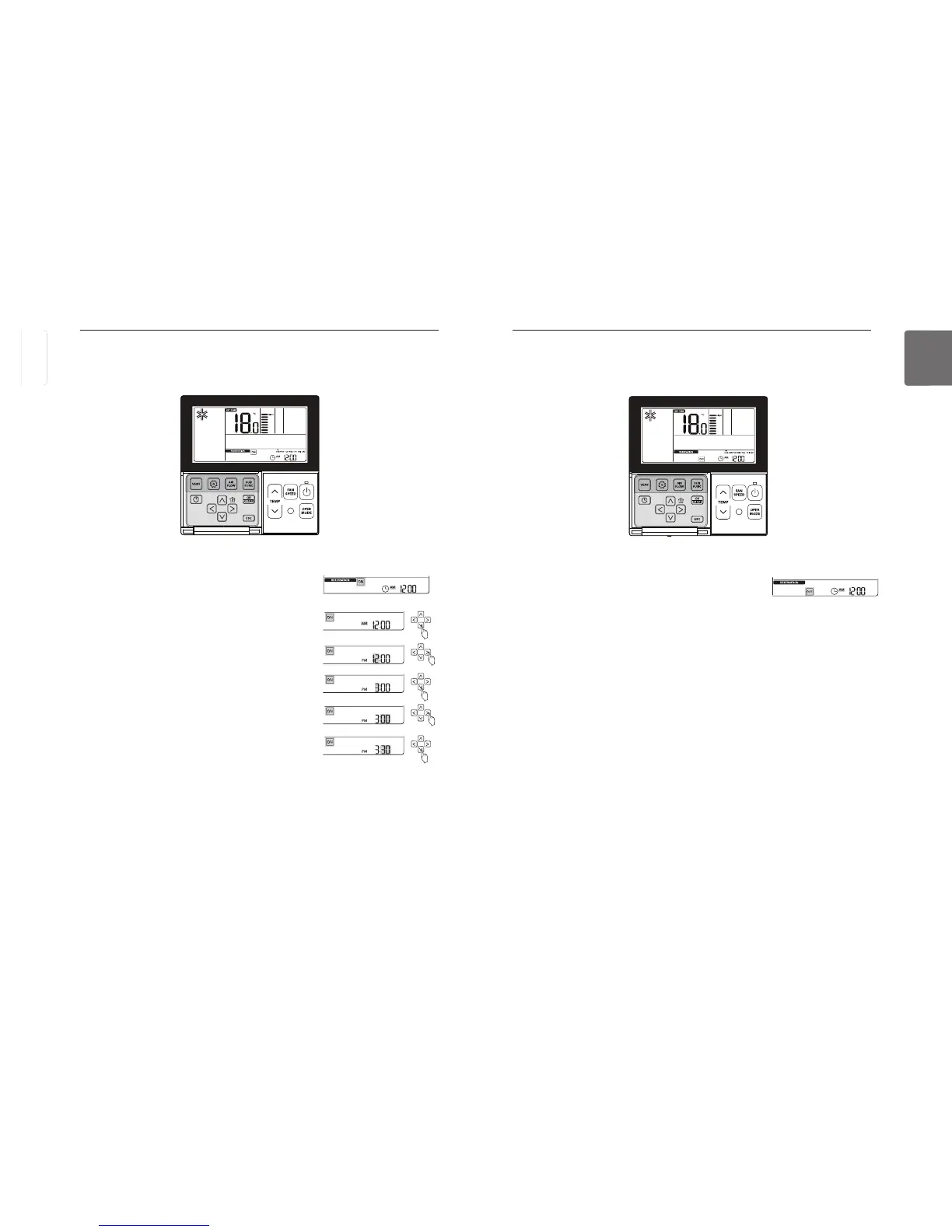
Programming – OFF Reservation
It turns OFF automatically at the time programmed.
button to enter the programming mode.
Press
button repeatedly to select ‘OFF’.
‘OFF’ icon and ‘AM’ icon will blink.
You can program the ‘AM/PM’, ‘Hour’ and ‘Minute as the same way as the ON reservation.
button when the OFF reservation is completed.
Press
If no button is selected for about 25 seconds after setup, it exits the setup mode automatically.
If Set button is not selected before you exit, the changes will not apply.
- When the schedule setting is completed,
\ icon will display in the lower LCD screen, and
the system will stop at the time programmed.
- When the schedule is cancelled,
\ icon will disappear.
Programming – ON Reservation
It turns ON automatically at the time programmed.
button to enter the programming mode.
Press
button repeatedly to select ‘ON’.
‘ON’ icon and ‘AM’ icon will blink.
Set ‘AM/PM’ using
button.
Move to ‘Hour’ using
button,
and set the ‘Hour’ using
button.
Move to ‘Minute’ using
button,
Set the ‘Minute’ using
button when the ON reservation is completed.
Press
If no button is selected for about 25 seconds after setup, it exits the setup mode automatically.
If Set button is not selected before you exit, the changes will not apply.
- When the schedule setting is completed,
Z icon will display in the lower LCD screen, and
the system will run at the time programmed.
- When the ON schedule is cancelled,
Z icon will disappear.
ENGLISH



 To Next Page