72
INSTALLATION INSTRUCTION
ENGLISH
INSTALLATION INSTRUCTION
73
ENGLISH
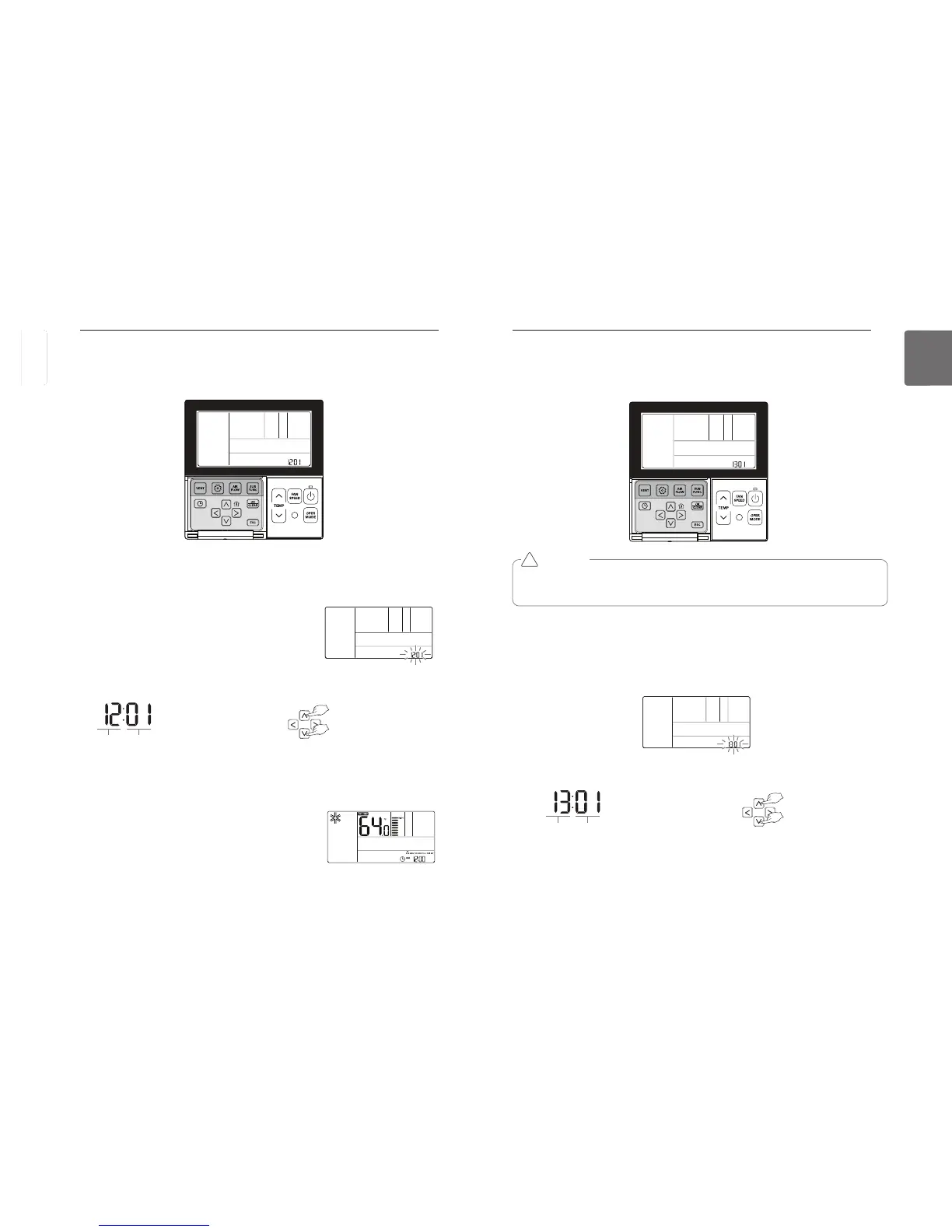
Installer Setting – Zone Type Setting
This function is only available on some products. It is possible to setup zone new type or old one
of the product which is available to install the damper controller.
Select the Zone Type Setting using
button for more than 3 seconds to enter the installer settings mode.
- If pressing only once briefly, it will enter the user settings mode.
Make sure to press and hold for more than 3 seconds.
Move to the Zone Type Setting in the menu using
button and then it displays as below.
Press
button to save the setting.
Press
If no button is selected for about 25 seconds after setup, it exits the setup mode automatically.
Function Code Zone type value
❈ Zone type setting
00 : Old
01 : New
CAUTION
If you set zone number incorrectly, the product may malfunction especially in zone control.
This function must carried out by a certificated-technician.
!
Installer Setting – Celsius/Fahrenhei Switching
This function is used for switching the display between Celsius and Fahrenheit.
(Optimized only for U.S.A)
button for more than 3 seconds to enter the installer settings mode.
- If pressing only once briefly, it will enter the user settings mode.
Make sure to press and hold for more than 3 seconds.
Move to the Celsius/Fahrenheit Switching in the menu using
button and then it displays as below.
Select the Celsius/Fahrenheit Switching using
button to save the setting.
Press
If no button is selected for about 25 seconds after setup, it exits
the setup mode automatically.
Function Code conversion mode value
❈ Fahrengeit Setting
00 : Celsius
01 : Fahrenheit
button in Fahrenheit mode, the temperature will increase/drop 2 degrees.



 To Next Page