28
OWNER’S INSTRUCTION
ENGLISH
OWNER’S INSTRUCTION
29
ENGLISH
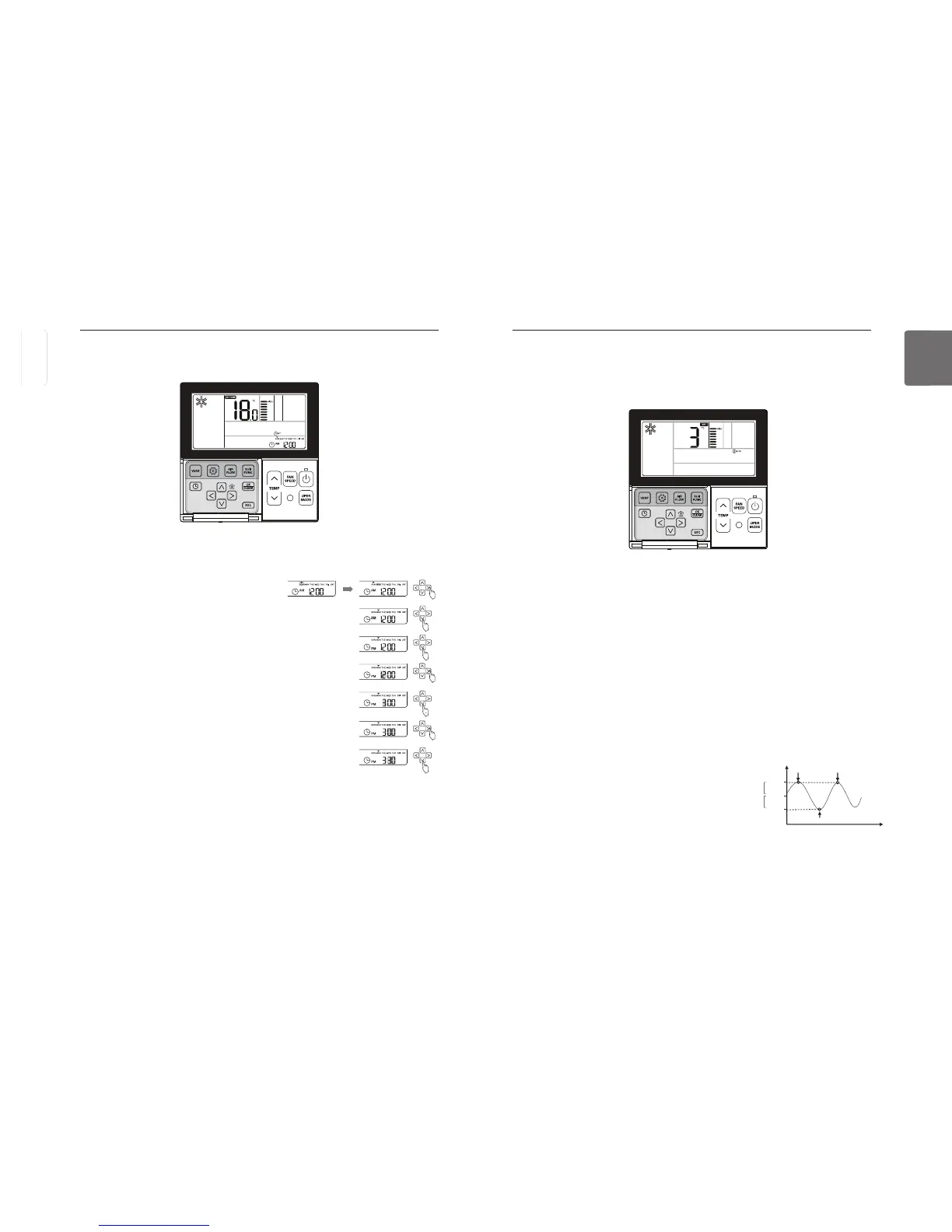
button repeatedly to select the change temperature function in the menu.
icon will display and the changed temperature will blink in the temperature display section.
Press
button to change the temperature set value.
Range of change temperature: programmable within 1~7
When the desired temperature is displayed, press
button to complete the setting.
Press
button to exit after setup.
If no button is selected for about 1 minute after setup, it exits the setup mode automatically.
If Set button is not selected before you exit, the changes will not apply.
This function is available only for cooling/heating system.
22°C
25°C
temperature(°C)
19°C
time
start cooling start cooling
start heating
Function setting – Change Temperature
Change temperature is a function to automatically change the temperature between cooling/heat-
ing according to the temperature in the Auto operation mode.
Example of Change Temp
1) Mode: Auto operation
2) Desired temperature: 22°C
3) Change temperature: 3°C
If it falls under the conditions described above, it will run as shown in the graph.
Function setting – Changing Current Time
When the day/hour/minute setting is finished, press
button to complete the current time set-
ting.
If pressing other buttons during the current time setting, it will cancel all the changes made
and exit the time setting mode.
If
K button is not selected before you exit, the changes will not apply.
button after setting the day to move to the ‘AM/PM’ set-
ting mode.
Press
button to set ‘AM/PM’.
Move to ‘Hour’ section using
button. ‘Hour’ section will blink.
Press
button to set the current hour.
Move to ‘Minute’ section using
button. ‘Minute’ section will
blink.
Press
button to set the current minute.
Press
button repeatedly to select the time setting in the menu.
‘Time Setting’ icon will display and day of the week will blink in the current time section.



 To Next Page