32
OWNER’S INSTRUCTION
ENGLISH
OWNER’S INSTRUCTION
33
ENGLISH
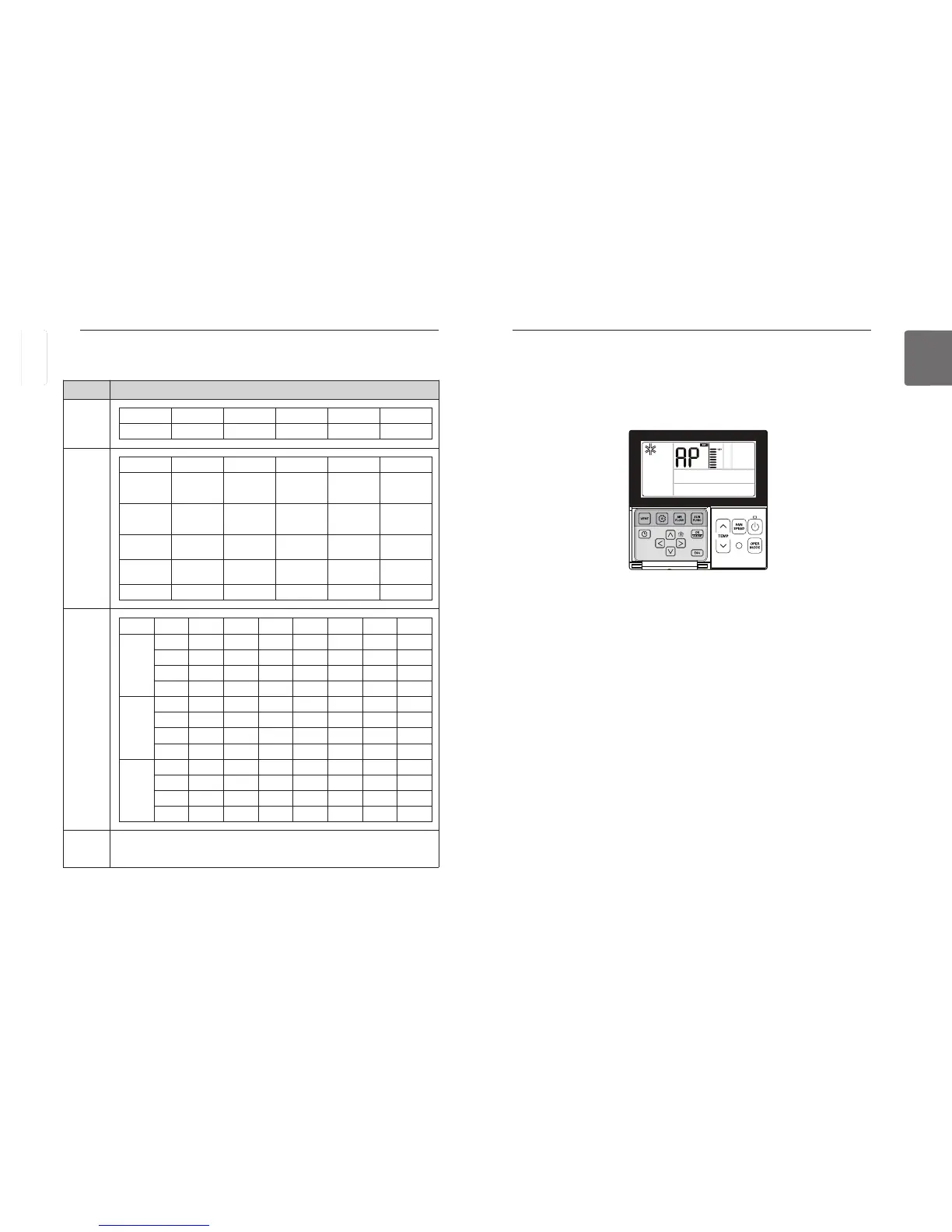
Function Setting - WLAN(Wireless LAN) Module Access Point
mode
It is the function to operate WLAN (Wireless LAN) module connected to the product in access
point mode. This function is available for particular models to apply WLAN Module.
Refer to the installation manual of product whether available or not.
P
button repeatedly until the term of 'AP' is displayed on the screen.
Press the
After setup, it automatically gets out of setup mode.
While WLAN module is operating in access point mode, the term of 'AP' blinks on the screen of
wired remote controller.
- It will take approx. five (5) seconds before WLAN module operates in access point mode.
- In the case WLAN module is not installed, the access point mode does not work.
<Indoor/Outdoor Unit Model Information Table>
Outdoor
Unit
Indoor
Unit
Capacity
Data
unavailable
(common)
-
No. Model No. Model No. Model
0 Multi-V 1 Multi 2 Single
No. Model No. Model No. Model
0 CST 5
Direct
Expansion
Ventilation
A
Hydrokit for
medium
temperature
1 Duct 6 Console B
Hydrokit for
high temper-
ature
2 CVT 7
Single
Package
C Showcase
3 PAC 8
General
Ventilation
D VAHU
4 RAC 9 AWHP E FAU
No. Capacity No. Capacity No. Capacity No. Capacity
Multi-V
0 5k 4 15k 8 36k C 76k
1 7k 5 18k 9 42k D 96k
2 9k 6 24k A 48k E -
3 12k 7 28k B 54k F -
Multi
0 5k 4 12k 8 20k C -
1 7k 5 14k 9 24k D -
2 8k 6 15k A 30k E -
3 9k 7 18k B 36k F -
Single
0 9k 4 24k 9 54k 55k -
1 12k 5 30k A 60k 62k -
2 18k 6 36k B 70k - -
3 21k 7 42k C 85k - -
ENGLISH



 To Next Page