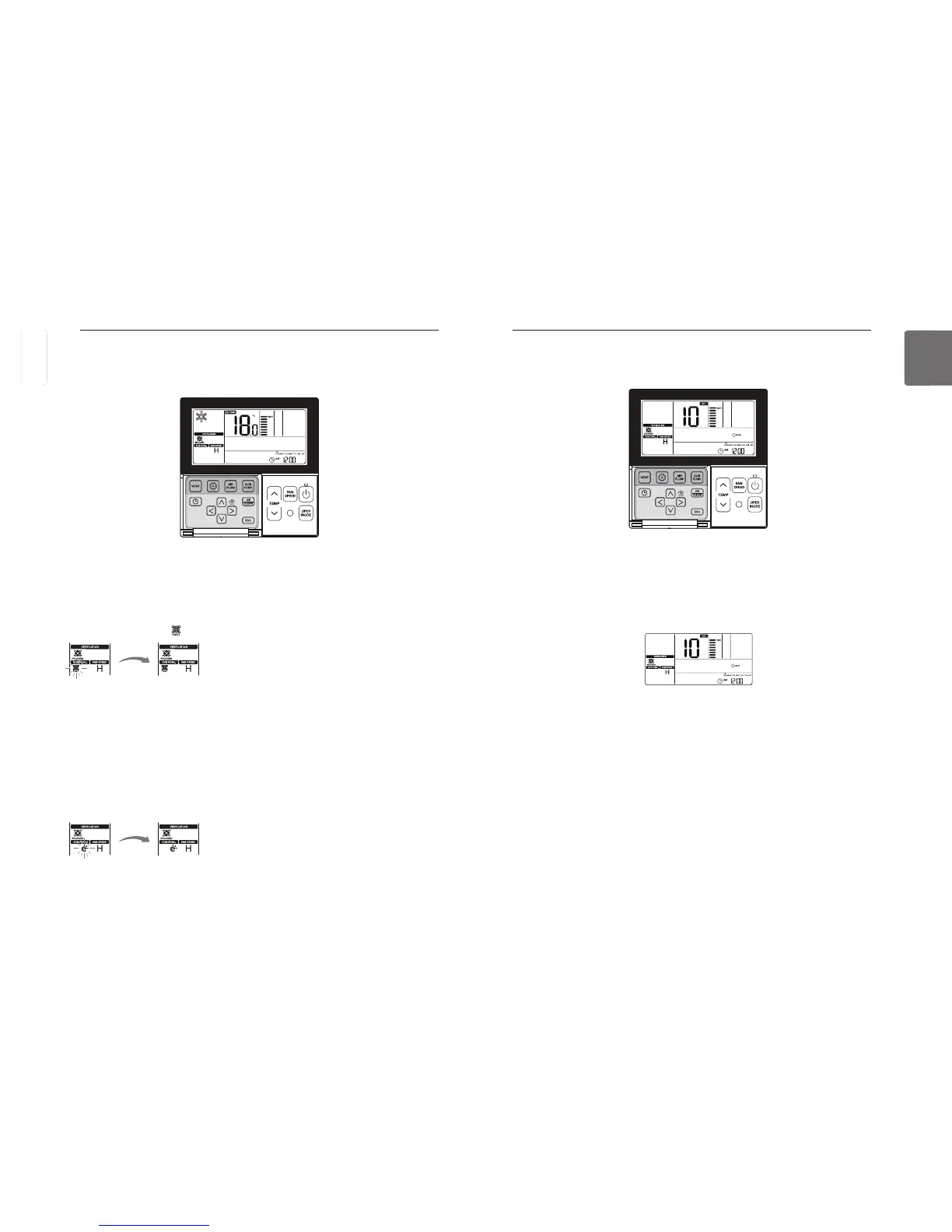
icon displays and blinks in the temperature display section.
Change the set value for delay time using
If no button is selected for about 1 minute after setup, the system will exit automatically.
If Set button is not selected before you exit, the changes will not apply.
Energy Saving
It performs Energy-saving function while ventilating efficiently.
The additional mode of general ventilation and direct expansion ventilation is identical.
The additional mode settings for air cleaner/heater/humidifier are as the same as the air condi-
tioner.
Ventilation Product Additional Operations – Fast/Energy Saving
This function is to facilitate the ventilation function more efficiently by setting quick/energy-saving
mode in the additional functions of ventilator.
Lock, Filter Cleaning, Time Setting, Converting Temperature
Refer to 'Function Settings - Child Lock’ part for lock function.
Refer to 'Function Settings - Filter Sign Clear’ part for Filter Cleaning function.
Refer to 'Function Settings - Changing Current Time’ part for Time Setting function.
Refer to 'Function Settings - Change Temperature' part for Temperature Conversion function.
Delay time
Ventilation starts after delay time.
Ventilation Product Function Settings
Ventilation starts after delay time.
ENGLISH



 To Next Page