12
OWNER’S INSTRUCTION
ENGLISH
OWNER’S INSTRUCTION
13
ENGLISH
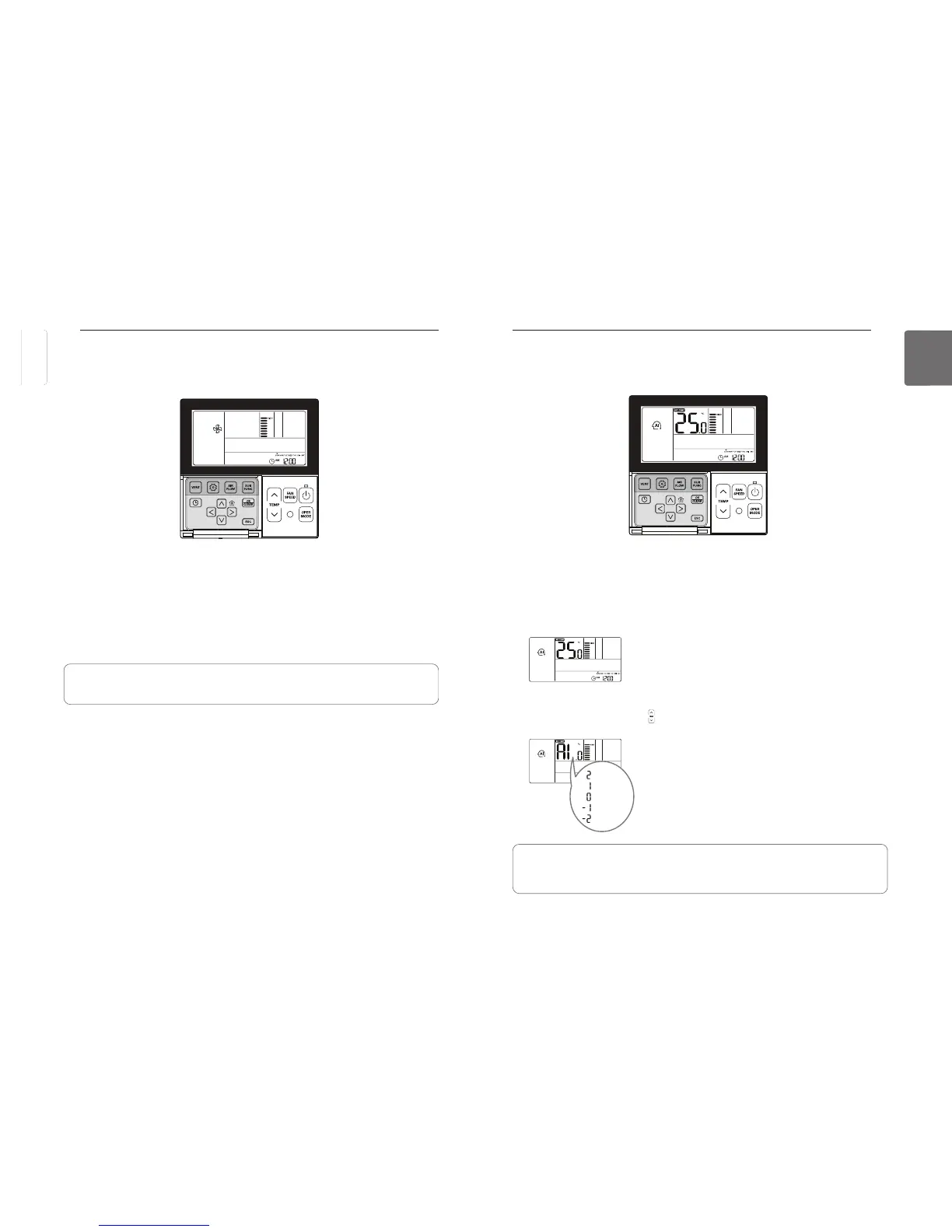
Standard Operation – Auto Operation Mode
It automatically selects an operating mode.
button to select Artificial intelligence Mode.
The temperature can be adjusted as illustrated below for cooling/heating models.
◀ Display window (cooling/heating models).
For the cooling only models, press button to adjust the temperature range ‘-2’~’2’ starting at
‘0’.
When cold
When cool
When appropriate
When warm
When hot
◀ Display window (cooling model)
In the Auto Operation mode.
• You can use N button.
• If it doesn’t operate as you desire, you can select the other operation mode manually.
P
button to select Fan mode.
Press
button repeatedly to adjust wind powerfulness SLOW
- The compressor will not run in the Fan mode.
• Fan mode blows the room temperature air, not blowing cold air.
• It circulates the air in the room by blowing the room temperature air.
• The menu of fan speeds may vary depending on the product type.
Standard Operation – Fan Mode
It blows the air in the room, not blowing cold air.
ENGLISH
ENGLISH



 To Next Page