60
INSTALLATION INSTRUCTION
ENGLISH
INSTALLATION INSTRUCTION
61
ENGLISH
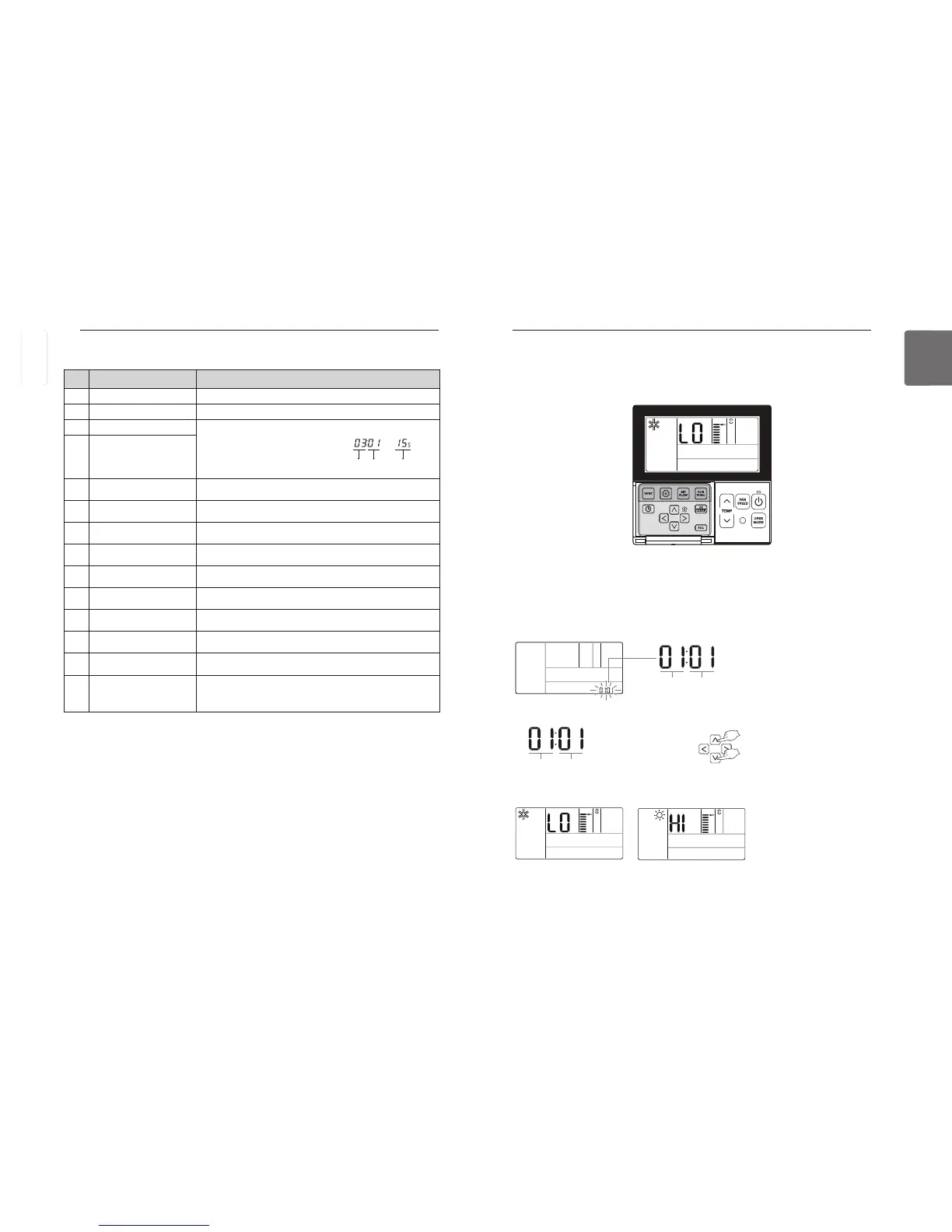
Installer Setting – Test run
A test run must be performed after installation.
See the product manual for more details about test run.
Test run
code value
Set value
❈ Test run mode value
00 : Cooling test run
01 : Heating test run
button for more than 3 seconds to enter the installer settings mode.
- If pressing only once briefly, it will enter the user settings mode.
Make sure to press and hold for more than 3 seconds.
- For the wall-mount product, cancel the wind direction left/right.
The set value ‘01’ will blink in the lower part of display window.
Select the test run mode using
button to start test run.
During a test run, press the button below to cancel the test run.
- Operation selection, temperature up/down, fan speed, Airflow, run/stop button
<When cooling> <When heating>
<Ventilator code table>
Some contents may not be displayed depending on the product function
01 Test run 01 : Test Run Setup
02 Address Setting 00~FF : Address of Central Control
03 SA(Supply Air) ESP
<ESP Step> <ESP Value> <Example>
01 : Low 0~255
02 : High
03 : Super High
04 EA(Exhaust Air) ESP
05 Product Direction
01 : Normal
02 : Opposite
06 Quick Refresh Priority
01 : Supply Air First
02 : Exhaust Air First
07 Master Setting
00 : Slave
01 : Master
08 Override Setting
00 : Slave
01 : Master
09 Dry Contact
00 : Auto-Off
01 : Auto-On
10 Release Of 3 Minute Delay 01 : Set
11 Zone State
01 : Variable
02 : Fixed
13
Humidification for Singular
Ventilation
00 : Not in Use
01 : Use
14
Humidification for Heat
Mode Ventilation
00 : Automatic
01 : Manual
15
Ventilation basis
fan speed
00 : Factory set default value
11 : 10% increase
21/22 : 10/20% Decrease
Function Code ESP valueESP step
ENGLISH



 To Next Page